20 Goatee & Mustache Styles to Try With AI
Try 20 goatee and mustache styles with AI, including circle beard, Van Dyke, soul patch, chevron and handlebar-inspired looks.
On this page
Open the AvaClik tool connected to this guide and try it on your photo.
Goatees and mustaches are precision-heavy facial-hair edits because the style depends on negative space. The cheeks may remain clean, the lip border must stay readable and small changes to width or connection can turn one style into another.
Quick answer
Specify where facial hair should exist and where the skin should remain clean. For mustaches, define width, thickness and end shape. For goatees, define chin coverage and whether the moustache connects to the beard around the mouth.
Classic goatee
A chin-focused goatee leaves the cheeks and often the moustache area cleaner, so boundaries must be intentional. For a publishable before-and-after example in 20 Goatee & Mustache Styles to Try With AI, keep crop, expression, camera angle and exposure consistent. If the “after” image also receives better skin, a different jaw or a more flattering light, readers cannot tell what the beard operation actually contributed. A fair example isolates the facial-hair change and makes preservation quality visible.
A chin-focused goatee leaves the cheeks and often the moustache area cleaner, so boundaries must be intentional. In 20 Goatee & Mustache Styles to Try With AI, this matters because the goal is to preview localized facial-hair styles with clean negative space and preserved mouth geometry. Facial hair sits directly on high-information identity regions, so a visually attractive result can still be wrong if it silently changes the face underneath. Keep the edit narrow and judge the beard against the original portrait rather than judging the new style in isolation.
Circle beard
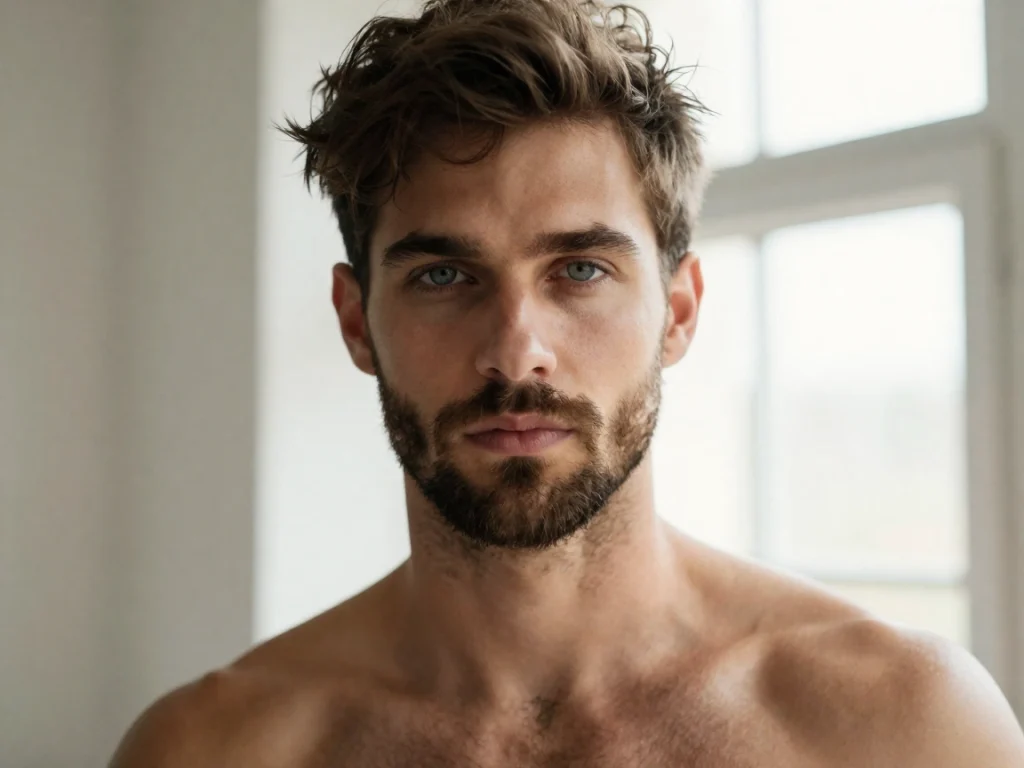
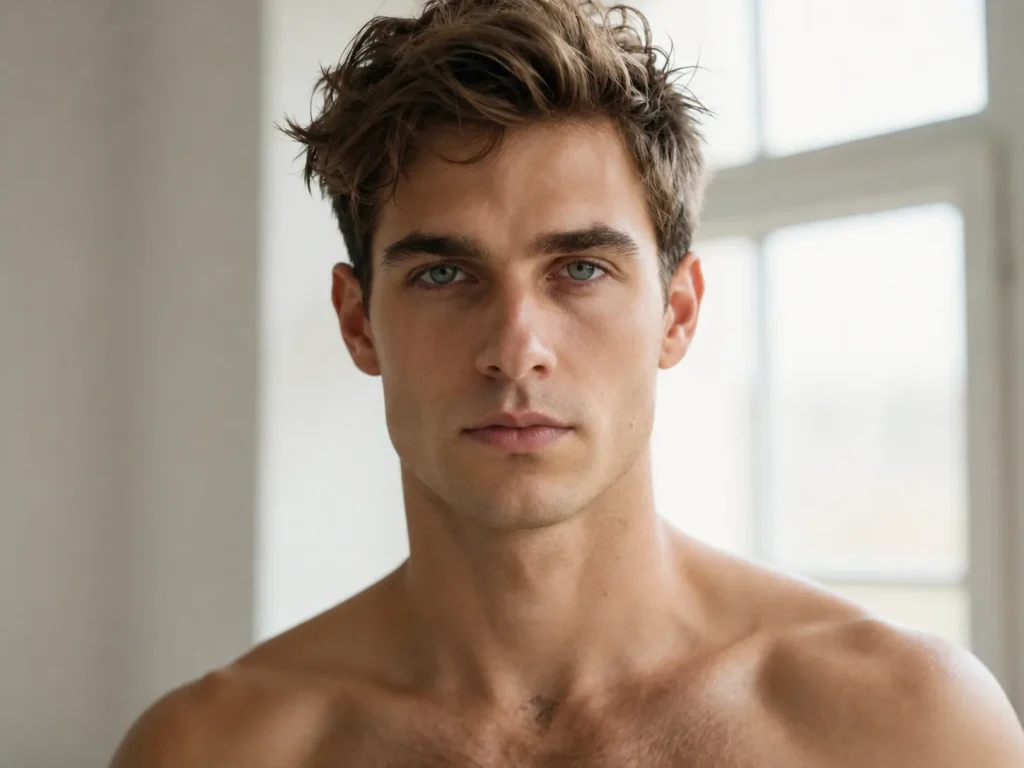
The moustache connects around the mouth to chin hair, forming a compact frame that should not distort lip shape. Generate more than one candidate when the boundary is difficult. Facial hair contains thousands of small dark-light transitions, and one version may preserve the mouth better while another handles cheek edges or jaw attachment more cleanly. Comparing candidates from the same source is often faster and more reliable than stacking many repair instructions onto a weak first result.
The moustache connects around the mouth to chin hair, forming a compact frame that should not distort lip shape. A practical test for circle beard is to ask what visual evidence the source image provides and what the model has to invent. With AI goatee and mustache styles, the safest result keeps the underlying face stable while using the available cheek, mouth, chin and jaw geometry to place new hair. The less the editor has to guess about hidden boundaries, the easier it is to get a believable result.
Van Dyke-inspired style
A separated moustache and pointed chin beard rely on clear negative space between components. In 20 Goatee & Mustache Styles to Try With AI, this matters because the goal is to preview localized facial-hair styles with clean negative space and preserved mouth geometry. Facial hair sits directly on high-information identity regions, so a visually attractive result can still be wrong if it silently changes the face underneath. Keep the edit narrow and judge the beard against the original portrait rather than judging the new style in isolation.
A separated moustache and pointed chin beard rely on clear negative space between components. Review this section at two scales. At normal viewing size, look for overall beard silhouette, balance and whether the style belongs on the same person. At close zoom, inspect upper-lip edge, moustache width, chin patch shape, connection around mouth, clean cheeks and symmetry. Those two views catch different failures: silhouette problems are obvious from a distance, while edge, strand and identity problems usually appear only when you inspect the details.
Soul patch
A small patch below the lower lip must stay centered and should not expand into an unintended goatee. A practical test for soul patch is to ask what visual evidence the source image provides and what the model has to invent. With AI goatee and mustache styles, the safest result keeps the underlying face stable while using the available cheek, mouth, chin and jaw geometry to place new hair. The less the editor has to guess about hidden boundaries, the easier it is to get a believable result.
A small patch below the lower lip must stay centered and should not expand into an unintended goatee. For a publishable before-and-after example in 20 Goatee & Mustache Styles to Try With AI, keep crop, expression, camera angle and exposure consistent. If the “after” image also receives better skin, a different jaw or a more flattering light, readers cannot tell what the beard operation actually contributed. A fair example isolates the facial-hair change and makes preservation quality visible.
Chevron mustache
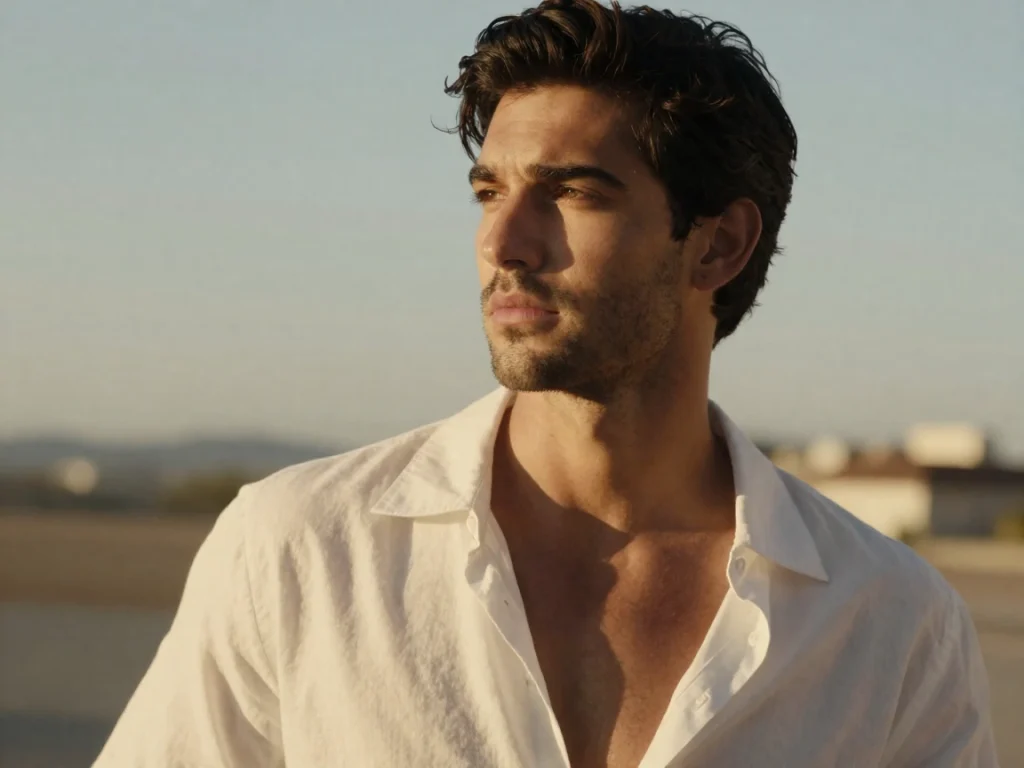
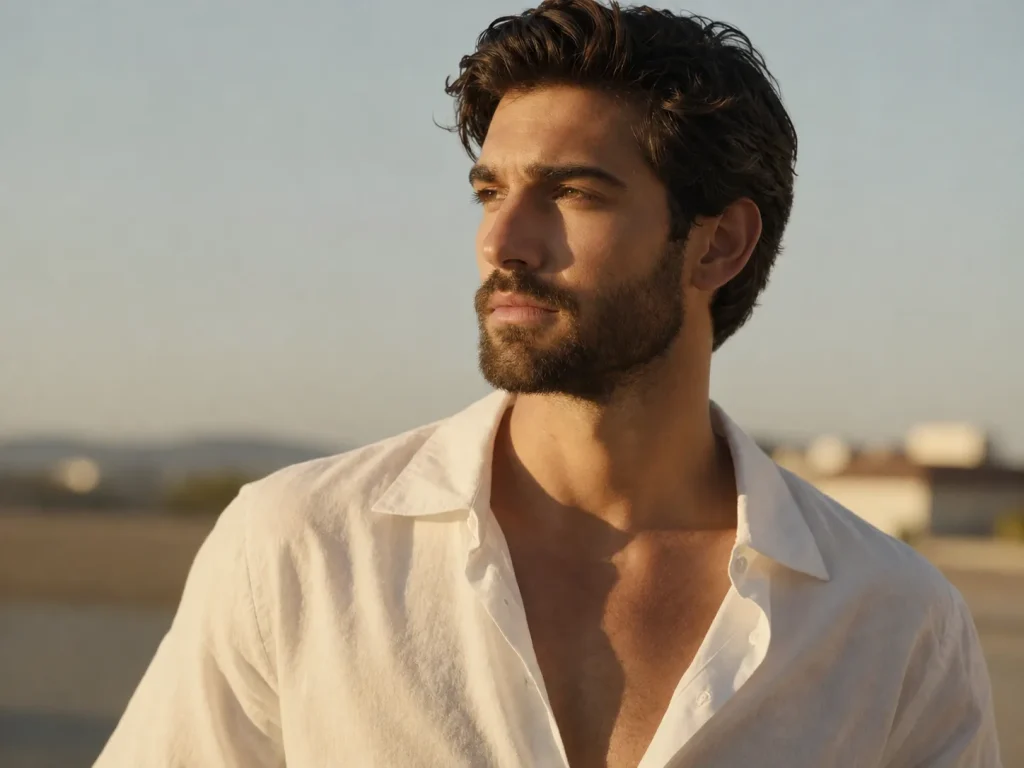
A thicker moustache can cover more upper-lip area, so the lower edge needs careful control. Review this section at two scales. At normal viewing size, look for overall beard silhouette, balance and whether the style belongs on the same person. At close zoom, inspect upper-lip edge, moustache width, chin patch shape, connection around mouth, clean cheeks and symmetry. Those two views catch different failures: silhouette problems are obvious from a distance, while edge, strand and identity problems usually appear only when you inspect the details.
A thicker moustache can cover more upper-lip area, so the lower edge needs careful control. Generate more than one candidate when the boundary is difficult. Facial hair contains thousands of small dark-light transitions, and one version may preserve the mouth better while another handles cheek edges or jaw attachment more cleanly. Comparing candidates from the same source is often faster and more reliable than stacking many repair instructions onto a weak first result.
Handlebar-inspired mustache
Extended ends require symmetry and believable hair direction rather than graphic curls pasted onto the skin. For a publishable before-and-after example in 20 Goatee & Mustache Styles to Try With AI, keep crop, expression, camera angle and exposure consistent. If the “after” image also receives better skin, a different jaw or a more flattering light, readers cannot tell what the beard operation actually contributed. A fair example isolates the facial-hair change and makes preservation quality visible.
Extended ends require symmetry and believable hair direction rather than graphic curls pasted onto the skin. In 20 Goatee & Mustache Styles to Try With AI, this matters because the goal is to preview localized facial-hair styles with clean negative space and preserved mouth geometry. Facial hair sits directly on high-information identity regions, so a visually attractive result can still be wrong if it silently changes the face underneath. Keep the edit narrow and judge the beard against the original portrait rather than judging the new style in isolation.
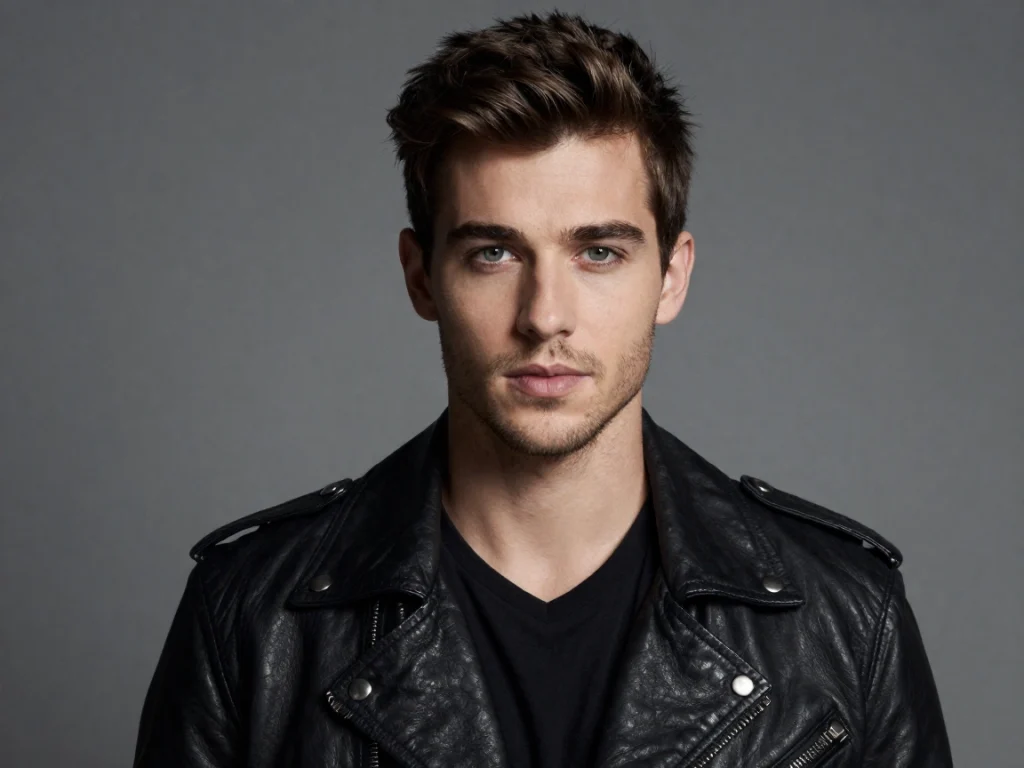
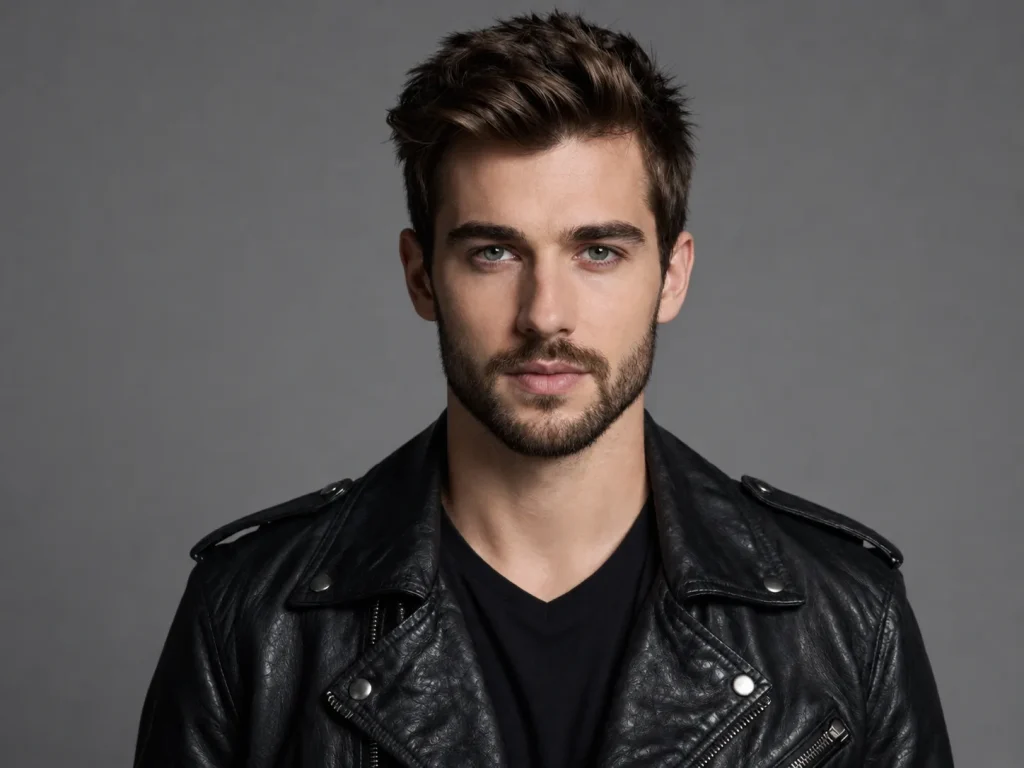
Thin moustache
A narrow moustache needs subtle texture and natural irregularity to avoid looking drawn with a digital pen. Generate more than one candidate when the boundary is difficult. Facial hair contains thousands of small dark-light transitions, and one version may preserve the mouth better while another handles cheek edges or jaw attachment more cleanly. Comparing candidates from the same source is often faster and more reliable than stacking many repair instructions onto a weak first result.
A narrow moustache needs subtle texture and natural irregularity to avoid looking drawn with a digital pen. A practical test for thin moustache is to ask what visual evidence the source image provides and what the model has to invent. With AI goatee and mustache styles, the safest result keeps the underlying face stable while using the available cheek, mouth, chin and jaw geometry to place new hair. The less the editor has to guess about hidden boundaries, the easier it is to get a believable result.
Control mustache width
Moustache width relative to the mouth and nose strongly changes the perceived style. In 20 Goatee & Mustache Styles to Try With AI, this matters because the goal is to preview localized facial-hair styles with clean negative space and preserved mouth geometry. Facial hair sits directly on high-information identity regions, so a visually attractive result can still be wrong if it silently changes the face underneath. Keep the edit narrow and judge the beard against the original portrait rather than judging the new style in isolation.
Moustache width relative to the mouth and nose strongly changes the perceived style. Review this section at two scales. At normal viewing size, look for overall beard silhouette, balance and whether the style belongs on the same person. At close zoom, inspect upper-lip edge, moustache width, chin patch shape, connection around mouth, clean cheeks and symmetry. Those two views catch different failures: silhouette problems are obvious from a distance, while edge, strand and identity problems usually appear only when you inspect the details.
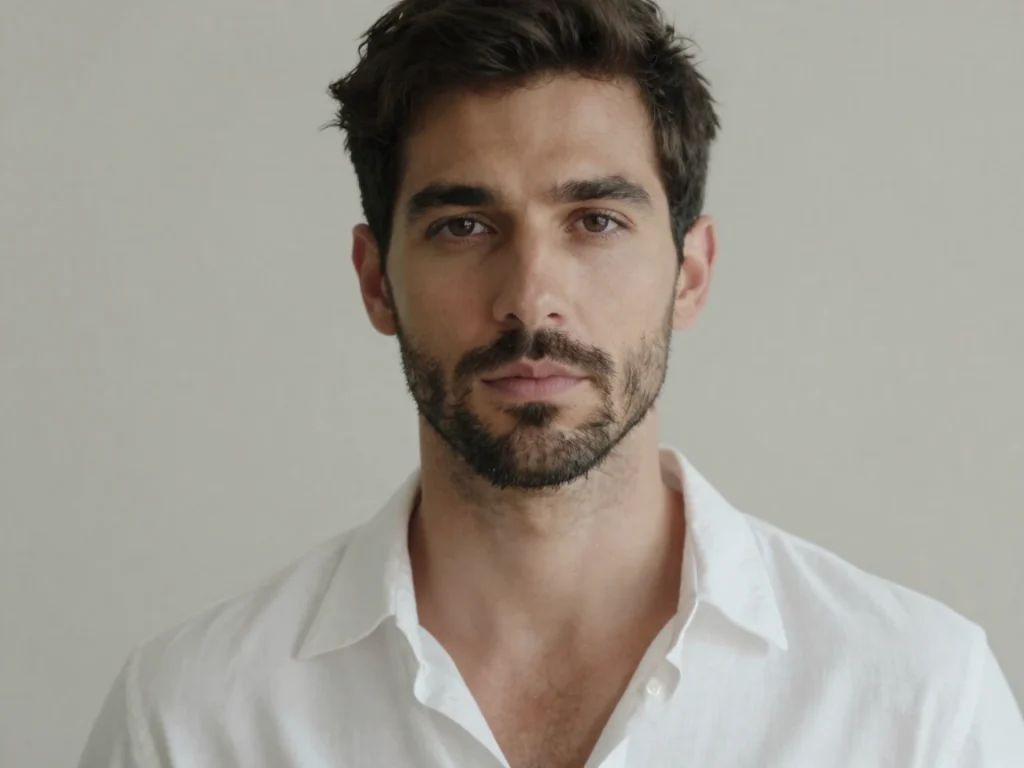
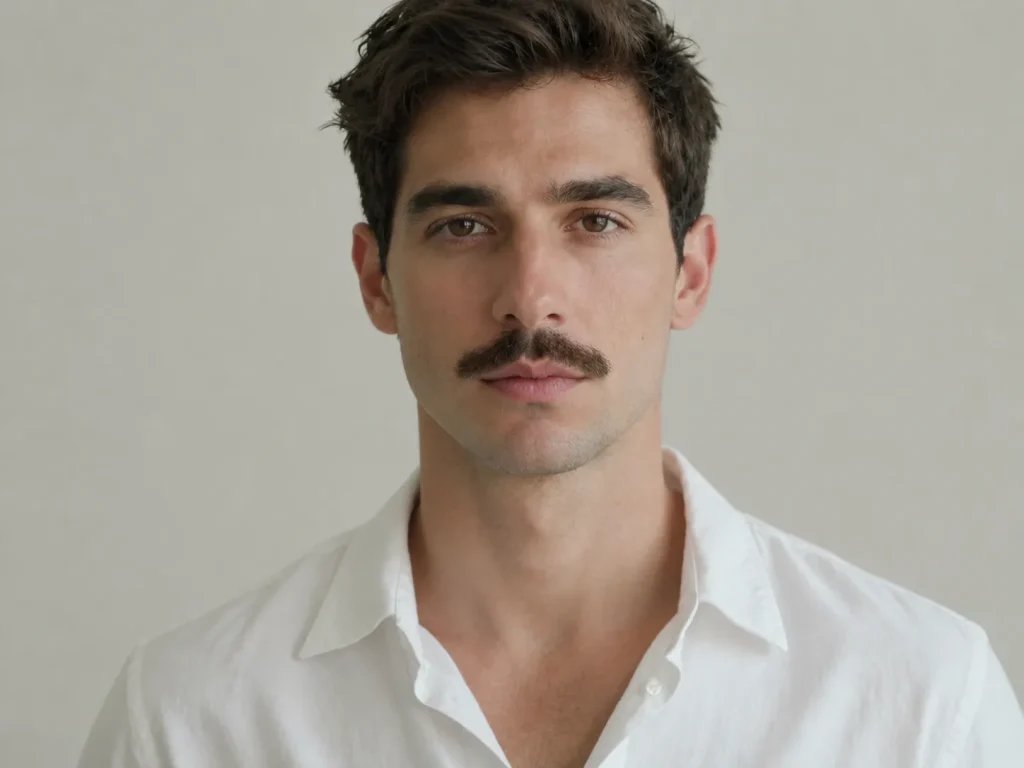
Keep clean areas genuinely clean
Residual beard texture on the cheeks can blur the distinction between a goatee and a full beard. A practical test for keep clean areas genuinely clean is to ask what visual evidence the source image provides and what the model has to invent. With AI goatee and mustache styles, the safest result keeps the underlying face stable while using the available cheek, mouth, chin and jaw geometry to place new hair. The less the editor has to guess about hidden boundaries, the easier it is to get a believable result.
Residual beard texture on the cheeks can blur the distinction between a goatee and a full beard. For a publishable before-and-after example in 20 Goatee & Mustache Styles to Try With AI, keep crop, expression, camera angle and exposure consistent. If the “after” image also receives better skin, a different jaw or a more flattering light, readers cannot tell what the beard operation actually contributed. A fair example isolates the facial-hair change and makes preservation quality visible.
Protect the mouth
The lips, teeth and smile must remain consistent even when the moustache sits close to the mouth boundary. Review this section at two scales. At normal viewing size, look for overall beard silhouette, balance and whether the style belongs on the same person. At close zoom, inspect upper-lip edge, moustache width, chin patch shape, connection around mouth, clean cheeks and symmetry. Those two views catch different failures: silhouette problems are obvious from a distance, while edge, strand and identity problems usually appear only when you inspect the details.
The lips, teeth and smile must remain consistent even when the moustache sits close to the mouth boundary. Generate more than one candidate when the boundary is difficult. Facial hair contains thousands of small dark-light transitions, and one version may preserve the mouth better while another handles cheek edges or jaw attachment more cleanly. Comparing candidates from the same source is often faster and more reliable than stacking many repair instructions onto a weak first result.
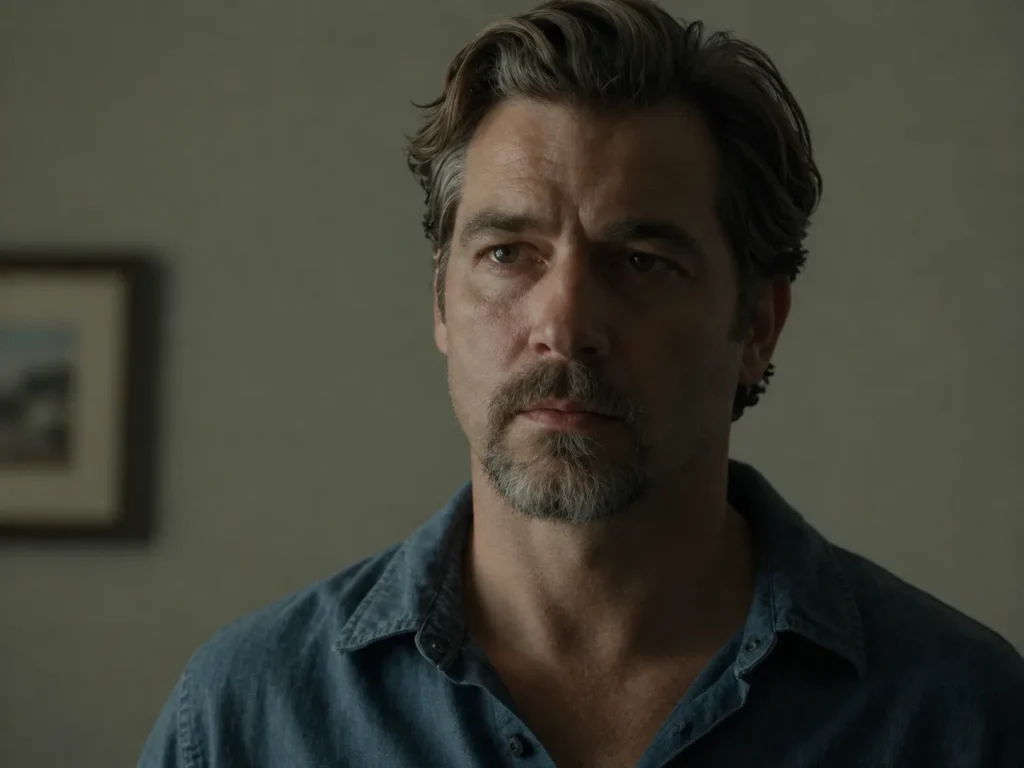
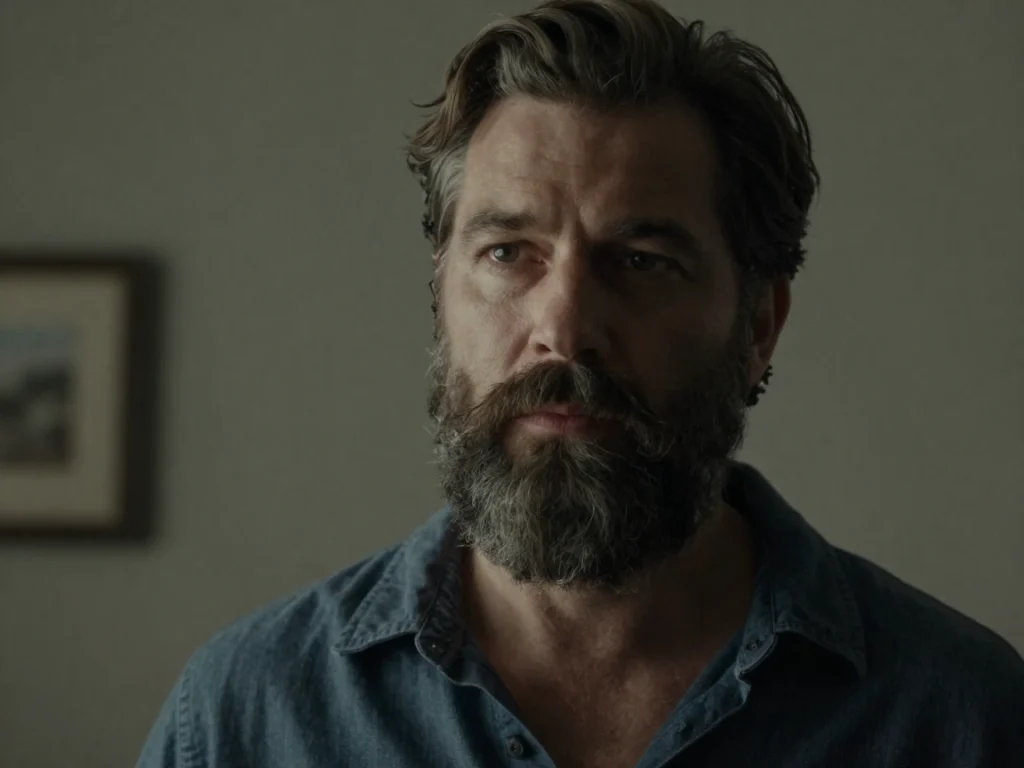
20 ready-to-copy beard prompts
Use these as starting points. Keep the preservation clause when identity matters, and change only the facial-hair variables you actually want to compare.
Create a classic goatee with clean negative space, realistic strand texture and a clearly preserved mouth and lip shape. Preserve the exact same face, jaw structure, nose, lips, eyes, eyebrows, hairstyle, expression, skin tone, lighting, outfit and background.Create a circle beard with clean negative space, realistic strand texture and a clearly preserved mouth and lip shape. Preserve the exact same face, jaw structure, nose, lips, eyes, eyebrows, hairstyle, expression, skin tone, lighting, outfit and background.Create a van dyke style with clean negative space, realistic strand texture and a clearly preserved mouth and lip shape. Preserve the exact same face, jaw structure, nose, lips, eyes, eyebrows, hairstyle, expression, skin tone, lighting, outfit and background.Create a anchor-style goatee with clean negative space, realistic strand texture and a clearly preserved mouth and lip shape. Preserve the exact same face, jaw structure, nose, lips, eyes, eyebrows, hairstyle, expression, skin tone, lighting, outfit and background.Create a disconnected goatee with clean negative space, realistic strand texture and a clearly preserved mouth and lip shape. Preserve the exact same face, jaw structure, nose, lips, eyes, eyebrows, hairstyle, expression, skin tone, lighting, outfit and background.Create a compact goatee with clean negative space, realistic strand texture and a clearly preserved mouth and lip shape. Preserve the exact same face, jaw structure, nose, lips, eyes, eyebrows, hairstyle, expression, skin tone, lighting, outfit and background.Create a wide goatee with clean negative space, realistic strand texture and a clearly preserved mouth and lip shape. Preserve the exact same face, jaw structure, nose, lips, eyes, eyebrows, hairstyle, expression, skin tone, lighting, outfit and background.Create a pointed chin goatee with clean negative space, realistic strand texture and a clearly preserved mouth and lip shape. Preserve the exact same face, jaw structure, nose, lips, eyes, eyebrows, hairstyle, expression, skin tone, lighting, outfit and background.Create a soul patch with clean negative space, realistic strand texture and a clearly preserved mouth and lip shape. Preserve the exact same face, jaw structure, nose, lips, eyes, eyebrows, hairstyle, expression, skin tone, lighting, outfit and background.Create a soul patch plus moustache with clean negative space, realistic strand texture and a clearly preserved mouth and lip shape. Preserve the exact same face, jaw structure, nose, lips, eyes, eyebrows, hairstyle, expression, skin tone, lighting, outfit and background.Continue comparing these beard ideas on the same source portrait for 20 Goatee & Mustache Styles to Try With AI. Identical framing makes differences in density, shape and color much easier to judge.
Create a natural moustache with clean negative space, realistic strand texture and a clearly preserved mouth and lip shape. Preserve the exact same face, jaw structure, nose, lips, eyes, eyebrows, hairstyle, expression, skin tone, lighting, outfit and background.Create a chevron moustache with clean negative space, realistic strand texture and a clearly preserved mouth and lip shape. Preserve the exact same face, jaw structure, nose, lips, eyes, eyebrows, hairstyle, expression, skin tone, lighting, outfit and background.Create a handlebar-inspired moustache with clean negative space, realistic strand texture and a clearly preserved mouth and lip shape. Preserve the exact same face, jaw structure, nose, lips, eyes, eyebrows, hairstyle, expression, skin tone, lighting, outfit and background.Create a pencil moustache with clean negative space, realistic strand texture and a clearly preserved mouth and lip shape. Preserve the exact same face, jaw structure, nose, lips, eyes, eyebrows, hairstyle, expression, skin tone, lighting, outfit and background.Create a horseshoe-inspired moustache with clean negative space, realistic strand texture and a clearly preserved mouth and lip shape. Preserve the exact same face, jaw structure, nose, lips, eyes, eyebrows, hairstyle, expression, skin tone, lighting, outfit and background.Create a short walrus-inspired moustache with clean negative space, realistic strand texture and a clearly preserved mouth and lip shape. Preserve the exact same face, jaw structure, nose, lips, eyes, eyebrows, hairstyle, expression, skin tone, lighting, outfit and background.Create a beardstache with clean negative space, realistic strand texture and a clearly preserved mouth and lip shape. Preserve the exact same face, jaw structure, nose, lips, eyes, eyebrows, hairstyle, expression, skin tone, lighting, outfit and background.Create a strong moustache with light stubble with clean negative space, realistic strand texture and a clearly preserved mouth and lip shape. Preserve the exact same face, jaw structure, nose, lips, eyes, eyebrows, hairstyle, expression, skin tone, lighting, outfit and background.Create a thin moustache with clean chin with clean negative space, realistic strand texture and a clearly preserved mouth and lip shape. Preserve the exact same face, jaw structure, nose, lips, eyes, eyebrows, hairstyle, expression, skin tone, lighting, outfit and background.Create a circle beard with lighter moustache with clean negative space, realistic strand texture and a clearly preserved mouth and lip shape. Preserve the exact same face, jaw structure, nose, lips, eyes, eyebrows, hairstyle, expression, skin tone, lighting, outfit and background.A practical step-by-step workflow
Use a controlled sequence when testing AI goatee and mustache styles. Start from the original portrait for each major style comparison so identity changes do not accumulate from one generated image to the next.
- 1. Choose a clear adult portrait where cheeks, mouth, chin and jaw are visible.
- 2. Decide the one main facial-hair variable you want to test: style, length, density or color.
- 3. Preserve facial identity, hairstyle, expression, skin tone, camera angle, lighting, clothing and background.
- 4. Generate several candidates and compare overall beard silhouette before zooming into cheek, lip, jaw and neckline details.
- 5. If identity changes, retry from the original. If only the beard edge or color is wrong, make one narrow correction at a time.
Before exporting 20 Goatee & Mustache Styles to Try With AI examples, compare source and result at the same crop. The beard should look attached to the original face and light, not like a separate layer that happens to be in the right location.
Common mistakes to avoid
- Changing beard style, color, face shape and portrait lighting at the same time when you only need to compare facial hair.
- Accepting a beard because the style looks attractive without checking whether lips, jaw, skin texture or nose changed.
- Using a heavily cropped or shadowed source and then expecting precise moustache, cheek and neckline boundaries.
- Treating AI-generated beard density as a prediction of how real facial hair will grow.
- Repairing many unrelated problems on a drifted result instead of retrying from the original portrait.
Related AvaClik beard guides
Use these related guides when the next question is about prompts, source-photo quality, identity preservation, beard realism or repairing a weak result.
- How to Try a Beard on Your Photo With AI: Complete Guide
- 40 AI Beard Prompts for Realistic Beard, Stubble & Mustache Styles
- How to Change Beard Style Without Changing Your Face
- Best Photos for AI Beard Try-On: Angle, Lighting & Jawline
Frequently asked questions
Will the AI beard look exactly like my real beard would grow?
No. It is a visual preview. Real facial-hair density, patchiness, growth direction, curl, color and growth rate vary and cannot be inferred perfectly from a generated image.
What kind of photo works best?
A clear front or gentle three-quarter adult portrait with visible cheeks, mouth, chin and jawline is easiest to evaluate.
Can I change beard color in AvaClik?
Yes. The Beard tool supports color choice. For a fair comparison, keep beard shape and density fixed when testing color.
Should I use the result as a barber reference?
You can use it as a visual style reference, but treat it as inspiration rather than a guarantee of how your real facial hair will grow or trim.
Try the beard style in AvaClik
Open AvaClik AI Beard Changer to test the workflow from 20 Goatee & Mustache Styles to Try With AI. Use a photo you have the right to edit, choose a beard or stubble preset, adjust color only when it is part of the comparison, and inspect the generated result before saving.
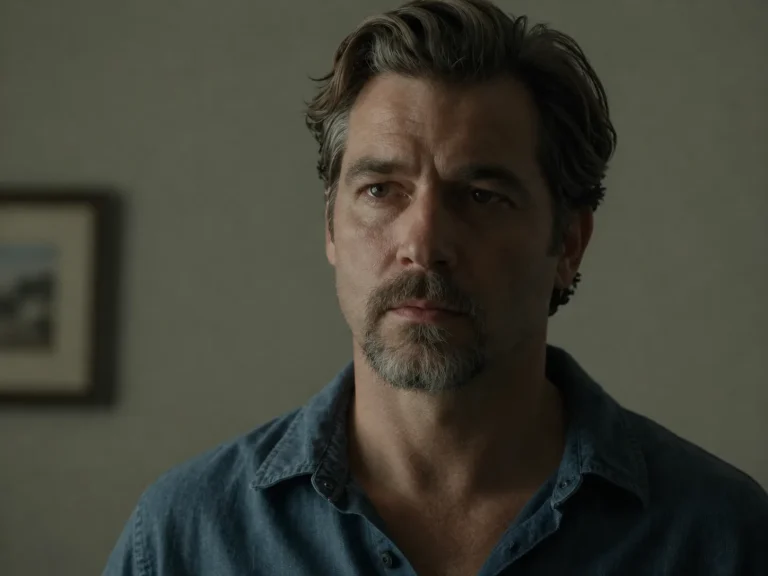
Try this in AvaClik
Try the workflow in AvaClik
Upload a photo you have permission to edit, make a change, check the result and refine it.
Try AvaClik AI Beard Changer ↗