20 Full Beard Styles to Try With AI
Try 20 fuller beard ideas with AI, from medium full beard to ducktail and rugged shapes, while preserving face and natural hair texture.
On this page
Open the AvaClik tool connected to this guide and try it on your photo.
A full beard changes the visible silhouette of the entire lower face. That makes it a more demanding edit than stubble: the model must create realistic mass, strand direction, side volume, chin length and shadows while keeping the actual face underneath consistent.
Quick answer
For a fuller beard, describe overall length, side fullness, chin projection, moustache connection and grooming level. Check that the beard grows out from the face with believable strand direction rather than floating as a separate object.
Medium full beard
This is a useful baseline because it creates noticeable volume without extreme length. Review this section at two scales. At normal viewing size, look for overall beard silhouette, balance and whether the style belongs on the same person. At close zoom, inspect overall mass, chin length, side width, strand direction, moustache blend, cheek boundary, neckline and shadows. Those two views catch different failures: silhouette problems are obvious from a distance, while edge, strand and identity problems usually appear only when you inspect the details.
This is a useful baseline because it creates noticeable volume without extreme length. Generate more than one candidate when the boundary is difficult. Facial hair contains thousands of small dark-light transitions, and one version may preserve the mouth better while another handles cheek edges or jaw attachment more cleanly. Comparing candidates from the same source is often faster and more reliable than stacking many repair instructions onto a weak first result.
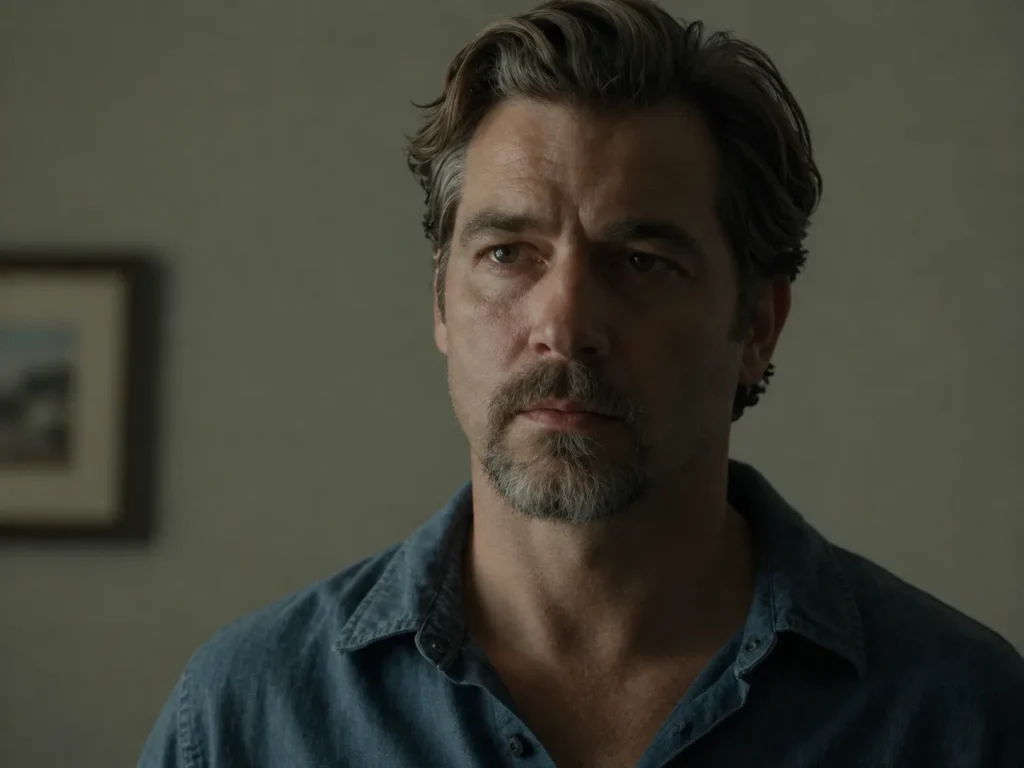
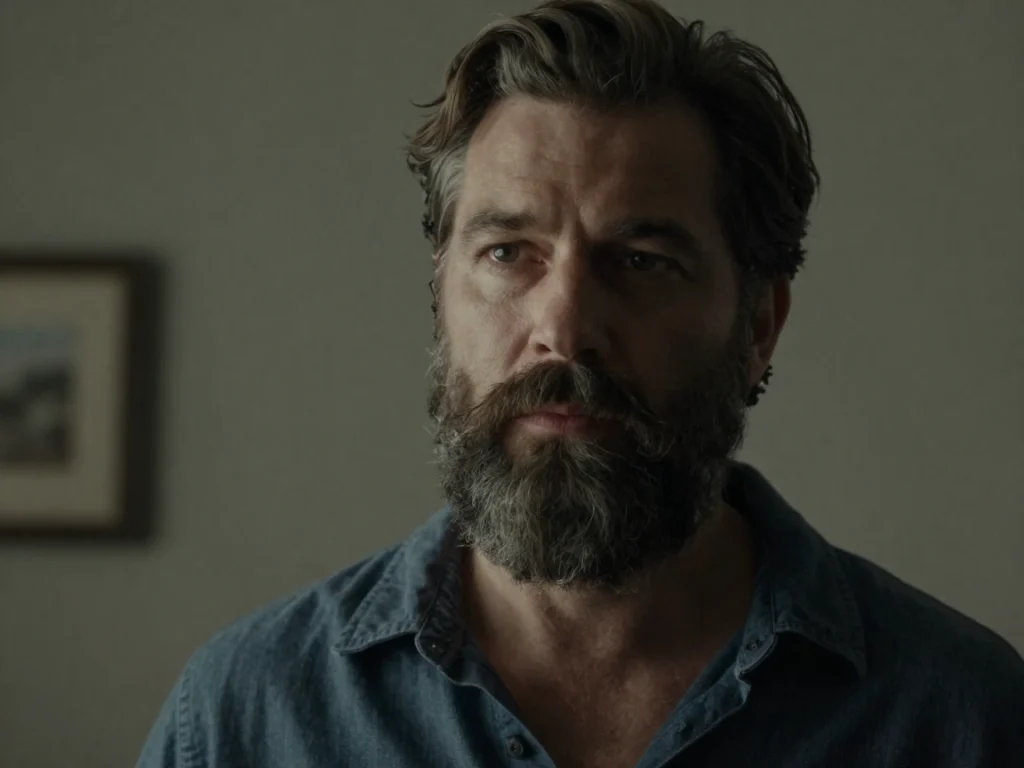
Classic full beard
Even coverage across cheeks, moustache, chin and jaw creates a balanced traditional silhouette. For a publishable before-and-after example in 20 Full Beard Styles to Try With AI, keep crop, expression, camera angle and exposure consistent. If the “after” image also receives better skin, a different jaw or a more flattering light, readers cannot tell what the beard operation actually contributed. A fair example isolates the facial-hair change and makes preservation quality visible.
Even coverage across cheeks, moustache, chin and jaw creates a balanced traditional silhouette. In 20 Full Beard Styles to Try With AI, this matters because the goal is to preview fuller beard silhouettes while preserving the person and keeping the new hair physically attached to the face. Facial hair sits directly on high-information identity regions, so a visually attractive result can still be wrong if it silently changes the face underneath. Keep the edit narrow and judge the beard against the original portrait rather than judging the new style in isolation.
- Even coverage across cheeks
- moustache
- chin and jaw creates a balanced traditional silhouette
Ducktail beard
The beard narrows and extends toward the chin, so the lower silhouette needs a clear central point without changing the actual chin. Generate more than one candidate when the boundary is difficult. Facial hair contains thousands of small dark-light transitions, and one version may preserve the mouth better while another handles cheek edges or jaw attachment more cleanly. Comparing candidates from the same source is often faster and more reliable than stacking many repair instructions onto a weak first result.
The beard narrows and extends toward the chin, so the lower silhouette needs a clear central point without changing the actual chin. A practical test for ducktail beard is to ask what visual evidence the source image provides and what the model has to invent. With AI full beard styles, the safest result keeps the underlying face stable while using the available cheek, mouth, chin and jaw geometry to place new hair. The less the editor has to guess about hidden boundaries, the easier it is to get a believable result.
Rounded fuller beard
A wider rounded lower edge creates a fuller, softer silhouette that needs believable side density. In 20 Full Beard Styles to Try With AI, this matters because the goal is to preview fuller beard silhouettes while preserving the person and keeping the new hair physically attached to the face. Facial hair sits directly on high-information identity regions, so a visually attractive result can still be wrong if it silently changes the face underneath. Keep the edit narrow and judge the beard against the original portrait rather than judging the new style in isolation.
A wider rounded lower edge creates a fuller, softer silhouette that needs believable side density. Review this section at two scales. At normal viewing size, look for overall beard silhouette, balance and whether the style belongs on the same person. At close zoom, inspect overall mass, chin length, side width, strand direction, moustache blend, cheek boundary, neckline and shadows. Those two views catch different failures: silhouette problems are obvious from a distance, while edge, strand and identity problems usually appear only when you inspect the details.
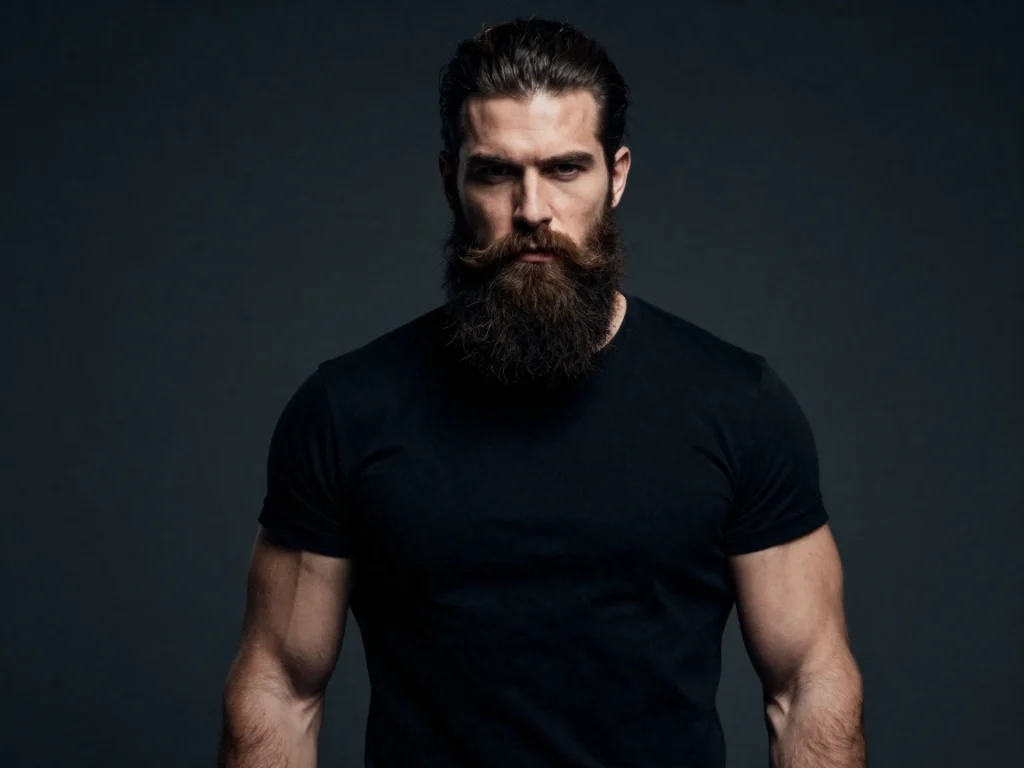
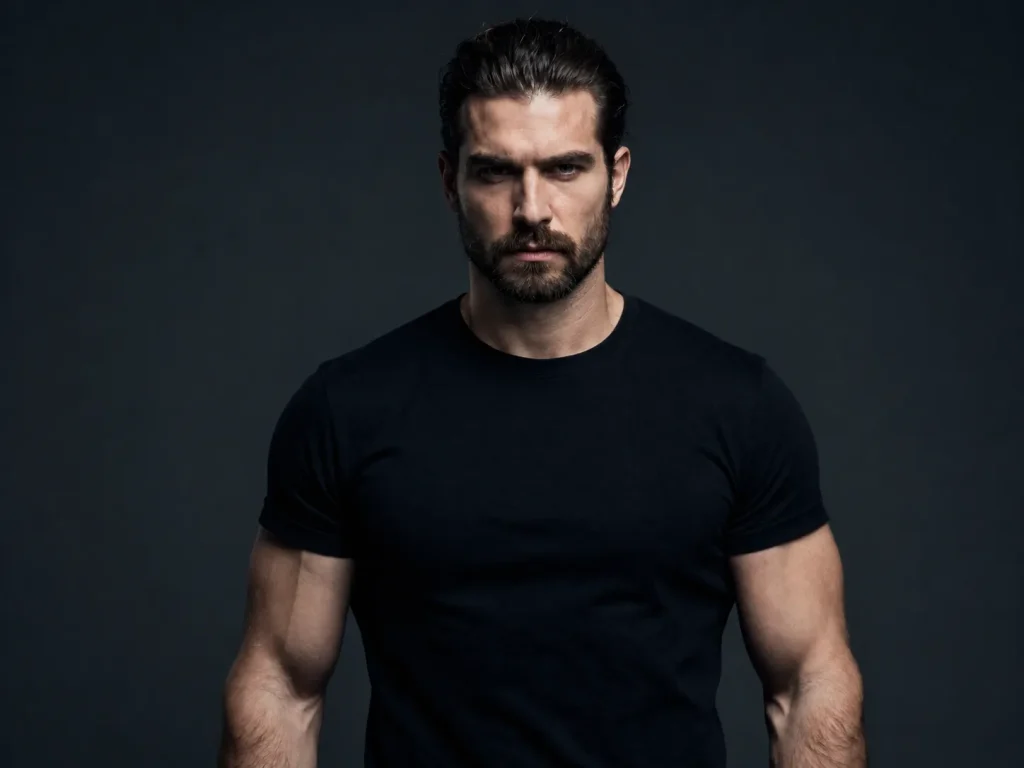
Rugged full beard
A rugged style can have more length variation and a softer outline, but the hair should still follow natural growth direction. A practical test for rugged full beard is to ask what visual evidence the source image provides and what the model has to invent. With AI full beard styles, the safest result keeps the underlying face stable while using the available cheek, mouth, chin and jaw geometry to place new hair. The less the editor has to guess about hidden boundaries, the easier it is to get a believable result.
A rugged style can have more length variation and a softer outline, but the hair should still follow natural growth direction. For a publishable before-and-after example in 20 Full Beard Styles to Try With AI, keep crop, expression, camera angle and exposure consistent. If the “after” image also receives better skin, a different jaw or a more flattering light, readers cannot tell what the beard operation actually contributed. A fair example isolates the facial-hair change and makes preservation quality visible.
Groomed full beard
Even length and controlled edges create a polished result while preserving enough individual strand texture to avoid a synthetic block. Review this section at two scales. At normal viewing size, look for overall beard silhouette, balance and whether the style belongs on the same person. At close zoom, inspect overall mass, chin length, side width, strand direction, moustache blend, cheek boundary, neckline and shadows. Those two views catch different failures: silhouette problems are obvious from a distance, while edge, strand and identity problems usually appear only when you inspect the details.
Even length and controlled edges create a polished result while preserving enough individual strand texture to avoid a synthetic block. Generate more than one candidate when the boundary is difficult. Facial hair contains thousands of small dark-light transitions, and one version may preserve the mouth better while another handles cheek edges or jaw attachment more cleanly. Comparing candidates from the same source is often faster and more reliable than stacking many repair instructions onto a weak first result.
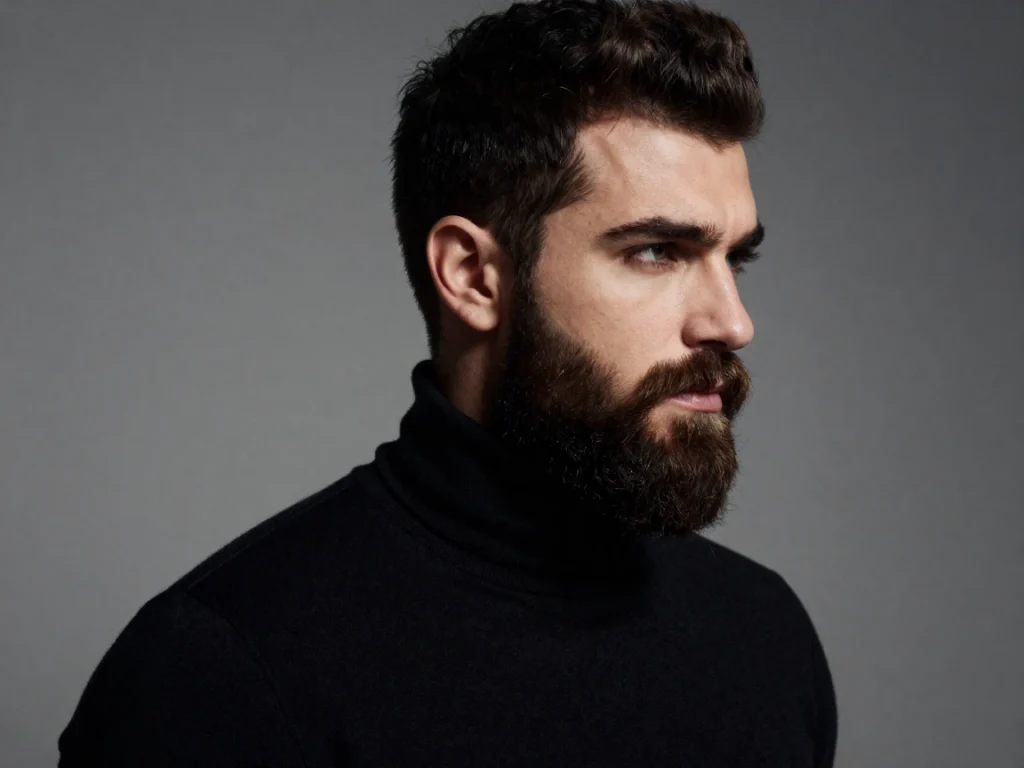
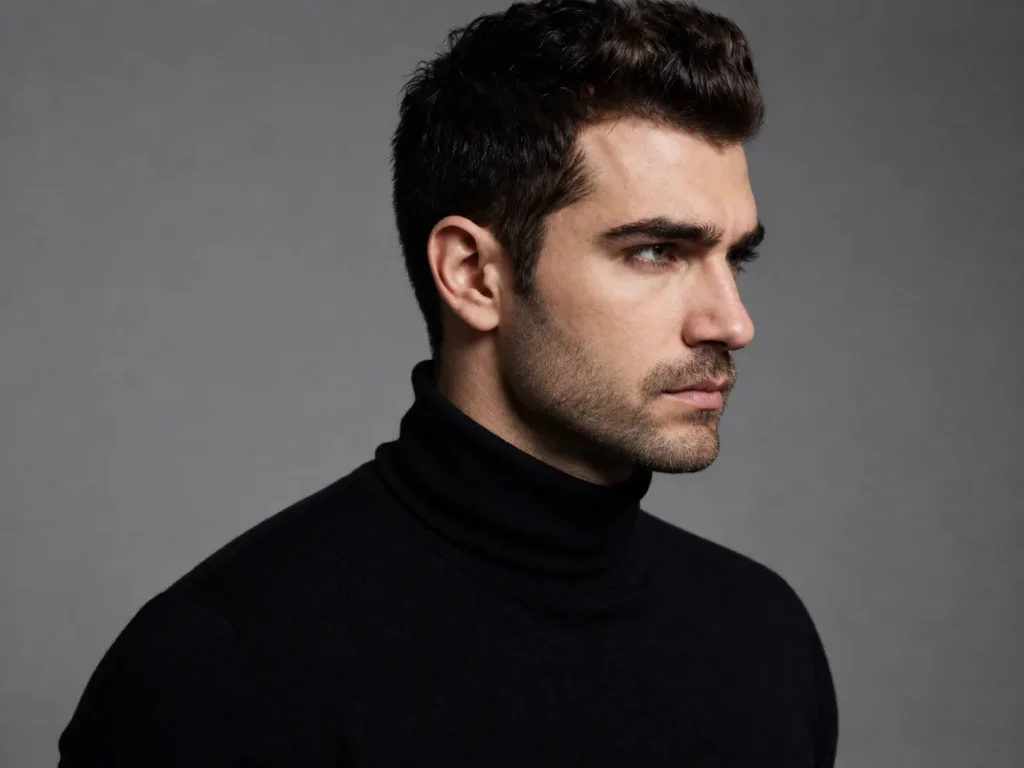
Balance the moustache with beard mass
A full beard paired with a tiny or disconnected moustache can look inconsistent unless that contrast is intentional. For a publishable before-and-after example in 20 Full Beard Styles to Try With AI, keep crop, expression, camera angle and exposure consistent. If the “after” image also receives better skin, a different jaw or a more flattering light, readers cannot tell what the beard operation actually contributed. A fair example isolates the facial-hair change and makes preservation quality visible.
A full beard paired with a tiny or disconnected moustache can look inconsistent unless that contrast is intentional. In 20 Full Beard Styles to Try With AI, this matters because the goal is to preview fuller beard silhouettes while preserving the person and keeping the new hair physically attached to the face. Facial hair sits directly on high-information identity regions, so a visually attractive result can still be wrong if it silently changes the face underneath. Keep the edit narrow and judge the beard against the original portrait rather than judging the new style in isolation.
Control side volume
Too much lateral volume can make the face look artificially wide; specify a closer or fuller side profile depending on the target style. Generate more than one candidate when the boundary is difficult. Facial hair contains thousands of small dark-light transitions, and one version may preserve the mouth better while another handles cheek edges or jaw attachment more cleanly. Comparing candidates from the same source is often faster and more reliable than stacking many repair instructions onto a weak first result.
Too much lateral volume can make the face look artificially wide; specify a closer or fuller side profile depending on the target style. A practical test for control side volume is to ask what visual evidence the source image provides and what the model has to invent. With AI full beard styles, the safest result keeps the underlying face stable while using the available cheek, mouth, chin and jaw geometry to place new hair. The less the editor has to guess about hidden boundaries, the easier it is to get a believable result.
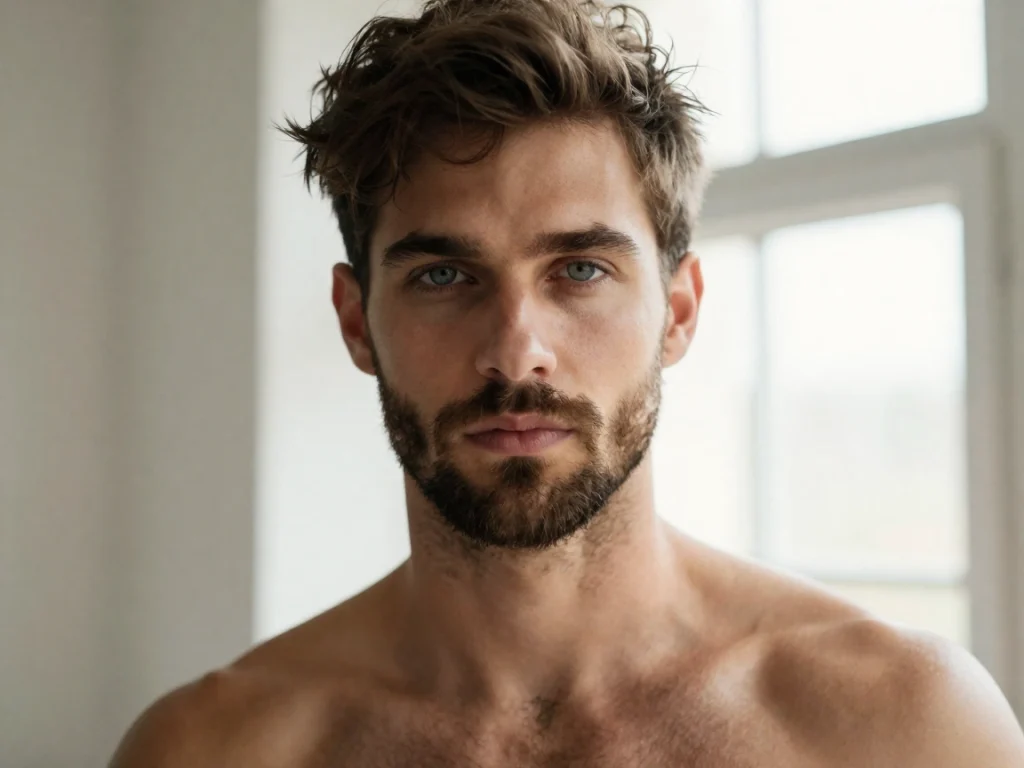
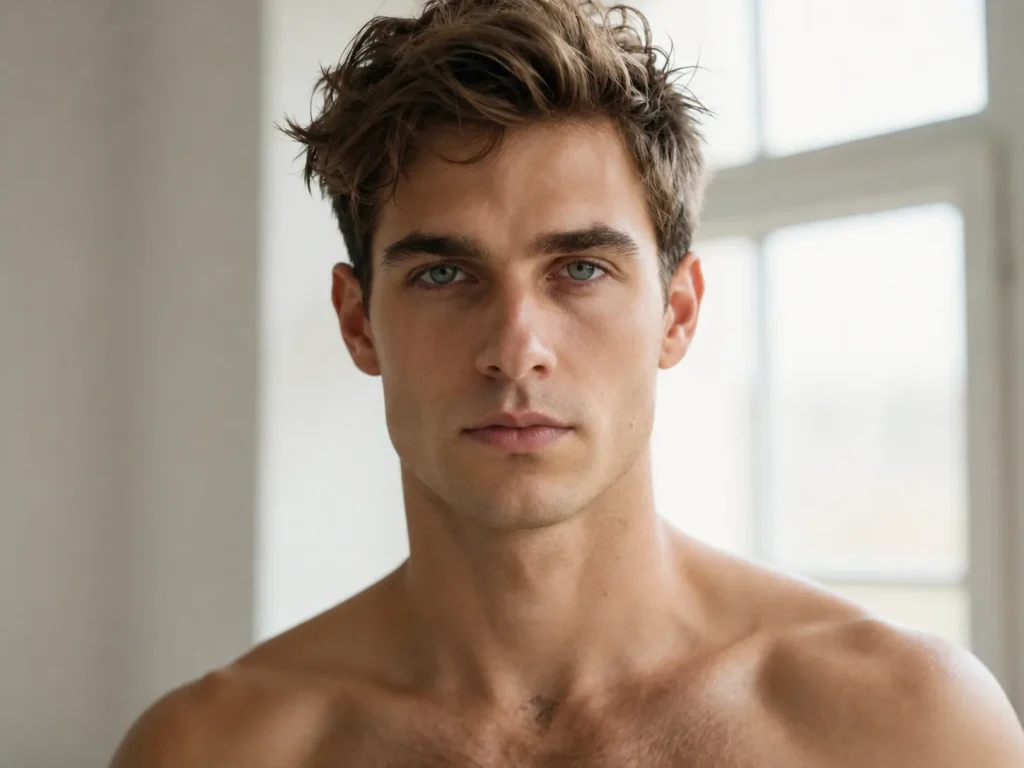
Check shadows inside dense hair
Dense beards should contain self-shadowing and highlights that agree with the original light direction. In 20 Full Beard Styles to Try With AI, this matters because the goal is to preview fuller beard silhouettes while preserving the person and keeping the new hair physically attached to the face. Facial hair sits directly on high-information identity regions, so a visually attractive result can still be wrong if it silently changes the face underneath. Keep the edit narrow and judge the beard against the original portrait rather than judging the new style in isolation.
Dense beards should contain self-shadowing and highlights that agree with the original light direction. Review this section at two scales. At normal viewing size, look for overall beard silhouette, balance and whether the style belongs on the same person. At close zoom, inspect overall mass, chin length, side width, strand direction, moustache blend, cheek boundary, neckline and shadows. Those two views catch different failures: silhouette problems are obvious from a distance, while edge, strand and identity problems usually appear only when you inspect the details.
Judge silhouette at thumbnail size
A full beard is primarily a shape decision. Zoom out to see whether the lower-face outline looks coherent before inspecting strands. A practical test for judge silhouette at thumbnail size is to ask what visual evidence the source image provides and what the model has to invent. With AI full beard styles, the safest result keeps the underlying face stable while using the available cheek, mouth, chin and jaw geometry to place new hair. The less the editor has to guess about hidden boundaries, the easier it is to get a believable result.
A full beard is primarily a shape decision. Zoom out to see whether the lower-face outline looks coherent before inspecting strands. For a publishable before-and-after example in 20 Full Beard Styles to Try With AI, keep crop, expression, camera angle and exposure consistent. If the “after” image also receives better skin, a different jaw or a more flattering light, readers cannot tell what the beard operation actually contributed. A fair example isolates the facial-hair change and makes preservation quality visible.
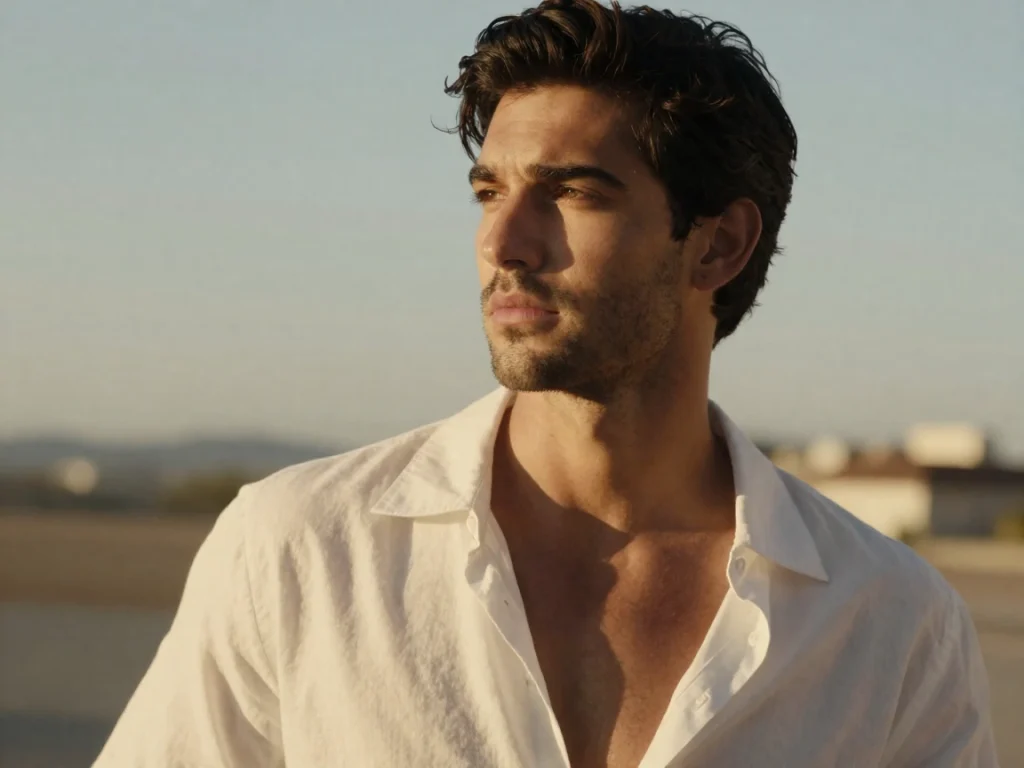
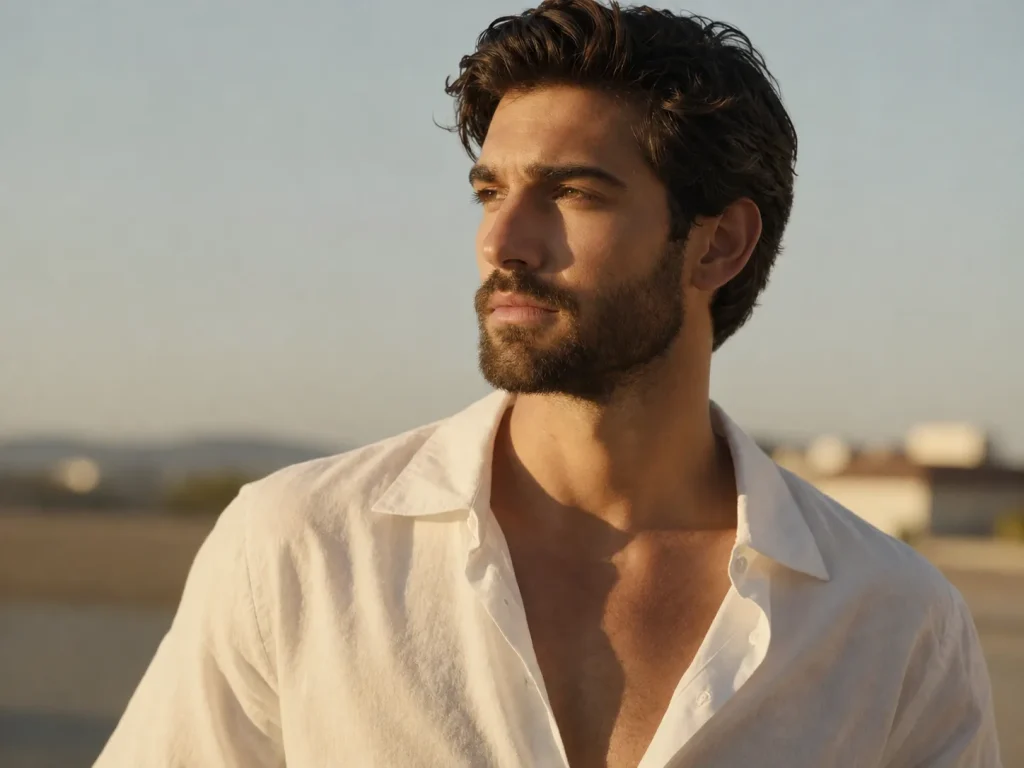
20 ready-to-copy beard prompts
Use these as starting points. Keep the preservation clause when identity matters, and change only the facial-hair variables you actually want to compare.
Add a medium full beard with believable beard mass, natural strand direction, realistic side volume and lighting consistent with the portrait. Preserve the exact same face, jaw structure, nose, lips, eyes, eyebrows, hairstyle, expression, skin tone, lighting, outfit and background.Add a classic full beard with believable beard mass, natural strand direction, realistic side volume and lighting consistent with the portrait. Preserve the exact same face, jaw structure, nose, lips, eyes, eyebrows, hairstyle, expression, skin tone, lighting, outfit and background.Add a groomed full beard with believable beard mass, natural strand direction, realistic side volume and lighting consistent with the portrait. Preserve the exact same face, jaw structure, nose, lips, eyes, eyebrows, hairstyle, expression, skin tone, lighting, outfit and background.Add a rugged full beard with believable beard mass, natural strand direction, realistic side volume and lighting consistent with the portrait. Preserve the exact same face, jaw structure, nose, lips, eyes, eyebrows, hairstyle, expression, skin tone, lighting, outfit and background.Add a rounded full beard with believable beard mass, natural strand direction, realistic side volume and lighting consistent with the portrait. Preserve the exact same face, jaw structure, nose, lips, eyes, eyebrows, hairstyle, expression, skin tone, lighting, outfit and background.Add a ducktail beard with believable beard mass, natural strand direction, realistic side volume and lighting consistent with the portrait. Preserve the exact same face, jaw structure, nose, lips, eyes, eyebrows, hairstyle, expression, skin tone, lighting, outfit and background.Add a full beard with tapered sides with believable beard mass, natural strand direction, realistic side volume and lighting consistent with the portrait. Preserve the exact same face, jaw structure, nose, lips, eyes, eyebrows, hairstyle, expression, skin tone, lighting, outfit and background.Add a full beard with fuller chin with believable beard mass, natural strand direction, realistic side volume and lighting consistent with the portrait. Preserve the exact same face, jaw structure, nose, lips, eyes, eyebrows, hairstyle, expression, skin tone, lighting, outfit and background.Add a broad full beard with believable beard mass, natural strand direction, realistic side volume and lighting consistent with the portrait. Preserve the exact same face, jaw structure, nose, lips, eyes, eyebrows, hairstyle, expression, skin tone, lighting, outfit and background.Add a narrower full beard with believable beard mass, natural strand direction, realistic side volume and lighting consistent with the portrait. Preserve the exact same face, jaw structure, nose, lips, eyes, eyebrows, hairstyle, expression, skin tone, lighting, outfit and background.Continue comparing these beard ideas on the same source portrait for 20 Full Beard Styles to Try With AI. Identical framing makes differences in density, shape and color much easier to judge.
Add a full beard with strong moustache with believable beard mass, natural strand direction, realistic side volume and lighting consistent with the portrait. Preserve the exact same face, jaw structure, nose, lips, eyes, eyebrows, hairstyle, expression, skin tone, lighting, outfit and background.Add a full beard with subtle moustache with believable beard mass, natural strand direction, realistic side volume and lighting consistent with the portrait. Preserve the exact same face, jaw structure, nose, lips, eyes, eyebrows, hairstyle, expression, skin tone, lighting, outfit and background.Add a natural curly full beard with believable beard mass, natural strand direction, realistic side volume and lighting consistent with the portrait. Preserve the exact same face, jaw structure, nose, lips, eyes, eyebrows, hairstyle, expression, skin tone, lighting, outfit and background.Add a straight textured full beard with believable beard mass, natural strand direction, realistic side volume and lighting consistent with the portrait. Preserve the exact same face, jaw structure, nose, lips, eyes, eyebrows, hairstyle, expression, skin tone, lighting, outfit and background.Add a soft wavy full beard with believable beard mass, natural strand direction, realistic side volume and lighting consistent with the portrait. Preserve the exact same face, jaw structure, nose, lips, eyes, eyebrows, hairstyle, expression, skin tone, lighting, outfit and background.Add a longer chin beard with believable beard mass, natural strand direction, realistic side volume and lighting consistent with the portrait. Preserve the exact same face, jaw structure, nose, lips, eyes, eyebrows, hairstyle, expression, skin tone, lighting, outfit and background.Add a shorter side-volume beard with believable beard mass, natural strand direction, realistic side volume and lighting consistent with the portrait. Preserve the exact same face, jaw structure, nose, lips, eyes, eyebrows, hairstyle, expression, skin tone, lighting, outfit and background.Add a full salt-and-pepper beard with believable beard mass, natural strand direction, realistic side volume and lighting consistent with the portrait. Preserve the exact same face, jaw structure, nose, lips, eyes, eyebrows, hairstyle, expression, skin tone, lighting, outfit and background.Add a full grey beard with believable beard mass, natural strand direction, realistic side volume and lighting consistent with the portrait. Preserve the exact same face, jaw structure, nose, lips, eyes, eyebrows, hairstyle, expression, skin tone, lighting, outfit and background.Add a full dark beard with believable beard mass, natural strand direction, realistic side volume and lighting consistent with the portrait. Preserve the exact same face, jaw structure, nose, lips, eyes, eyebrows, hairstyle, expression, skin tone, lighting, outfit and background.A practical step-by-step workflow
Use a controlled sequence when testing AI full beard styles. Start from the original portrait for each major style comparison so identity changes do not accumulate from one generated image to the next.
- 1. Choose a clear adult portrait where cheeks, mouth, chin and jaw are visible.
- 2. Decide the one main facial-hair variable you want to test: style, length, density or color.
- 3. Preserve facial identity, hairstyle, expression, skin tone, camera angle, lighting, clothing and background.
- 4. Generate several candidates and compare overall beard silhouette before zooming into cheek, lip, jaw and neckline details.
- 5. If identity changes, retry from the original. If only the beard edge or color is wrong, make one narrow correction at a time.
Before exporting 20 Full Beard Styles to Try With AI examples, compare source and result at the same crop. The beard should look attached to the original face and light, not like a separate layer that happens to be in the right location.
Common mistakes to avoid
- Changing beard style, color, face shape and portrait lighting at the same time when you only need to compare facial hair.
- Accepting a beard because the style looks attractive without checking whether lips, jaw, skin texture or nose changed.
- Using a heavily cropped or shadowed source and then expecting precise moustache, cheek and neckline boundaries.
- Treating AI-generated beard density as a prediction of how real facial hair will grow.
- Repairing many unrelated problems on a drifted result instead of retrying from the original portrait.
Related AvaClik beard guides
Use these related guides when the next question is about prompts, source-photo quality, identity preservation, beard realism or repairing a weak result.
- How to Try a Beard on Your Photo With AI: Complete Guide
- 40 AI Beard Prompts for Realistic Beard, Stubble & Mustache Styles
- How to Change Beard Style Without Changing Your Face
- Best Photos for AI Beard Try-On: Angle, Lighting & Jawline
Frequently asked questions
Will the AI beard look exactly like my real beard would grow?
No. It is a visual preview. Real facial-hair density, patchiness, growth direction, curl, color and growth rate vary and cannot be inferred perfectly from a generated image.
What kind of photo works best?
A clear front or gentle three-quarter adult portrait with visible cheeks, mouth, chin and jawline is easiest to evaluate.
Can I change beard color in AvaClik?
Yes. The Beard tool supports color choice. For a fair comparison, keep beard shape and density fixed when testing color.
Should I use the result as a barber reference?
You can use it as a visual style reference, but treat it as inspiration rather than a guarantee of how your real facial hair will grow or trim.
Try the beard style in AvaClik
Open AvaClik AI Beard Changer to test the workflow from 20 Full Beard Styles to Try With AI. Use a photo you have the right to edit, choose a beard or stubble preset, adjust color only when it is part of the comparison, and inspect the generated result before saving.
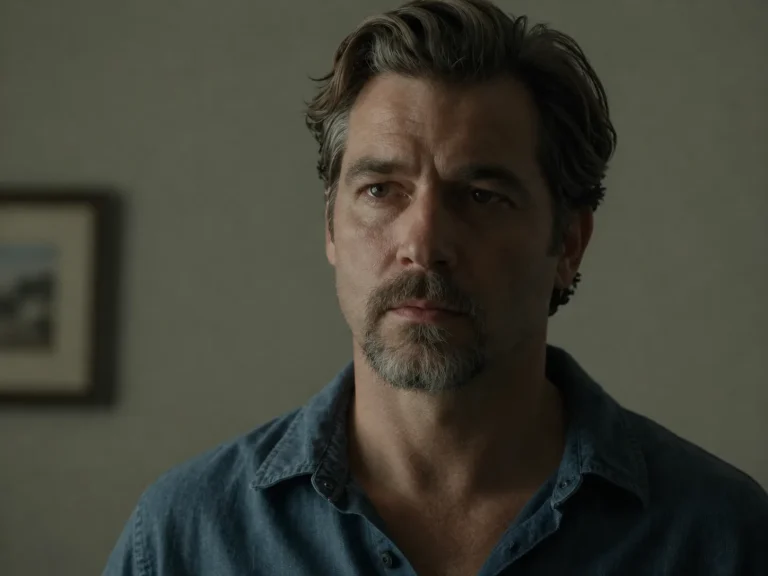
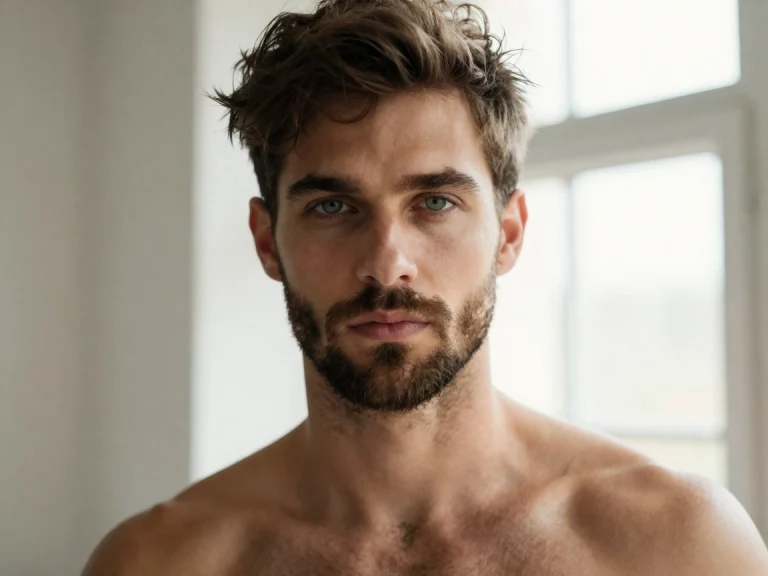
Try this in AvaClik
Try the workflow in AvaClik
Upload a photo you have permission to edit, make a change, check the result and refine it.
Try AvaClik AI Beard Changer ↗