How to Try a Beard Before Growing It: AI Beard Preview Guide
Use an AI beard preview to compare facial-hair styles before growing or trimming, while understanding what a generated photo can and cannot predict.
On this page
Open the AvaClik tool connected to this guide and try it on your photo.
A virtual beard preview is useful for comparing visual direction before you spend weeks growing facial hair or ask a barber for a new outline. It can show how different beard silhouettes affect a portrait, but it cannot predict your real density, growth pattern or patchiness.
Quick answer
Use one clear portrait to compare several beard lengths and shapes under identical lighting. Judge overall face balance first, then cheek line and moustache area. Treat the image as a style reference, not a promise of how your beard will physically grow.
What a beard preview is actually good for
A generated image is strong at visual comparison: stubble versus short beard versus fuller beard, or a narrow goatee versus wider cheek coverage. Review this section at two scales. At normal viewing size, look for overall beard silhouette, balance and whether the style belongs on the same person. At close zoom, inspect face balance, jaw emphasis, cheek coverage, moustache width, lower-face length and realism. Those two views catch different failures: silhouette problems are obvious from a distance, while edge, strand and identity problems usually appear only when you inspect the details.
A generated image is strong at visual comparison: stubble versus short beard versus fuller beard, or a narrow goatee versus wider cheek coverage. Generate more than one candidate when the boundary is difficult. Facial hair contains thousands of small dark-light transitions, and one version may preserve the mouth better while another handles cheek edges or jaw attachment more cleanly. Comparing candidates from the same source is often faster and more reliable than stacking many repair instructions onto a weak first result.
What AI cannot predict about real beard growth
The image cannot know hidden follicles, real density under clean-shaven skin, future patchiness, curl pattern or how long specific areas take to grow. For a publishable before-and-after example in How to Try a Beard Before Growing It: AI Beard Preview Guide, keep crop, expression, camera angle and exposure consistent. If the “after” image also receives better skin, a different jaw or a more flattering light, readers cannot tell what the beard operation actually contributed. A fair example isolates the facial-hair change and makes preservation quality visible.
The image cannot know hidden follicles, real density under clean-shaven skin, future patchiness, curl pattern or how long specific areas take to grow. In How to Try a Beard Before Growing It: AI Beard Preview Guide, this matters because the goal is to compare beard silhouettes before committing to growth or a barbering decision. Facial hair sits directly on high-information identity regions, so a visually attractive result can still be wrong if it silently changes the face underneath. Keep the edit narrow and judge the beard against the original portrait rather than judging the new style in isolation.
- The image cannot know hidden follicles
- real density under clean-shaven skin
- future patchiness
- curl pattern or how long specific areas take to grow
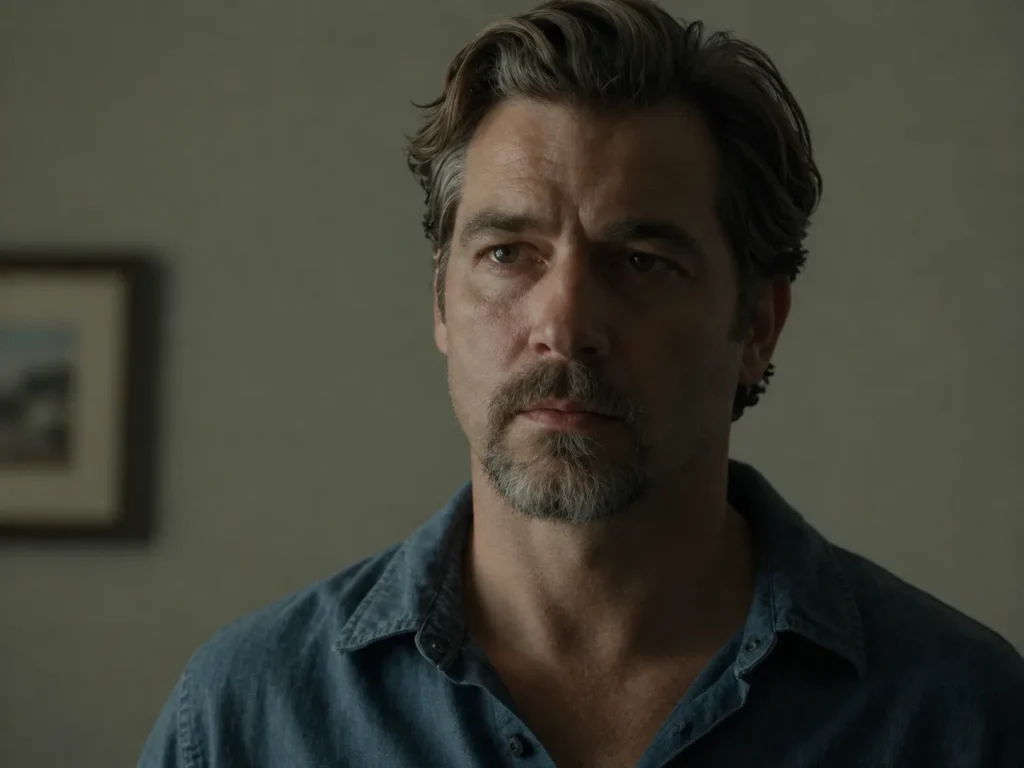
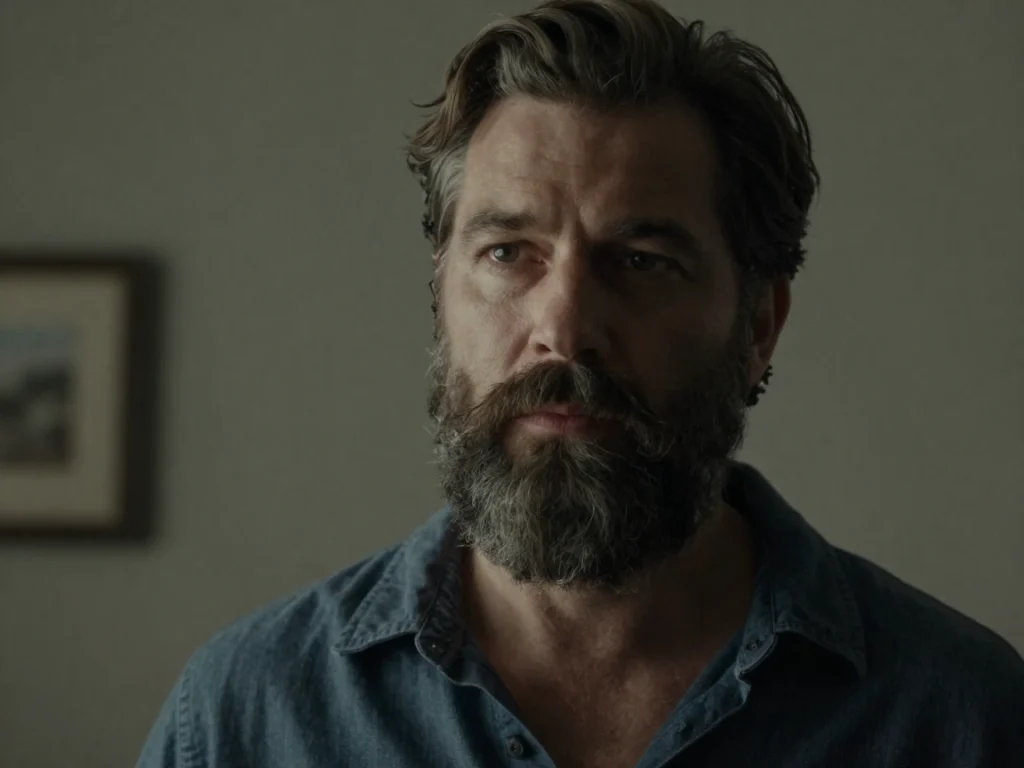
Compare styles on the same source portrait
Using one source photo keeps head angle, lighting and expression stable so beard shape is the main changing variable. Generate more than one candidate when the boundary is difficult. Facial hair contains thousands of small dark-light transitions, and one version may preserve the mouth better while another handles cheek edges or jaw attachment more cleanly. Comparing candidates from the same source is often faster and more reliable than stacking many repair instructions onto a weak first result.
Using one source photo keeps head angle, lighting and expression stable so beard shape is the main changing variable. A practical test for compare styles on the same source portrait is to ask what visual evidence the source image provides and what the model has to invent. With try beard before growing it, the safest result keeps the underlying face stable while using the available cheek, mouth, chin and jaw geometry to place new hair. The less the editor has to guess about hidden boundaries, the easier it is to get a believable result.
Test facial hair as a length ladder
A useful comparison sequence is clean shave, light stubble, heavy stubble, short beard and full beard rather than jumping between unrelated styles. In How to Try a Beard Before Growing It: AI Beard Preview Guide, this matters because the goal is to compare beard silhouettes before committing to growth or a barbering decision. Facial hair sits directly on high-information identity regions, so a visually attractive result can still be wrong if it silently changes the face underneath. Keep the edit narrow and judge the beard against the original portrait rather than judging the new style in isolation.
A useful comparison sequence is clean shave, light stubble, heavy stubble, short beard and full beard rather than jumping between unrelated styles. Review this section at two scales. At normal viewing size, look for overall beard silhouette, balance and whether the style belongs on the same person. At close zoom, inspect face balance, jaw emphasis, cheek coverage, moustache width, lower-face length and realism. Those two views catch different failures: silhouette problems are obvious from a distance, while edge, strand and identity problems usually appear only when you inspect the details.
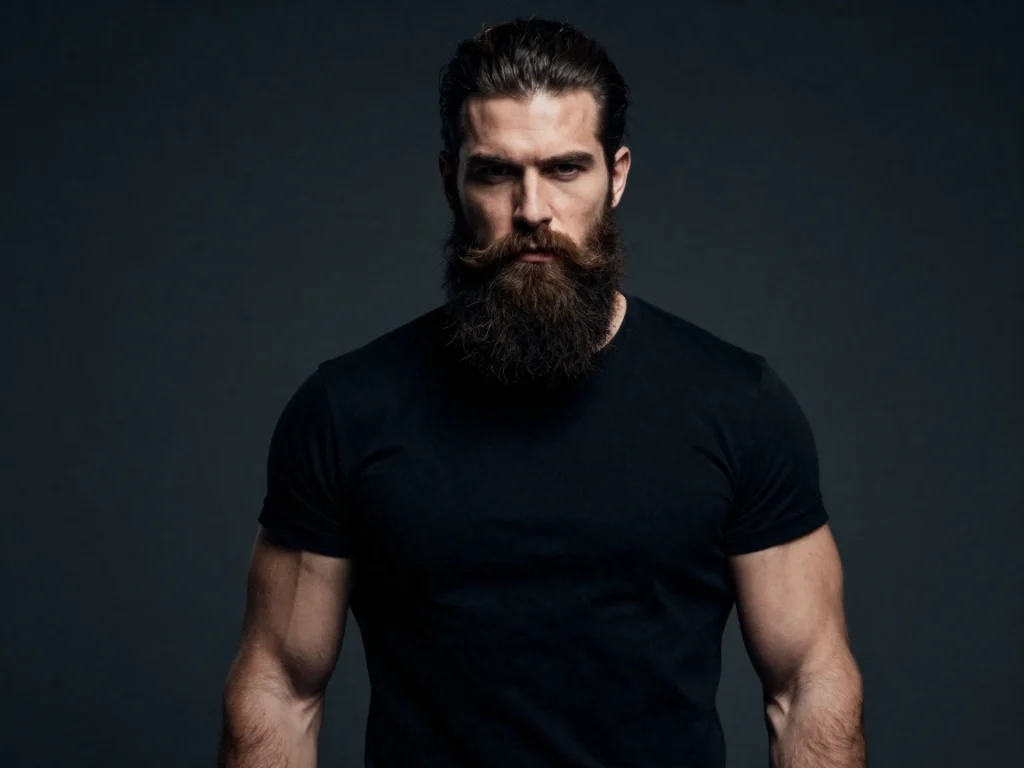
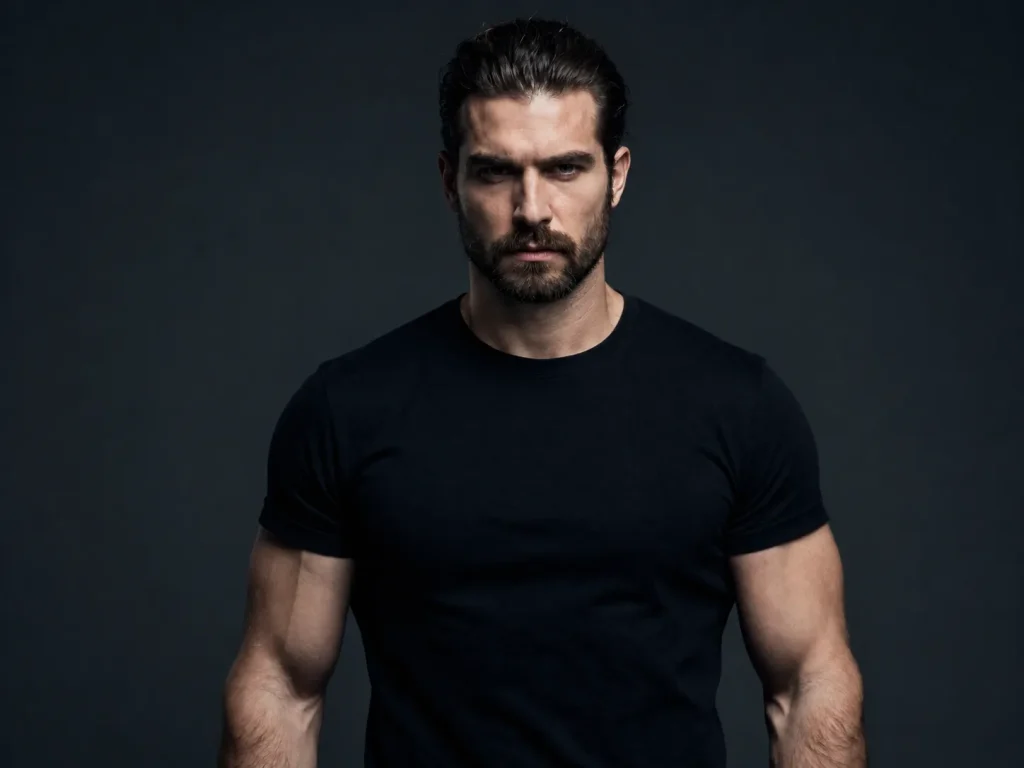
Judge how the beard changes visual face balance
Facial hair can make the chin look longer, the jaw look wider or the lower face look darker, even when the underlying face has not changed. A practical test for judge how the beard changes visual face balance is to ask what visual evidence the source image provides and what the model has to invent. With try beard before growing it, the safest result keeps the underlying face stable while using the available cheek, mouth, chin and jaw geometry to place new hair. The less the editor has to guess about hidden boundaries, the easier it is to get a believable result.
Facial hair can make the chin look longer, the jaw look wider or the lower face look darker, even when the underlying face has not changed. For a publishable before-and-after example in How to Try a Beard Before Growing It: AI Beard Preview Guide, keep crop, expression, camera angle and exposure consistent. If the “after” image also receives better skin, a different jaw or a more flattering light, readers cannot tell what the beard operation actually contributed. A fair example isolates the facial-hair change and makes preservation quality visible.
- Facial hair can make the chin look longer
- the jaw look wider or the lower face look darker
- even when the underlying face has not changed
Use the result as a conversation reference
A generated preview can help explain desired cheek height, moustache thickness or overall length to a barber more clearly than style names alone. Review this section at two scales. At normal viewing size, look for overall beard silhouette, balance and whether the style belongs on the same person. At close zoom, inspect face balance, jaw emphasis, cheek coverage, moustache width, lower-face length and realism. Those two views catch different failures: silhouette problems are obvious from a distance, while edge, strand and identity problems usually appear only when you inspect the details.
A generated preview can help explain desired cheek height, moustache thickness or overall length to a barber more clearly than style names alone. Generate more than one candidate when the boundary is difficult. Facial hair contains thousands of small dark-light transitions, and one version may preserve the mouth better while another handles cheek edges or jaw attachment more cleanly. Comparing candidates from the same source is often faster and more reliable than stacking many repair instructions onto a weak first result.
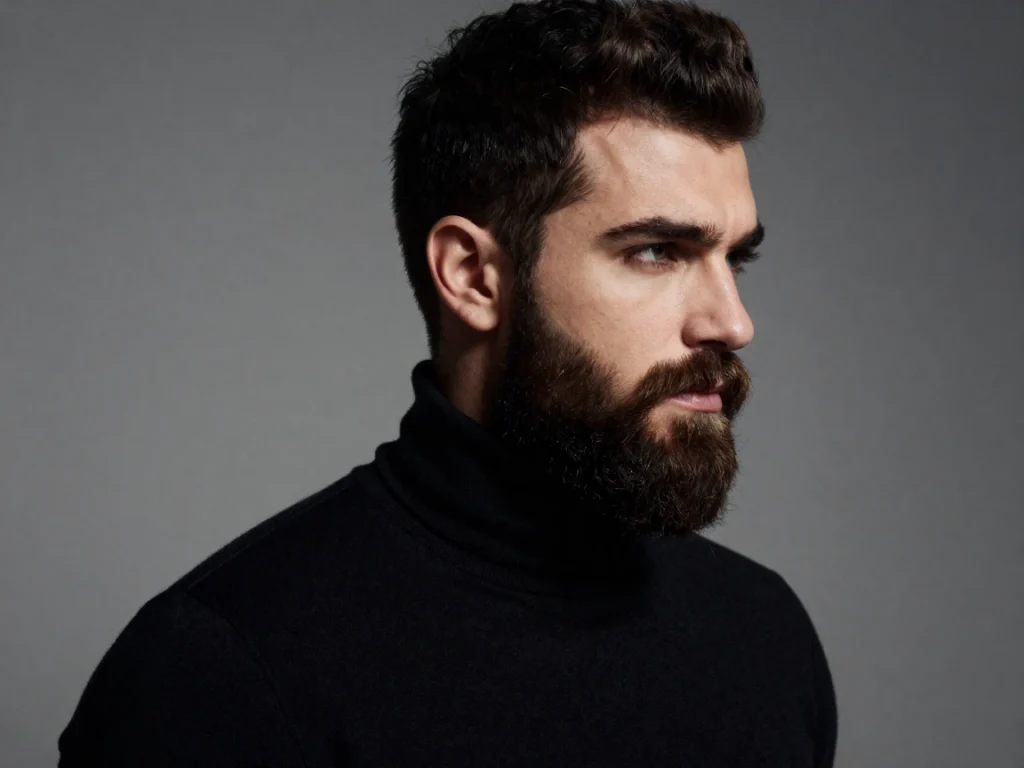
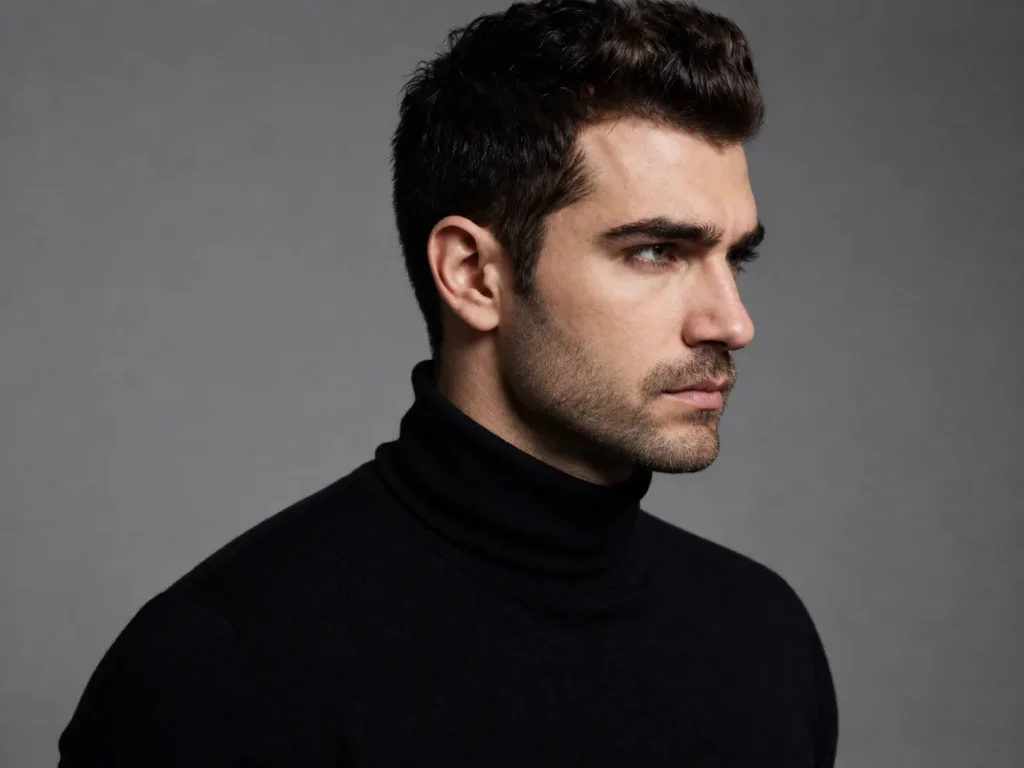
Separate beard color from beard shape
Natural beard color may differ from scalp hair and often contains multiple tones; compare shape first before deciding whether to recolor. For a publishable before-and-after example in How to Try a Beard Before Growing It: AI Beard Preview Guide, keep crop, expression, camera angle and exposure consistent. If the “after” image also receives better skin, a different jaw or a more flattering light, readers cannot tell what the beard operation actually contributed. A fair example isolates the facial-hair change and makes preservation quality visible.
Natural beard color may differ from scalp hair and often contains multiple tones; compare shape first before deciding whether to recolor. In How to Try a Beard Before Growing It: AI Beard Preview Guide, this matters because the goal is to compare beard silhouettes before committing to growth or a barbering decision. Facial hair sits directly on high-information identity regions, so a visually attractive result can still be wrong if it silently changes the face underneath. Keep the edit narrow and judge the beard against the original portrait rather than judging the new style in isolation.
If possible, compare more than one angle
A front portrait shows width and symmetry while a gentle three-quarter view reveals chin projection, side coverage and neckline behavior. Generate more than one candidate when the boundary is difficult. Facial hair contains thousands of small dark-light transitions, and one version may preserve the mouth better while another handles cheek edges or jaw attachment more cleanly. Comparing candidates from the same source is often faster and more reliable than stacking many repair instructions onto a weak first result.
A front portrait shows width and symmetry while a gentle three-quarter view reveals chin projection, side coverage and neckline behavior. A practical test for if possible, compare more than one angle is to ask what visual evidence the source image provides and what the model has to invent. With try beard before growing it, the safest result keeps the underlying face stable while using the available cheek, mouth, chin and jaw geometry to place new hair. The less the editor has to guess about hidden boundaries, the easier it is to get a believable result.
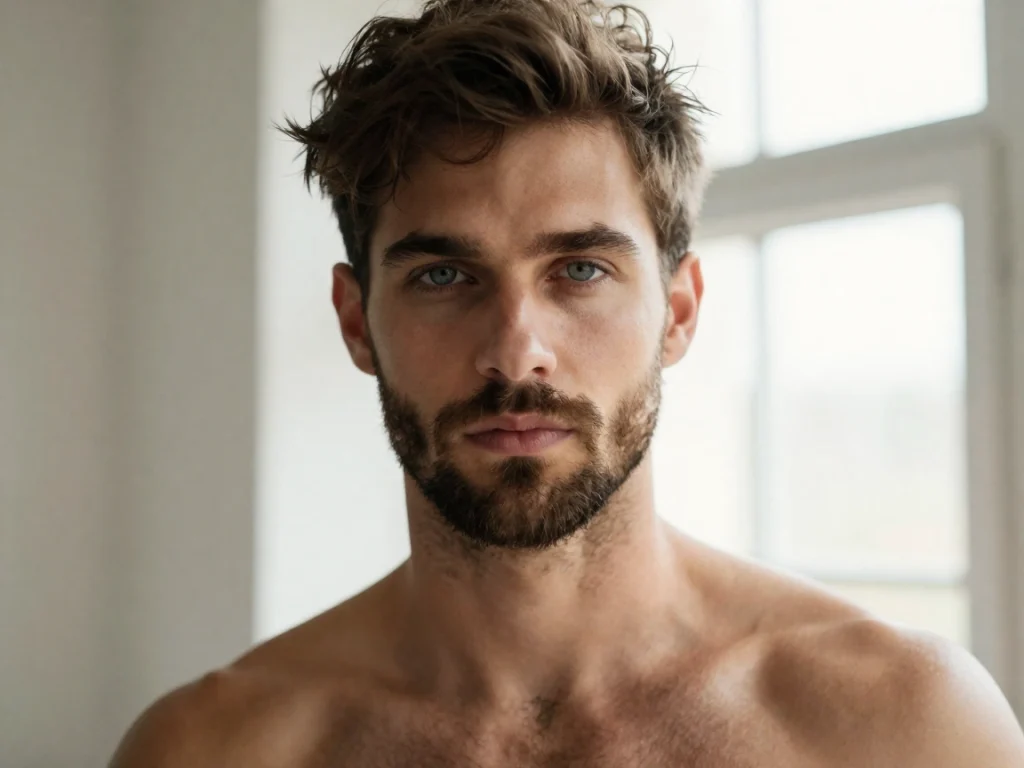
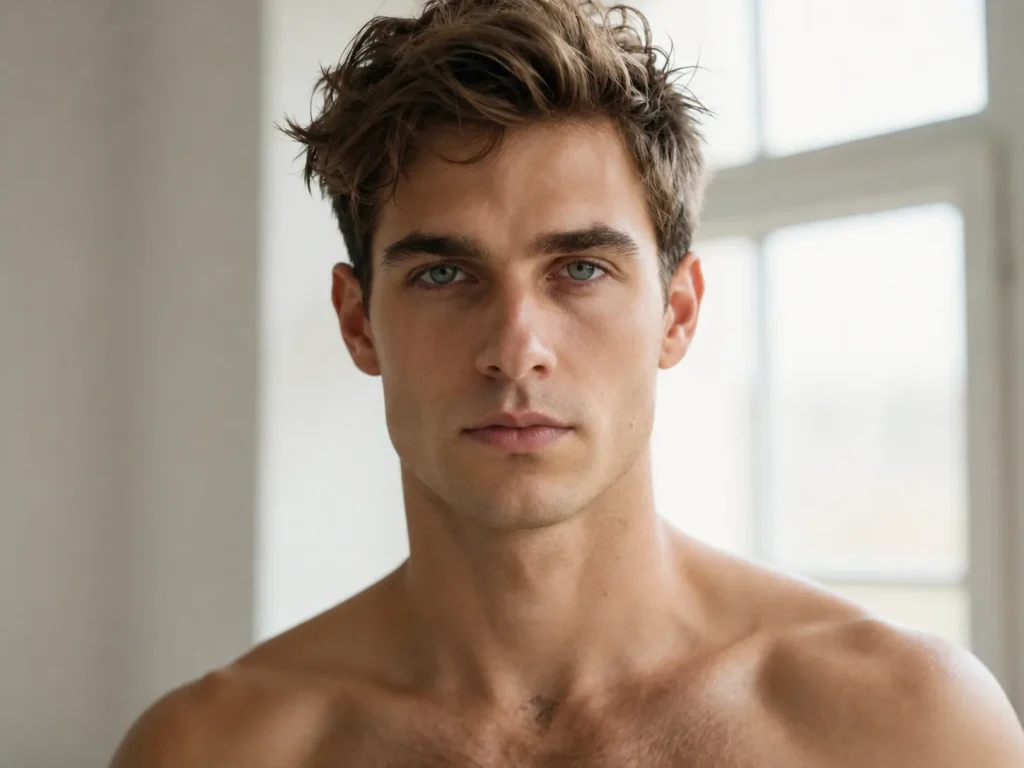
Reject previews that change your identity
A beard idea is not useful if the AI also changes jaw size, skin texture, nose, lips or hairstyle. In How to Try a Beard Before Growing It: AI Beard Preview Guide, this matters because the goal is to compare beard silhouettes before committing to growth or a barbering decision. Facial hair sits directly on high-information identity regions, so a visually attractive result can still be wrong if it silently changes the face underneath. Keep the edit narrow and judge the beard against the original portrait rather than judging the new style in isolation.
A beard idea is not useful if the AI also changes jaw size, skin texture, nose, lips or hairstyle. Review this section at two scales. At normal viewing size, look for overall beard silhouette, balance and whether the style belongs on the same person. At close zoom, inspect face balance, jaw emphasis, cheek coverage, moustache width, lower-face length and realism. Those two views catch different failures: silhouette problems are obvious from a distance, while edge, strand and identity problems usually appear only when you inspect the details.
Turn the preview into a practical decision
Choose one or two styles that look plausible, then use them as inspiration rather than a guarantee of growth outcome. A practical test for turn the preview into a practical decision is to ask what visual evidence the source image provides and what the model has to invent. With try beard before growing it, the safest result keeps the underlying face stable while using the available cheek, mouth, chin and jaw geometry to place new hair. The less the editor has to guess about hidden boundaries, the easier it is to get a believable result.
Choose one or two styles that look plausible, then use them as inspiration rather than a guarantee of growth outcome. For a publishable before-and-after example in How to Try a Beard Before Growing It: AI Beard Preview Guide, keep crop, expression, camera angle and exposure consistent. If the “after” image also receives better skin, a different jaw or a more flattering light, readers cannot tell what the beard operation actually contributed. A fair example isolates the facial-hair change and makes preservation quality visible.
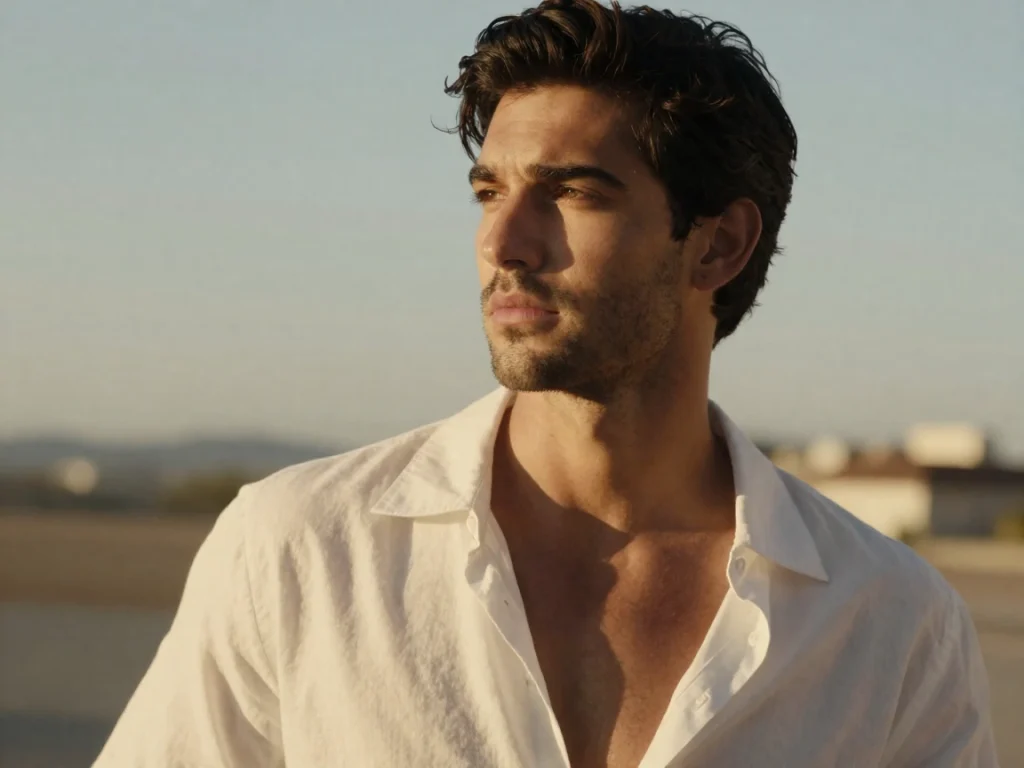
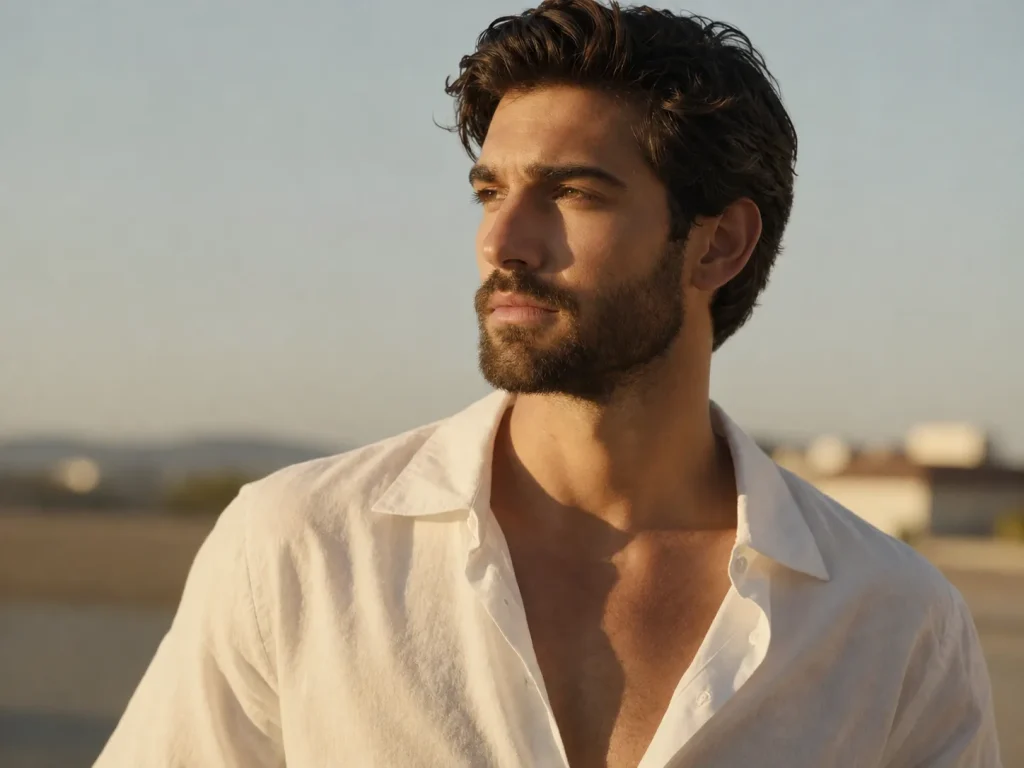
Ready-to-copy examples
Use these as starting points. Keep the preservation clause when identity matters, and change only the facial-hair variables you actually want to compare.
Create three separate versions of this portrait: light stubble, a short trimmed beard and a medium full beard. Keep the same face, hairstyle, expression, lighting and background in every version.Add a short boxed beard with moderate density, a natural cheek line and a clean neckline about one to two finger widths above the Adam’s apple. Keep identity unchanged.A practical step-by-step workflow
Use a controlled sequence when testing try beard before growing it. Start from the original portrait for each major style comparison so identity changes do not accumulate from one generated image to the next.
- 1. Choose a clear adult portrait where cheeks, mouth, chin and jaw are visible.
- 2. Decide the one main facial-hair variable you want to test: style, length, density or color.
- 3. Preserve facial identity, hairstyle, expression, skin tone, camera angle, lighting, clothing and background.
- 4. Generate several candidates and compare overall beard silhouette before zooming into cheek, lip, jaw and neckline details.
- 5. If identity changes, retry from the original. If only the beard edge or color is wrong, make one narrow correction at a time.
Before exporting How to Try a Beard Before Growing It: AI Beard Preview Guide examples, compare source and result at the same crop. The beard should look attached to the original face and light, not like a separate layer that happens to be in the right location.
Common mistakes to avoid
- Changing beard style, color, face shape and portrait lighting at the same time when you only need to compare facial hair.
- Accepting a beard because the style looks attractive without checking whether lips, jaw, skin texture or nose changed.
- Using a heavily cropped or shadowed source and then expecting precise moustache, cheek and neckline boundaries.
- Treating AI-generated beard density as a prediction of how real facial hair will grow.
- Repairing many unrelated problems on a drifted result instead of retrying from the original portrait.
Related AvaClik beard guides
Use these related guides when the next question is about prompts, source-photo quality, identity preservation, beard realism or repairing a weak result.
- How to Try a Beard on Your Photo With AI: Complete Guide
- 40 AI Beard Prompts for Realistic Beard, Stubble & Mustache Styles
- How to Change Beard Style Without Changing Your Face
- Best Photos for AI Beard Try-On: Angle, Lighting & Jawline
Frequently asked questions
Will the AI beard look exactly like my real beard would grow?
No. It is a visual preview. Real facial-hair density, patchiness, growth direction, curl, color and growth rate vary and cannot be inferred perfectly from a generated image.
What kind of photo works best?
A clear front or gentle three-quarter adult portrait with visible cheeks, mouth, chin and jawline is easiest to evaluate.
Can I change beard color in AvaClik?
Yes. The Beard tool supports color choice. For a fair comparison, keep beard shape and density fixed when testing color.
Should I use the result as a barber reference?
You can use it as a visual style reference, but treat it as inspiration rather than a guarantee of how your real facial hair will grow or trim.
Try the beard style in AvaClik
Open AvaClik AI Beard Changer to test the workflow from How to Try a Beard Before Growing It: AI Beard Preview Guide. Use a photo you have the right to edit, choose a beard or stubble preset, adjust color only when it is part of the comparison, and inspect the generated result before saving.
Try this in AvaClik
Try the workflow in AvaClik
Upload a photo you have permission to edit, make a change, check the result and refine it.
Try AvaClik AI Beard Changer ↗