AI Face Swap for Portraits: Headshots, Creative Photos & Clean Results
Use AI face swap for authorized adult portraits and headshots while preserving lighting, pose, wardrobe and the visual style of the target image.
On this page
Open the AvaClik tool connected to this guide and try it on your photo.
Use AI face swap for authorized adult portraits and headshots while preserving lighting, pose, wardrobe and the visual style of the target image. This guide is written for adults 18+ using images they are authorized to edit. Face swap changes apparent identity, so obtain consent from real people involved and do not present synthetic results as authentic evidence of behavior, attendance, endorsement or intimacy.
Quick answer
Portrait face swaps are easiest when both faces are large, sharp and similarly oriented. Because viewers focus directly on the face, prioritize identity accuracy, eye direction, skin texture and hairline blending over dramatic effects.
For someone building authorized creative portraits, editorial concepts or controlled headshot variations, treat this as a controlled comparison rather than a one-click verdict. Keep the untouched inputs beside the candidate and review identity accuracy, face angle, target-scene preservation and edge blending. The goal of this section is portrait-specific face swap workflows where small facial errors are easy to notice; a result is weaker when it looks impressive at first glance but changes unrelated details or makes the scene harder to verify.
For this section of “AI Face Swap for Portraits: Headshots, Creative Photos & Clean Results,” use a controlled test rather than changing several things at once. Adjust one input choice, generate a fresh candidate, and compare it at normal viewing size and close zoom against the same untouched originals. If the same problem returns while reviewing quick answer, change the underlying source-target pairing instead of piling cosmetic fixes onto a weak generation; that keeps the diagnosis tied to portrait-specific face swap workflows where small facial errors are easy to notice.
Why portraits are both easy and unforgiving
A large face gives the system more information than a distant group shot, but it also gives the viewer more detail to inspect. Small errors in teeth, eyelids or jaw shape that disappear in a wide image can dominate a headshot.
For someone building authorized creative portraits, editorial concepts or controlled headshot variations, treat this as a controlled comparison rather than a one-click verdict. Keep the untouched inputs beside the candidate and review eyes and mouth, hairline and jaw, skin exposure and accessories. The goal of this section is portrait-specific face swap workflows where small facial errors are easy to notice; a result is weaker when it looks impressive at first glance but changes unrelated details or makes the scene harder to verify.
For this section of “AI Face Swap for Portraits: Headshots, Creative Photos & Clean Results,” use a controlled test rather than changing several things at once. Adjust one input choice, generate a fresh candidate, and compare it at normal viewing size and close zoom against the same untouched originals. If the same problem returns while reviewing why portraits are both easy and unforgiving, change the underlying source-target pairing instead of piling cosmetic fixes onto a weak generation; that keeps the diagnosis tied to portrait-specific face swap workflows where small facial errors are easy to notice.
Choose the target for pose and portrait style
Pick the target because you like its framing, wardrobe, expression, background and light. The face swap should preserve that portrait design while changing only identity.
For someone building authorized creative portraits, editorial concepts or controlled headshot variations, treat this as a controlled comparison rather than a one-click verdict. Keep the untouched inputs beside the candidate and review source clarity, target geometry, lighting direction and expression. The goal of this section is portrait-specific face swap workflows where small facial errors are easy to notice; a result is weaker when it looks impressive at first glance but changes unrelated details or makes the scene harder to verify.
For this section of “AI Face Swap for Portraits: Headshots, Creative Photos & Clean Results,” use a controlled test rather than changing several things at once. Adjust one input choice, generate a fresh candidate, and compare it at normal viewing size and close zoom against the same untouched originals. If the same problem returns while reviewing choose the target for pose and portrait style, change the underlying source-target pairing instead of piling cosmetic fixes onto a weak generation; that keeps the diagnosis tied to portrait-specific face swap workflows where small facial errors are easy to notice.
Choose the source for identity clarity
Use a clean face reference with visible eyes, nose, mouth and jaw. Avoid beauty filters so strong that the reference no longer looks like the adult person you expect to recognize in the result.
For someone building authorized creative portraits, editorial concepts or controlled headshot variations, treat this as a controlled comparison rather than a one-click verdict. Keep the untouched inputs beside the candidate and review normal-size realism, close-zoom defects, background stability and body consistency. The goal of this section is portrait-specific face swap workflows where small facial errors are easy to notice; a result is weaker when it looks impressive at first glance but changes unrelated details or makes the scene harder to verify.
For this section of “AI Face Swap for Portraits: Headshots, Creative Photos & Clean Results,” use a controlled test rather than changing several things at once. Adjust one input choice, generate a fresh candidate, and compare it at normal viewing size and close zoom against the same untouched originals. If the same problem returns while reviewing choose the source for identity clarity, change the underlying source-target pairing instead of piling cosmetic fixes onto a weak generation; that keeps the diagnosis tied to portrait-specific face swap workflows where small facial errors are easy to notice.
Match camera perspective
A close wide-angle selfie can distort nose and cheek proportions compared with a longer-lens studio portrait. Similar perspective makes the transferred identity feel more natural even when both images are front-facing.
For someone building authorized creative portraits, editorial concepts or controlled headshot variations, treat this as a controlled comparison rather than a one-click verdict. Keep the untouched inputs beside the candidate and review permission and image rights, adult consent, clear sharing context and non-deceptive use. The goal of this section is portrait-specific face swap workflows where small facial errors are easy to notice; a result is weaker when it looks impressive at first glance but changes unrelated details or makes the scene harder to verify.
For this section of “AI Face Swap for Portraits: Headshots, Creative Photos & Clean Results,” use a controlled test rather than changing several things at once. Adjust one input choice, generate a fresh candidate, and compare it at normal viewing size and close zoom against the same untouched originals. If the same problem returns while reviewing match camera perspective, change the underlying source-target pairing instead of piling cosmetic fixes onto a weak generation; that keeps the diagnosis tied to portrait-specific face swap workflows where small facial errors are easy to notice.
Keep headshot lighting coherent
Studio headshots often have intentional key and fill light. Check whether the new face inherits the target highlight pattern, especially around the nose, cheekbones, eye sockets and chin.
For someone building authorized creative portraits, editorial concepts or controlled headshot variations, treat this as a controlled comparison rather than a one-click verdict. Keep the untouched inputs beside the candidate and review identity accuracy, face angle, target-scene preservation and edge blending. The goal of this section is portrait-specific face swap workflows where small facial errors are easy to notice; a result is weaker when it looks impressive at first glance but changes unrelated details or makes the scene harder to verify.
For this section of “AI Face Swap for Portraits: Headshots, Creative Photos & Clean Results,” use a controlled test rather than changing several things at once. Adjust one input choice, generate a fresh candidate, and compare it at normal viewing size and close zoom against the same untouched originals. If the same problem returns while reviewing keep headshot lighting coherent, change the underlying source-target pairing instead of piling cosmetic fixes onto a weak generation; that keeps the diagnosis tied to portrait-specific face swap workflows where small facial errors are easy to notice.
Preserve the target expression
For a professional headshot, expression is part of the image’s purpose. A confident slight smile, neutral look or serious expression should not be replaced by a generic face from the source reference.
For someone building authorized creative portraits, editorial concepts or controlled headshot variations, treat this as a controlled comparison rather than a one-click verdict. Keep the untouched inputs beside the candidate and review eyes and mouth, hairline and jaw, skin exposure and accessories. The goal of this section is portrait-specific face swap workflows where small facial errors are easy to notice; a result is weaker when it looks impressive at first glance but changes unrelated details or makes the scene harder to verify.
For this section of “AI Face Swap for Portraits: Headshots, Creative Photos & Clean Results,” use a controlled test rather than changing several things at once. Adjust one input choice, generate a fresh candidate, and compare it at normal viewing size and close zoom against the same untouched originals. If the same problem returns while reviewing preserve the target expression, change the underlying source-target pairing instead of piling cosmetic fixes onto a weak generation; that keeps the diagnosis tied to portrait-specific face swap workflows where small facial errors are easy to notice.
Check eye contact carefully
Direct-to-camera portraits make gaze errors obvious. Both pupils should aim consistently and catchlights should make sense for the target light source.
For someone building authorized creative portraits, editorial concepts or controlled headshot variations, treat this as a controlled comparison rather than a one-click verdict. Keep the untouched inputs beside the candidate and review source clarity, target geometry, lighting direction and expression. The goal of this section is portrait-specific face swap workflows where small facial errors are easy to notice; a result is weaker when it looks impressive at first glance but changes unrelated details or makes the scene harder to verify.
For this section of “AI Face Swap for Portraits: Headshots, Creative Photos & Clean Results,” use a controlled test rather than changing several things at once. Adjust one input choice, generate a fresh candidate, and compare it at normal viewing size and close zoom against the same untouched originals. If the same problem returns while reviewing check eye contact carefully, change the underlying source-target pairing instead of piling cosmetic fixes onto a weak generation; that keeps the diagnosis tied to portrait-specific face swap workflows where small facial errors are easy to notice.
Review skin detail at portrait scale
Do not judge only whether the face is sharp. Compare pores, fine lines and local contrast with the target neck and ears so the face does not appear overprocessed.
For someone building authorized creative portraits, editorial concepts or controlled headshot variations, treat this as a controlled comparison rather than a one-click verdict. Keep the untouched inputs beside the candidate and review normal-size realism, close-zoom defects, background stability and body consistency. The goal of this section is portrait-specific face swap workflows where small facial errors are easy to notice; a result is weaker when it looks impressive at first glance but changes unrelated details or makes the scene harder to verify.
For this section of “AI Face Swap for Portraits: Headshots, Creative Photos & Clean Results,” use a controlled test rather than changing several things at once. Adjust one input choice, generate a fresh candidate, and compare it at normal viewing size and close zoom against the same untouched originals. If the same problem returns while reviewing review skin detail at portrait scale, change the underlying source-target pairing instead of piling cosmetic fixes onto a weak generation; that keeps the diagnosis tied to portrait-specific face swap workflows where small facial errors are easy to notice.
Watch hairline and ear boundaries
Portrait crops often show these regions clearly. A tiny seam at the temple or a misplaced ear can make the whole head feel assembled rather than photographed.
For someone building authorized creative portraits, editorial concepts or controlled headshot variations, treat this as a controlled comparison rather than a one-click verdict. Keep the untouched inputs beside the candidate and review permission and image rights, adult consent, clear sharing context and non-deceptive use. The goal of this section is portrait-specific face swap workflows where small facial errors are easy to notice; a result is weaker when it looks impressive at first glance but changes unrelated details or makes the scene harder to verify.
For this section of “AI Face Swap for Portraits: Headshots, Creative Photos & Clean Results,” use a controlled test rather than changing several things at once. Adjust one input choice, generate a fresh candidate, and compare it at normal viewing size and close zoom against the same untouched originals. If the same problem returns while reviewing watch hairline and ear boundaries, change the underlying source-target pairing instead of piling cosmetic fixes onto a weak generation; that keeps the diagnosis tied to portrait-specific face swap workflows where small facial errors are easy to notice.
Keep wardrobe and jewelry stable
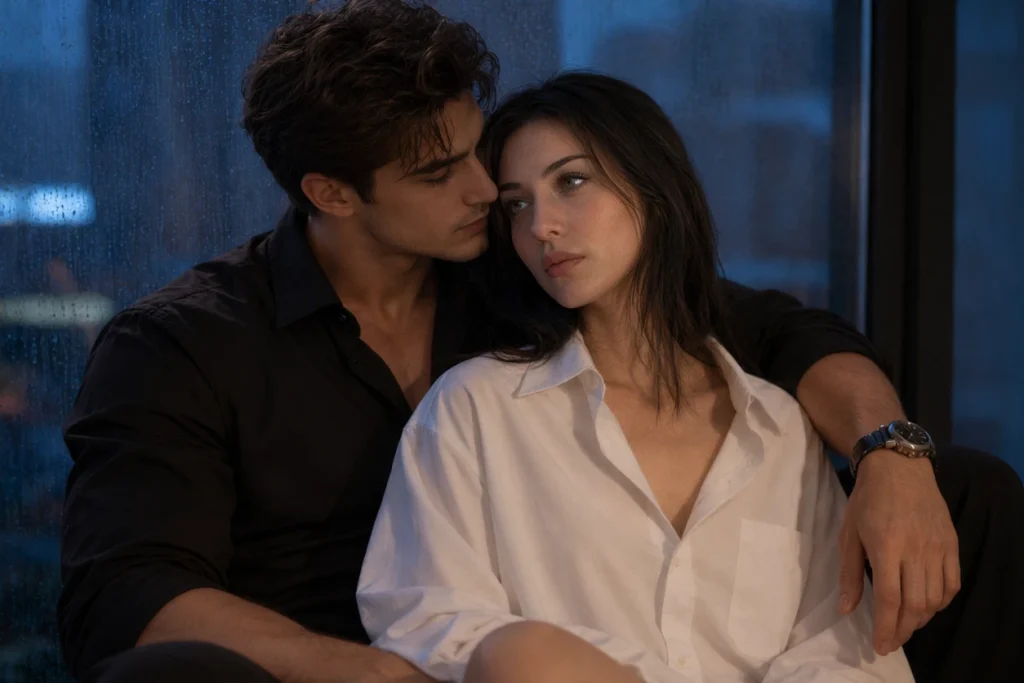
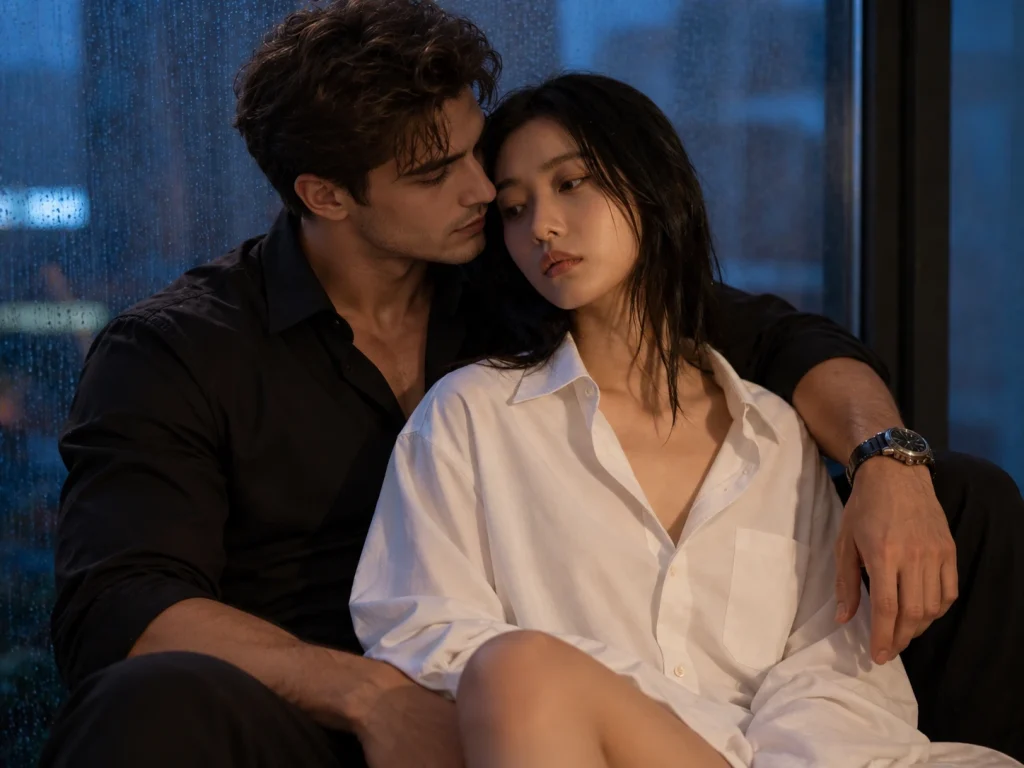
Necklaces, earrings, collars and lapels may sit close to the face. Verify that the swap has not removed an earring, changed a neckline or created a second edge near the jaw.
For someone building authorized creative portraits, editorial concepts or controlled headshot variations, treat this as a controlled comparison rather than a one-click verdict. Keep the untouched inputs beside the candidate and review identity accuracy, face angle, target-scene preservation and edge blending. The goal of this section is portrait-specific face swap workflows where small facial errors are easy to notice; a result is weaker when it looks impressive at first glance but changes unrelated details or makes the scene harder to verify.
For this section of “AI Face Swap for Portraits: Headshots, Creative Photos & Clean Results,” use a controlled test rather than changing several things at once. Adjust one input choice, generate a fresh candidate, and compare it at normal viewing size and close zoom against the same untouched originals. If the same problem returns while reviewing keep wardrobe and jewelry stable, change the underlying source-target pairing instead of piling cosmetic fixes onto a weak generation; that keeps the diagnosis tied to portrait-specific face swap workflows where small facial errors are easy to notice.
Use normal retouching restraint
If you apply cleanup after the swap, keep it consistent with the target portrait. Over-smoothing only the face creates a mismatch with the neck, chest or surrounding skin.
For someone building authorized creative portraits, editorial concepts or controlled headshot variations, treat this as a controlled comparison rather than a one-click verdict. Keep the untouched inputs beside the candidate and review eyes and mouth, hairline and jaw, skin exposure and accessories. The goal of this section is portrait-specific face swap workflows where small facial errors are easy to notice; a result is weaker when it looks impressive at first glance but changes unrelated details or makes the scene harder to verify.
For this section of “AI Face Swap for Portraits: Headshots, Creative Photos & Clean Results,” use a controlled test rather than changing several things at once. Adjust one input choice, generate a fresh candidate, and compare it at normal viewing size and close zoom against the same untouched originals. If the same problem returns while reviewing use normal retouching restraint, change the underlying source-target pairing instead of piling cosmetic fixes onto a weak generation; that keeps the diagnosis tied to portrait-specific face swap workflows where small facial errors are easy to notice.
Creative portraits can tolerate more stylization
Editorial lighting, colored gels and stylized makeup can hide some small texture differences, but geometry still matters. A dramatic look is not permission to ignore gaze, jaw attachment or expression.
For someone building authorized creative portraits, editorial concepts or controlled headshot variations, treat this as a controlled comparison rather than a one-click verdict. Keep the untouched inputs beside the candidate and review source clarity, target geometry, lighting direction and expression. The goal of this section is portrait-specific face swap workflows where small facial errors are easy to notice; a result is weaker when it looks impressive at first glance but changes unrelated details or makes the scene harder to verify.
For this section of “AI Face Swap for Portraits: Headshots, Creative Photos & Clean Results,” use a controlled test rather than changing several things at once. Adjust one input choice, generate a fresh candidate, and compare it at normal viewing size and close zoom against the same untouched originals. If the same problem returns while reviewing creative portraits can tolerate more stylization, change the underlying source-target pairing instead of piling cosmetic fixes onto a weak generation; that keeps the diagnosis tied to portrait-specific face swap workflows where small facial errors are easy to notice.
Headshots for profiles need extra context care
Do not use a face swap to falsely imply a real event, credential or identity. For creative profile imagery, disclose the synthetic nature of the result where context could otherwise mislead viewers.
For someone building authorized creative portraits, editorial concepts or controlled headshot variations, treat this as a controlled comparison rather than a one-click verdict. Keep the untouched inputs beside the candidate and review normal-size realism, close-zoom defects, background stability and body consistency. The goal of this section is portrait-specific face swap workflows where small facial errors are easy to notice; a result is weaker when it looks impressive at first glance but changes unrelated details or makes the scene harder to verify.
For this section of “AI Face Swap for Portraits: Headshots, Creative Photos & Clean Results,” use a controlled test rather than changing several things at once. Adjust one input choice, generate a fresh candidate, and compare it at normal viewing size and close zoom against the same untouched originals. If the same problem returns while reviewing headshots for profiles need extra context care, change the underlying source-target pairing instead of piling cosmetic fixes onto a weak generation; that keeps the diagnosis tied to portrait-specific face swap workflows where small facial errors are easy to notice.
Compare several candidates at the same crop
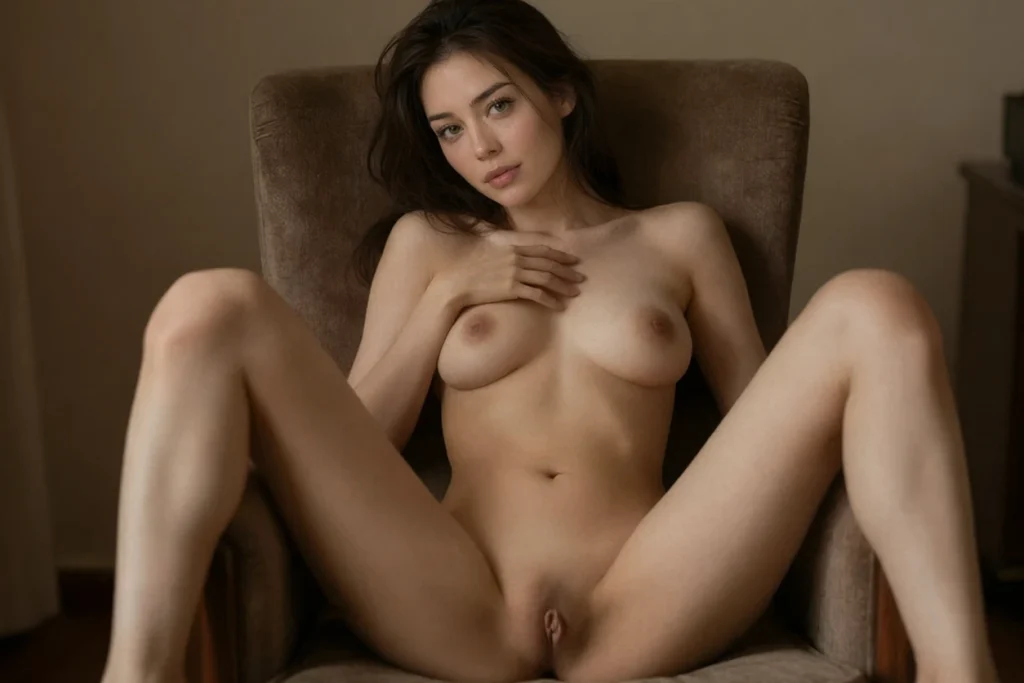
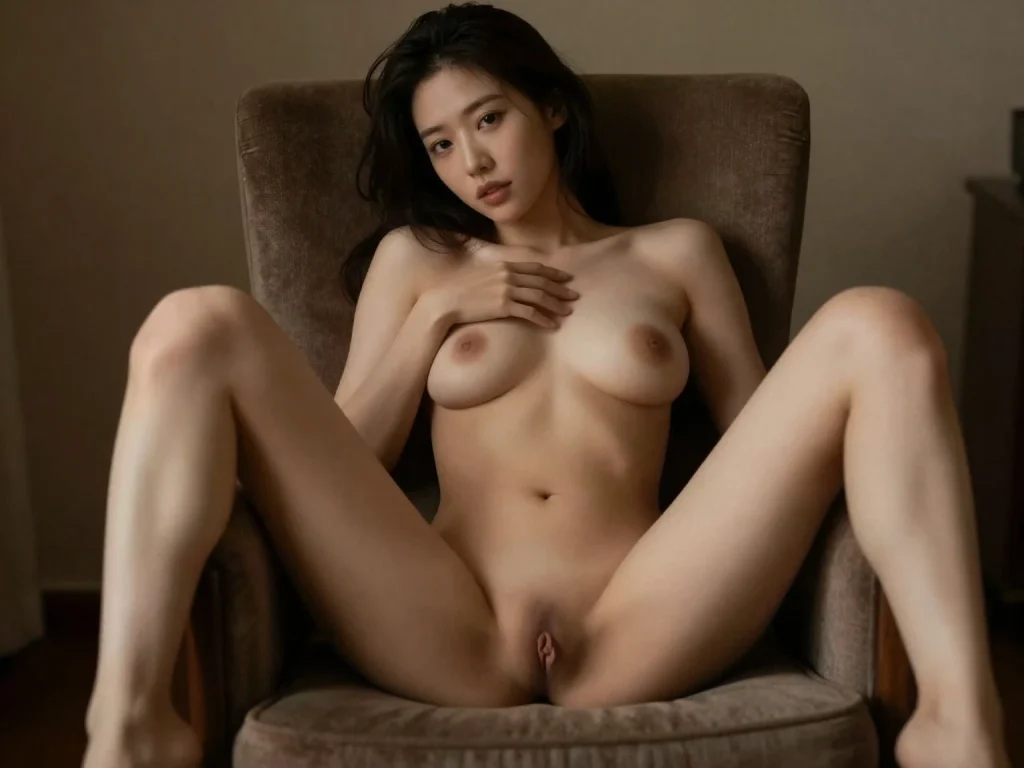
Keep the target fixed and render multiple swaps from different clear source references. Review them at the final display size rather than choosing based on a zoomed thumbnail alone.
For someone building authorized creative portraits, editorial concepts or controlled headshot variations, treat this as a controlled comparison rather than a one-click verdict. Keep the untouched inputs beside the candidate and review permission and image rights, adult consent, clear sharing context and non-deceptive use. The goal of this section is portrait-specific face swap workflows where small facial errors are easy to notice; a result is weaker when it looks impressive at first glance but changes unrelated details or makes the scene harder to verify.
For this section of “AI Face Swap for Portraits: Headshots, Creative Photos & Clean Results,” use a controlled test rather than changing several things at once. Adjust one input choice, generate a fresh candidate, and compare it at normal viewing size and close zoom against the same untouched originals. If the same problem returns while reviewing compare several candidates at the same crop, change the underlying source-target pairing instead of piling cosmetic fixes onto a weak generation; that keeps the diagnosis tied to portrait-specific face swap workflows where small facial errors are easy to notice.
Know when a real portrait is the better choice
If authenticity is essential—official identification, legal documents, professional verification or factual reporting—use a real photograph rather than a synthetic face swap.
For someone building authorized creative portraits, editorial concepts or controlled headshot variations, treat this as a controlled comparison rather than a one-click verdict. Keep the untouched inputs beside the candidate and review identity accuracy, face angle, target-scene preservation and edge blending. The goal of this section is portrait-specific face swap workflows where small facial errors are easy to notice; a result is weaker when it looks impressive at first glance but changes unrelated details or makes the scene harder to verify.
For this section of “AI Face Swap for Portraits: Headshots, Creative Photos & Clean Results,” use a controlled test rather than changing several things at once. Adjust one input choice, generate a fresh candidate, and compare it at normal viewing size and close zoom against the same untouched originals. If the same problem returns while reviewing know when a real portrait is the better choice, change the underlying source-target pairing instead of piling cosmetic fixes onto a weak generation; that keeps the diagnosis tied to portrait-specific face swap workflows where small facial errors are easy to notice.
A portrait-specific review checklist
Check face shape, eyes, mouth, teeth, skin, hairline, ears, neck transition, jewelry, expression, target lighting and crop before export.
For someone building authorized creative portraits, editorial concepts or controlled headshot variations, treat this as a controlled comparison rather than a one-click verdict. Keep the untouched inputs beside the candidate and review eyes and mouth, hairline and jaw, skin exposure and accessories. The goal of this section is portrait-specific face swap workflows where small facial errors are easy to notice; a result is weaker when it looks impressive at first glance but changes unrelated details or makes the scene harder to verify.
For this section of “AI Face Swap for Portraits: Headshots, Creative Photos & Clean Results,” use a controlled test rather than changing several things at once. Adjust one input choice, generate a fresh candidate, and compare it at normal viewing size and close zoom against the same untouched originals. If the same problem returns while reviewing a portrait-specific review checklist, change the underlying source-target pairing instead of piling cosmetic fixes onto a weak generation; that keeps the diagnosis tied to portrait-specific face swap workflows where small facial errors are easy to notice.
Related AvaClik guides
Use the angle-and-lighting guide for difficult portrait pairs, the realism guide for final review and the safety guide for responsible publication decisions.
- How to Make AI Face Swaps Look Natural and Realistic
- Best Photos for AI Face Swap: Angle, Lighting & Face Detail
- How to Match Face Angle, Expression and Lighting for Better Face Swaps
- AI Face Swap Safety & Consent: Responsible Use Guide for Adults
- Open AvaClik AI Face Swap
Frequently asked questions
These answers cover headshot resolution, smiling versus neutral references, retouching after swap and when synthetic portraits should be labeled.
Does a face swap replace the whole head?
Not necessarily. Treat the operation as facial-identity replacement and verify hair, ears, facial hair and accessories against the target because boundary behavior can vary by image. For this article, relate the answer back to portrait-specific face swap workflows where small facial errors are easy to notice and compare the candidate against both untouched inputs before export.
Do source and target photos need the exact same angle?
No, but similar orientation is a practical advantage. Larger angle differences require more geometric interpretation and usually deserve closer review. For this article, relate the answer back to portrait-specific face swap workflows where small facial errors are easy to notice and compare the candidate against both untouched inputs before export.
Which photo controls the pose and clothes?
The target photo is the scene baseline. Its pose, body, clothing, framing and background are the details you normally expect to keep. For this article, relate the answer back to portrait-specific face swap workflows where small facial errors are easy to notice and compare the candidate against both untouched inputs before export.
Can I use any person’s photo?
Use only photos and identities you are authorized to process. For real adults, obtain consent for the intended use, especially for public, commercial or intimate contexts. For this article, relate the answer back to portrait-specific face swap workflows where small facial errors are easy to notice and compare the candidate against both untouched inputs before export.
How do I know when to regenerate?
Regenerate when identity, head geometry, expression or major lighting is wrong. Small isolated edge defects are better candidates for local cleanup after the global swap is already correct. For this article, relate the answer back to portrait-specific face swap workflows where small facial errors are easy to notice and compare the candidate against both untouched inputs before export.
Final takeaway
Portrait face swap quality is mostly about disciplined source selection and close review. Large faces reward good inputs but expose every shortcut, so keep the edit controlled and compare directly with both originals.
For someone building authorized creative portraits, editorial concepts or controlled headshot variations, treat this as a controlled comparison rather than a one-click verdict. Keep the untouched inputs beside the candidate and review permission and image rights, adult consent, clear sharing context and non-deceptive use. The goal of this section is portrait-specific face swap workflows where small facial errors are easy to notice; a result is weaker when it looks impressive at first glance but changes unrelated details or makes the scene harder to verify.
For this section of “AI Face Swap for Portraits: Headshots, Creative Photos & Clean Results,” use a controlled test rather than changing several things at once. Adjust one input choice, generate a fresh candidate, and compare it at normal viewing size and close zoom against the same untouched originals. If the same problem returns while reviewing final takeaway, change the underlying source-target pairing instead of piling cosmetic fixes onto a weak generation; that keeps the diagnosis tied to portrait-specific face swap workflows where small facial errors are easy to notice.

Try this in AvaClik
Try the workflow in AvaClik
Upload a photo you have permission to edit, make a change, check the result and refine it.
Try AvaClik AI Face Swap ↗