AI Face Swap for Fashion & Creative Portraits: Practical Guide
Use AI face swap for authorized fashion and creative portraits while preserving target styling, wardrobe, lighting, pose and editorial composition.
On this page
Open the AvaClik tool connected to this guide and try it on your photo.
Use AI face swap for authorized fashion and creative portraits while preserving target styling, wardrobe, lighting, pose and editorial composition. This guide is written for adults 18+ using images they are authorized to edit. Face swap changes apparent identity, so obtain consent from real people involved and do not present synthetic results as authentic evidence of behavior, attendance, endorsement or intimacy.
Quick answer
Choose the target for styling and art direction, then choose the source for identity. In fashion work, preserve the target wardrobe, pose, lighting, makeup direction and composition while checking that the inserted face matches the editorial sharpness and color treatment.
For creators working with authorized adult models or their own images for fashion concepts and editorial experiments, treat this as a controlled comparison rather than a one-click verdict. Keep the untouched inputs beside the candidate and review identity accuracy, face angle, target-scene preservation and edge blending. The goal of this section is creative/editorial use cases with stylized lighting, wardrobe and composition; a result is weaker when it looks impressive at first glance but changes unrelated details or makes the scene harder to verify.
For this section of “AI Face Swap for Fashion & Creative Portraits: Practical Guide,” use a controlled test rather than changing several things at once. Adjust one input choice, generate a fresh candidate, and compare it at normal viewing size and close zoom against the same untouched originals. If the same problem returns while reviewing quick answer, change the underlying source-target pairing instead of piling cosmetic fixes onto a weak generation; that keeps the diagnosis tied to creative/editorial use cases with stylized lighting, wardrobe and composition.
Use the target as the art-direction reference
Fashion images are designed around silhouette, clothing, pose, light and set. The face swap should support that design rather than regenerate it. Lock the target before experimenting with identity.
For creators working with authorized adult models or their own images for fashion concepts and editorial experiments, treat this as a controlled comparison rather than a one-click verdict. Keep the untouched inputs beside the candidate and review eyes and mouth, hairline and jaw, skin exposure and accessories. The goal of this section is creative/editorial use cases with stylized lighting, wardrobe and composition; a result is weaker when it looks impressive at first glance but changes unrelated details or makes the scene harder to verify.
For this section of “AI Face Swap for Fashion & Creative Portraits: Practical Guide,” use a controlled test rather than changing several things at once. Adjust one input choice, generate a fresh candidate, and compare it at normal viewing size and close zoom against the same untouched originals. If the same problem returns while reviewing use the target as the art-direction reference, change the underlying source-target pairing instead of piling cosmetic fixes onto a weak generation; that keeps the diagnosis tied to creative/editorial use cases with stylized lighting, wardrobe and composition.
Pick source references with readable identity
Editorial styling can be dramatic, but the source face should still be clear enough to identify. Avoid extreme motion blur, masks or beauty effects that erase the features you want transferred.
For creators working with authorized adult models or their own images for fashion concepts and editorial experiments, treat this as a controlled comparison rather than a one-click verdict. Keep the untouched inputs beside the candidate and review source clarity, target geometry, lighting direction and expression. The goal of this section is creative/editorial use cases with stylized lighting, wardrobe and composition; a result is weaker when it looks impressive at first glance but changes unrelated details or makes the scene harder to verify.
For this section of “AI Face Swap for Fashion & Creative Portraits: Practical Guide,” use a controlled test rather than changing several things at once. Adjust one input choice, generate a fresh candidate, and compare it at normal viewing size and close zoom against the same untouched originals. If the same problem returns while reviewing pick source references with readable identity, change the underlying source-target pairing instead of piling cosmetic fixes onto a weak generation; that keeps the diagnosis tied to creative/editorial use cases with stylized lighting, wardrobe and composition.
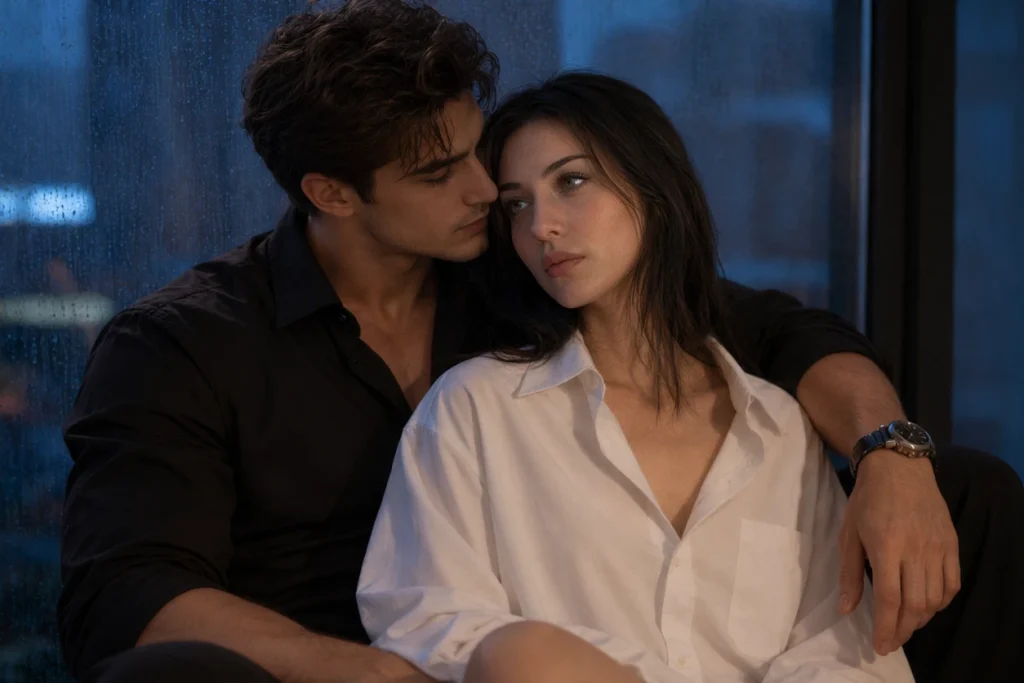
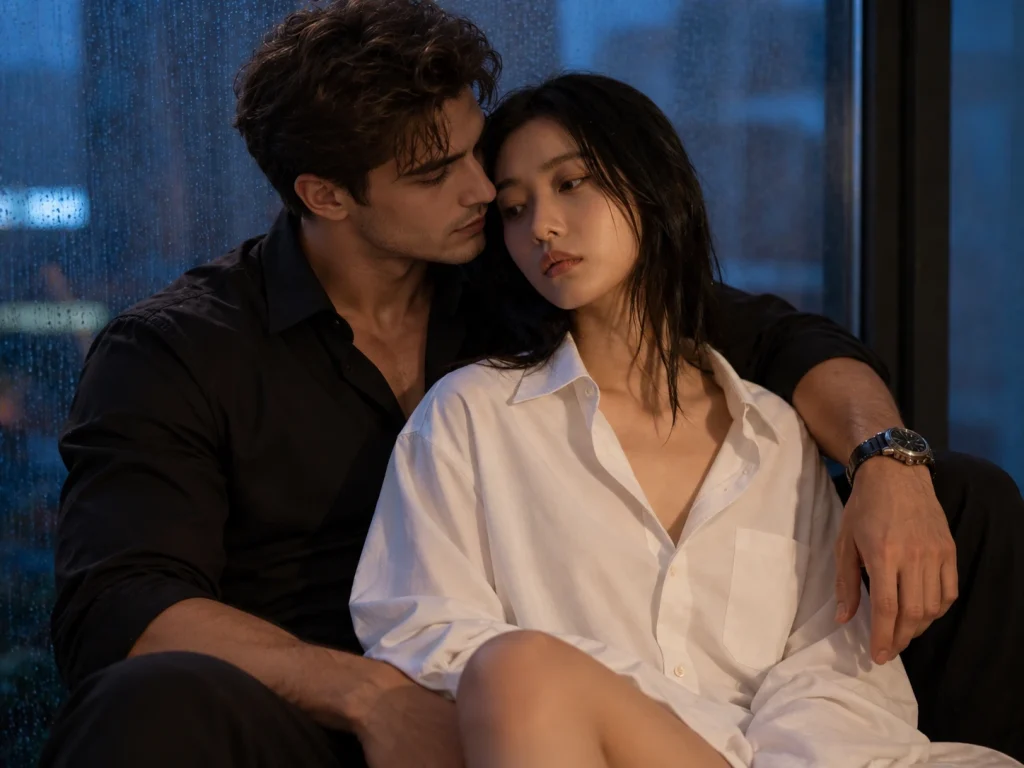
Colored light changes the blending challenge
Red, blue and magenta gels can make skin tone matching look unusual in isolation. Judge whether the inserted face follows the target light pattern rather than trying to force it back to neutral skin color.
For creators working with authorized adult models or their own images for fashion concepts and editorial experiments, treat this as a controlled comparison rather than a one-click verdict. Keep the untouched inputs beside the candidate and review normal-size realism, close-zoom defects, background stability and body consistency. The goal of this section is creative/editorial use cases with stylized lighting, wardrobe and composition; a result is weaker when it looks impressive at first glance but changes unrelated details or makes the scene harder to verify.
For this section of “AI Face Swap for Fashion & Creative Portraits: Practical Guide,” use a controlled test rather than changing several things at once. Adjust one input choice, generate a fresh candidate, and compare it at normal viewing size and close zoom against the same untouched originals. If the same problem returns while reviewing colored light changes the blending challenge, change the underlying source-target pairing instead of piling cosmetic fixes onto a weak generation; that keeps the diagnosis tied to creative/editorial use cases with stylized lighting, wardrobe and composition.
Hard fashion light exposes geometry errors
Specular highlights and crisp shadows make cheekbones, nose shape and jaw alignment obvious. A small angle mismatch that passes in soft light may look artificial under a hard spotlight.
For creators working with authorized adult models or their own images for fashion concepts and editorial experiments, treat this as a controlled comparison rather than a one-click verdict. Keep the untouched inputs beside the candidate and review permission and image rights, adult consent, clear sharing context and non-deceptive use. The goal of this section is creative/editorial use cases with stylized lighting, wardrobe and composition; a result is weaker when it looks impressive at first glance but changes unrelated details or makes the scene harder to verify.
For this section of “AI Face Swap for Fashion & Creative Portraits: Practical Guide,” use a controlled test rather than changing several things at once. Adjust one input choice, generate a fresh candidate, and compare it at normal viewing size and close zoom against the same untouched originals. If the same problem returns while reviewing hard fashion light exposes geometry errors, change the underlying source-target pairing instead of piling cosmetic fixes onto a weak generation; that keeps the diagnosis tied to creative/editorial use cases with stylized lighting, wardrobe and composition.
Keep makeup and face identity conceptually separate
The target may have a specific makeup design that belongs to the editorial look. Review whether the face swap unexpectedly imports source makeup, removes target makeup or blends the two in an inconsistent way.
For creators working with authorized adult models or their own images for fashion concepts and editorial experiments, treat this as a controlled comparison rather than a one-click verdict. Keep the untouched inputs beside the candidate and review identity accuracy, face angle, target-scene preservation and edge blending. The goal of this section is creative/editorial use cases with stylized lighting, wardrobe and composition; a result is weaker when it looks impressive at first glance but changes unrelated details or makes the scene harder to verify.
For this section of “AI Face Swap for Fashion & Creative Portraits: Practical Guide,” use a controlled test rather than changing several things at once. Adjust one input choice, generate a fresh candidate, and compare it at normal viewing size and close zoom against the same untouched originals. If the same problem returns while reviewing keep makeup and face identity conceptually separate, change the underlying source-target pairing instead of piling cosmetic fixes onto a weak generation; that keeps the diagnosis tied to creative/editorial use cases with stylized lighting, wardrobe and composition.
Preserve hairstyle and head silhouette
Hair is a major fashion element. Unless the workflow explicitly replaces the whole head, compare target hair shape, parting, volume and accessories after the swap.
For creators working with authorized adult models or their own images for fashion concepts and editorial experiments, treat this as a controlled comparison rather than a one-click verdict. Keep the untouched inputs beside the candidate and review eyes and mouth, hairline and jaw, skin exposure and accessories. The goal of this section is creative/editorial use cases with stylized lighting, wardrobe and composition; a result is weaker when it looks impressive at first glance but changes unrelated details or makes the scene harder to verify.
For this section of “AI Face Swap for Fashion & Creative Portraits: Practical Guide,” use a controlled test rather than changing several things at once. Adjust one input choice, generate a fresh candidate, and compare it at normal viewing size and close zoom against the same untouched originals. If the same problem returns while reviewing preserve hairstyle and head silhouette, change the underlying source-target pairing instead of piling cosmetic fixes onto a weak generation; that keeps the diagnosis tied to creative/editorial use cases with stylized lighting, wardrobe and composition.
Protect garments near the neck and face
High collars, scarves, hats, veils and statement jewelry overlap the swap boundary. Inspect edges closely so face generation does not redraw a garment or erase an accessory.
For creators working with authorized adult models or their own images for fashion concepts and editorial experiments, treat this as a controlled comparison rather than a one-click verdict. Keep the untouched inputs beside the candidate and review source clarity, target geometry, lighting direction and expression. The goal of this section is creative/editorial use cases with stylized lighting, wardrobe and composition; a result is weaker when it looks impressive at first glance but changes unrelated details or makes the scene harder to verify.
For this section of “AI Face Swap for Fashion & Creative Portraits: Practical Guide,” use a controlled test rather than changing several things at once. Adjust one input choice, generate a fresh candidate, and compare it at normal viewing size and close zoom against the same untouched originals. If the same problem returns while reviewing protect garments near the neck and face, change the underlying source-target pairing instead of piling cosmetic fixes onto a weak generation; that keeps the diagnosis tied to creative/editorial use cases with stylized lighting, wardrobe and composition.
Match image grain and retouching style
Editorial images may use intentional grain, film texture or high-end skin retouching. The new face should not be dramatically cleaner or noisier than the target.
For creators working with authorized adult models or their own images for fashion concepts and editorial experiments, treat this as a controlled comparison rather than a one-click verdict. Keep the untouched inputs beside the candidate and review normal-size realism, close-zoom defects, background stability and body consistency. The goal of this section is creative/editorial use cases with stylized lighting, wardrobe and composition; a result is weaker when it looks impressive at first glance but changes unrelated details or makes the scene harder to verify.
For this section of “AI Face Swap for Fashion & Creative Portraits: Practical Guide,” use a controlled test rather than changing several things at once. Adjust one input choice, generate a fresh candidate, and compare it at normal viewing size and close zoom against the same untouched originals. If the same problem returns while reviewing match image grain and retouching style, change the underlying source-target pairing instead of piling cosmetic fixes onto a weak generation; that keeps the diagnosis tied to creative/editorial use cases with stylized lighting, wardrobe and composition.
Use the final crop when judging the result
A full-resolution face can contain small defects that disappear in a magazine layout, while a close beauty crop exposes them. Review at the actual intended display size before deciding how much refinement is necessary.
For creators working with authorized adult models or their own images for fashion concepts and editorial experiments, treat this as a controlled comparison rather than a one-click verdict. Keep the untouched inputs beside the candidate and review permission and image rights, adult consent, clear sharing context and non-deceptive use. The goal of this section is creative/editorial use cases with stylized lighting, wardrobe and composition; a result is weaker when it looks impressive at first glance but changes unrelated details or makes the scene harder to verify.
For this section of “AI Face Swap for Fashion & Creative Portraits: Practical Guide,” use a controlled test rather than changing several things at once. Adjust one input choice, generate a fresh candidate, and compare it at normal viewing size and close zoom against the same untouched originals. If the same problem returns while reviewing use the final crop when judging the result, change the underlying source-target pairing instead of piling cosmetic fixes onto a weak generation; that keeps the diagnosis tied to creative/editorial use cases with stylized lighting, wardrobe and composition.
Creative does not mean deceptive
A stylized fashion image can still be misleading if it depicts a real person in a campaign, brand endorsement or situation they did not agree to. Keep model rights and publication context clear.
For creators working with authorized adult models or their own images for fashion concepts and editorial experiments, treat this as a controlled comparison rather than a one-click verdict. Keep the untouched inputs beside the candidate and review identity accuracy, face angle, target-scene preservation and edge blending. The goal of this section is creative/editorial use cases with stylized lighting, wardrobe and composition; a result is weaker when it looks impressive at first glance but changes unrelated details or makes the scene harder to verify.
For this section of “AI Face Swap for Fashion & Creative Portraits: Practical Guide,” use a controlled test rather than changing several things at once. Adjust one input choice, generate a fresh candidate, and compare it at normal viewing size and close zoom against the same untouched originals. If the same problem returns while reviewing creative does not mean deceptive, change the underlying source-target pairing instead of piling cosmetic fixes onto a weak generation; that keeps the diagnosis tied to creative/editorial use cases with stylized lighting, wardrobe and composition.
Build variants from one approved target
For concept testing, keep the art-directed target constant and swap only authorized identity references. This creates a controlled comparison of casting concepts without changing lighting or wardrobe between versions.
For creators working with authorized adult models or their own images for fashion concepts and editorial experiments, treat this as a controlled comparison rather than a one-click verdict. Keep the untouched inputs beside the candidate and review eyes and mouth, hairline and jaw, skin exposure and accessories. The goal of this section is creative/editorial use cases with stylized lighting, wardrobe and composition; a result is weaker when it looks impressive at first glance but changes unrelated details or makes the scene harder to verify.
For this section of “AI Face Swap for Fashion & Creative Portraits: Practical Guide,” use a controlled test rather than changing several things at once. Adjust one input choice, generate a fresh candidate, and compare it at normal viewing size and close zoom against the same untouched originals. If the same problem returns while reviewing build variants from one approved target, change the underlying source-target pairing instead of piling cosmetic fixes onto a weak generation; that keeps the diagnosis tied to creative/editorial use cases with stylized lighting, wardrobe and composition.
Do not use face swap to fabricate endorsements
Placing a recognizable real person into branded fashion imagery can imply sponsorship or participation. Obtain permission for identity use and avoid presenting synthetic campaign images as authentic collaborations.
For creators working with authorized adult models or their own images for fashion concepts and editorial experiments, treat this as a controlled comparison rather than a one-click verdict. Keep the untouched inputs beside the candidate and review source clarity, target geometry, lighting direction and expression. The goal of this section is creative/editorial use cases with stylized lighting, wardrobe and composition; a result is weaker when it looks impressive at first glance but changes unrelated details or makes the scene harder to verify.
For this section of “AI Face Swap for Fashion & Creative Portraits: Practical Guide,” use a controlled test rather than changing several things at once. Adjust one input choice, generate a fresh candidate, and compare it at normal viewing size and close zoom against the same untouched originals. If the same problem returns while reviewing do not use face swap to fabricate endorsements, change the underlying source-target pairing instead of piling cosmetic fixes onto a weak generation; that keeps the diagnosis tied to creative/editorial use cases with stylized lighting, wardrobe and composition.
Check hands and body even though you edited the face
Generative processing can sometimes affect nearby anatomy or accessories. Confirm that hands, shoulders and body proportions remain target-consistent, especially in tight beauty poses.
For creators working with authorized adult models or their own images for fashion concepts and editorial experiments, treat this as a controlled comparison rather than a one-click verdict. Keep the untouched inputs beside the candidate and review normal-size realism, close-zoom defects, background stability and body consistency. The goal of this section is creative/editorial use cases with stylized lighting, wardrobe and composition; a result is weaker when it looks impressive at first glance but changes unrelated details or makes the scene harder to verify.
For this section of “AI Face Swap for Fashion & Creative Portraits: Practical Guide,” use a controlled test rather than changing several things at once. Adjust one input choice, generate a fresh candidate, and compare it at normal viewing size and close zoom against the same untouched originals. If the same problem returns while reviewing check hands and body even though you edited the face, change the underlying source-target pairing instead of piling cosmetic fixes onto a weak generation; that keeps the diagnosis tied to creative/editorial use cases with stylized lighting, wardrobe and composition.
When Add Person is the better creative tool
If your creative concept needs a new full-body model added to an empty scene, use Add Person. Face swap is best when the target model body and styling are already the composition you want.
For creators working with authorized adult models or their own images for fashion concepts and editorial experiments, treat this as a controlled comparison rather than a one-click verdict. Keep the untouched inputs beside the candidate and review permission and image rights, adult consent, clear sharing context and non-deceptive use. The goal of this section is creative/editorial use cases with stylized lighting, wardrobe and composition; a result is weaker when it looks impressive at first glance but changes unrelated details or makes the scene harder to verify.
For this section of “AI Face Swap for Fashion & Creative Portraits: Practical Guide,” use a controlled test rather than changing several things at once. Adjust one input choice, generate a fresh candidate, and compare it at normal viewing size and close zoom against the same untouched originals. If the same problem returns while reviewing when add person is the better creative tool, change the underlying source-target pairing instead of piling cosmetic fixes onto a weak generation; that keeps the diagnosis tied to creative/editorial use cases with stylized lighting, wardrobe and composition.
A fashion-specific review checklist
Inspect identity, makeup, hairline, hair silhouette, jewelry, neckline, target lighting, grain, crop, clothing and brand marks before export.
For creators working with authorized adult models or their own images for fashion concepts and editorial experiments, treat this as a controlled comparison rather than a one-click verdict. Keep the untouched inputs beside the candidate and review identity accuracy, face angle, target-scene preservation and edge blending. The goal of this section is creative/editorial use cases with stylized lighting, wardrobe and composition; a result is weaker when it looks impressive at first glance but changes unrelated details or makes the scene harder to verify.
For this section of “AI Face Swap for Fashion & Creative Portraits: Practical Guide,” use a controlled test rather than changing several things at once. Adjust one input choice, generate a fresh candidate, and compare it at normal viewing size and close zoom against the same untouched originals. If the same problem returns while reviewing a fashion-specific review checklist, change the underlying source-target pairing instead of piling cosmetic fixes onto a weak generation; that keeps the diagnosis tied to creative/editorial use cases with stylized lighting, wardrobe and composition.
Plan image slots for real before/after proof
When you later replace the placeholders, use authorized model examples that show a clear target and result at the same crop. This demonstrates scene preservation more credibly than decorative stock imagery.
For creators working with authorized adult models or their own images for fashion concepts and editorial experiments, treat this as a controlled comparison rather than a one-click verdict. Keep the untouched inputs beside the candidate and review eyes and mouth, hairline and jaw, skin exposure and accessories. The goal of this section is creative/editorial use cases with stylized lighting, wardrobe and composition; a result is weaker when it looks impressive at first glance but changes unrelated details or makes the scene harder to verify.
For this section of “AI Face Swap for Fashion & Creative Portraits: Practical Guide,” use a controlled test rather than changing several things at once. Adjust one input choice, generate a fresh candidate, and compare it at normal viewing size and close zoom against the same untouched originals. If the same problem returns while reviewing plan image slots for real before/after proof, change the underlying source-target pairing instead of piling cosmetic fixes onto a weak generation; that keeps the diagnosis tied to creative/editorial use cases with stylized lighting, wardrobe and composition.

Related AvaClik guides
Use the portrait article for headshot-level detail, the preserve-target-details article for wardrobe stability and the safety guide for commercial or public sharing.
- AI Face Swap for Portraits: Headshots, Creative Photos & Clean Results
- How to Face Swap Without Changing Hair, Body, Clothes or Background
- How to Make AI Face Swaps Look Natural and Realistic
- AI Face Swap Safety & Consent: Responsible Use Guide for Adults
- Open AvaClik AI Face Swap
Frequently asked questions
These answers cover colored lighting, makeup transfer, brand imagery and whether a synthetic editorial portrait can be used commercially.
Does a face swap replace the whole head?
Not necessarily. Treat the operation as facial-identity replacement and verify hair, ears, facial hair and accessories against the target because boundary behavior can vary by image. For this article, relate the answer back to creative/editorial use cases with stylized lighting, wardrobe and composition and compare the candidate against both untouched inputs before export.
Do source and target photos need the exact same angle?
No, but similar orientation is a practical advantage. Larger angle differences require more geometric interpretation and usually deserve closer review. For this article, relate the answer back to creative/editorial use cases with stylized lighting, wardrobe and composition and compare the candidate against both untouched inputs before export.
Which photo controls the pose and clothes?
The target photo is the scene baseline. Its pose, body, clothing, framing and background are the details you normally expect to keep. For this article, relate the answer back to creative/editorial use cases with stylized lighting, wardrobe and composition and compare the candidate against both untouched inputs before export.
Can I use any person’s photo?
Use only photos and identities you are authorized to process. For real adults, obtain consent for the intended use, especially for public, commercial or intimate contexts. For this article, relate the answer back to creative/editorial use cases with stylized lighting, wardrobe and composition and compare the candidate against both untouched inputs before export.
How do I know when to regenerate?
Regenerate when identity, head geometry, expression or major lighting is wrong. Small isolated edge defects are better candidates for local cleanup after the global swap is already correct. For this article, relate the answer back to creative/editorial use cases with stylized lighting, wardrobe and composition and compare the candidate against both untouched inputs before export.
Final takeaway
Fashion face swap works best as controlled casting visualization: identity changes while the target art direction stays intact. Treat model consent, brand context and visual consistency as part of quality, not separate concerns.
For creators working with authorized adult models or their own images for fashion concepts and editorial experiments, treat this as a controlled comparison rather than a one-click verdict. Keep the untouched inputs beside the candidate and review permission and image rights, adult consent, clear sharing context and non-deceptive use. The goal of this section is creative/editorial use cases with stylized lighting, wardrobe and composition; a result is weaker when it looks impressive at first glance but changes unrelated details or makes the scene harder to verify.
For this section of “AI Face Swap for Fashion & Creative Portraits: Practical Guide,” use a controlled test rather than changing several things at once. Adjust one input choice, generate a fresh candidate, and compare it at normal viewing size and close zoom against the same untouched originals. If the same problem returns while reviewing final takeaway, change the underlying source-target pairing instead of piling cosmetic fixes onto a weak generation; that keeps the diagnosis tied to creative/editorial use cases with stylized lighting, wardrobe and composition.

Try this in AvaClik
Try the workflow in AvaClik
Upload a photo you have permission to edit, make a change, check the result and refine it.
Try AvaClik AI Face Swap ↗