How to Change a Background Without Changing the Person, Face or Outfit
Change only the background while preserving the person, face, hair, outfit, body proportions and pose in the original photo.
On this page
Open the AvaClik tool connected to this guide and try it on your photo.
Change only the background while preserving the person, face, hair, outfit, body proportions and pose in the original photo. This draft is designed for adult 18+ users working with images they are authorized to edit. AI background replacement can create fictional locations or contexts, so do not present a generated scene as documentary proof that a person visited a place, attended an event or endorsed a brand when that did not happen.
Quick answer
Treat the person as locked content and the environment as the only editable region. After generation, compare face, hair, body, clothing, accessories and pose directly against the original before judging the new background.
In “How to Change a Background Without Changing the Person, Face or Outfit,” this section matters because subject preservation during background-only editing. Treat the original photo as the reference of record and compare the candidate against it rather than judging the generated scene by itself. Review subject preservation, camera geometry, light consistency and edge quality; a visually attractive background is still a weak edit when it changes the subject or breaks the physical logic of the photograph.
A practical test inside “How to Change a Background Without Changing the Person, Face or Outfit” for quick answer is to keep the same source image and create two controlled candidates that differ in only one important choice. Compare them at normal viewing size first, then zoom into boundaries, shadows and geometry. This isolates whether the improvement comes from the scene description, reference image, lighting instruction or source-photo quality instead of turning the workflow into random trial and error.
Define the edit as background-only
Wording such as “replace only the background” helps establish a narrower task than “make this photo look like a beach portrait,” which can invite broader restyling.
In “How to Change a Background Without Changing the Person, Face or Outfit,” this section matters because subject preservation during background-only editing. Treat the original photo as the reference of record and compare the candidate against it rather than judging the generated scene by itself. Review face or product accuracy, perspective, contact shadows and background depth; a visually attractive background is still a weak edit when it changes the subject or breaks the physical logic of the photograph.
A practical test inside “How to Change a Background Without Changing the Person, Face or Outfit” for define the edit as background-only is to keep the same source image and create two controlled candidates that differ in only one important choice. Compare them at normal viewing size first, then zoom into boundaries, shadows and geometry. This isolates whether the improvement comes from the scene description, reference image, lighting instruction or source-photo quality instead of turning the workflow into random trial and error.
List the subject details that matter most
If exact outfit, hairstyle or jewelry matter, name them as preserved details. The more business-critical a feature is, the more deliberately you should review it.
In “How to Change a Background Without Changing the Person, Face or Outfit,” this section matters because subject preservation during background-only editing. Treat the original photo as the reference of record and compare the candidate against it rather than judging the generated scene by itself. Review source-photo clarity, scene plausibility, color temperature and reflections; a visually attractive background is still a weak edit when it changes the subject or breaks the physical logic of the photograph.
A practical test inside “How to Change a Background Without Changing the Person, Face or Outfit” for list the subject details that matter most is to keep the same source image and create two controlled candidates that differ in only one important choice. Compare them at normal viewing size first, then zoom into boundaries, shadows and geometry. This isolates whether the improvement comes from the scene description, reference image, lighting instruction or source-photo quality instead of turning the workflow into random trial and error.
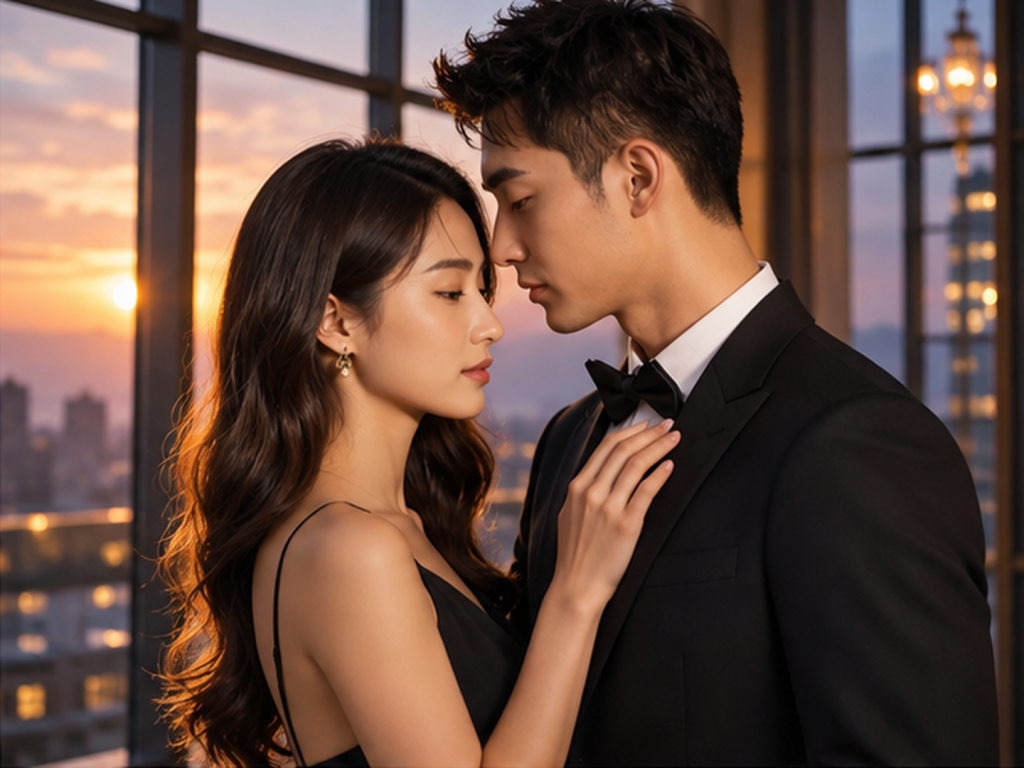
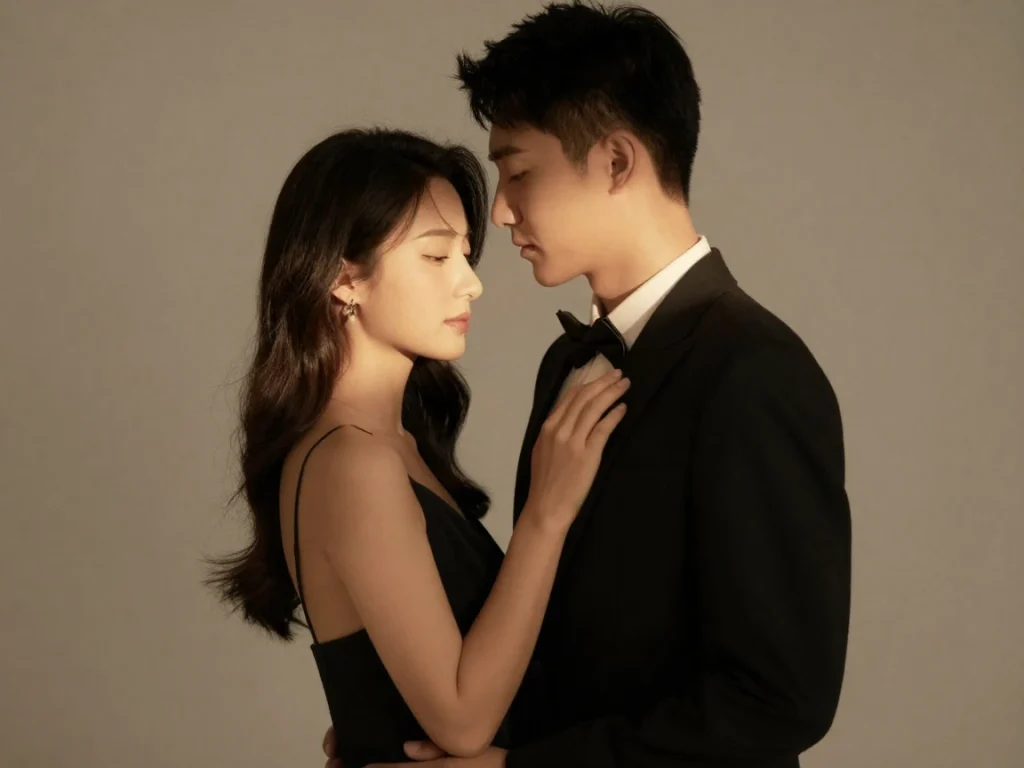
Use a source where the person is clearly separated
Strong subject visibility makes preservation easier. Heavy motion blur, overlapping people or hair blending into a similar-colored wall creates a harder boundary.
In “How to Change a Background Without Changing the Person, Face or Outfit,” this section matters because subject preservation during background-only editing. Treat the original photo as the reference of record and compare the candidate against it rather than judging the generated scene by itself. Review normal-size coherence, close-zoom defects, crop stability and unrelated changes; a visually attractive background is still a weak edit when it changes the subject or breaks the physical logic of the photograph.
A practical test inside “How to Change a Background Without Changing the Person, Face or Outfit” for use a source where the person is clearly separated is to keep the same source image and create two controlled candidates that differ in only one important choice. Compare them at normal viewing size first, then zoom into boundaries, shadows and geometry. This isolates whether the improvement comes from the scene description, reference image, lighting instruction or source-photo quality instead of turning the workflow into random trial and error.
Do not confuse relighting with identity change
A coherent new scene may alter ambient light on skin or clothes. That can be acceptable as long as facial structure, hairstyle, garment design and body proportions remain consistent.
In “How to Change a Background Without Changing the Person, Face or Outfit,” this section matters because subject preservation during background-only editing. Treat the original photo as the reference of record and compare the candidate against it rather than judging the generated scene by itself. Review intended use, visual accuracy, reproducibility and final review; a visually attractive background is still a weak edit when it changes the subject or breaks the physical logic of the photograph.
A practical test inside “How to Change a Background Without Changing the Person, Face or Outfit” for do not confuse relighting with identity change is to keep the same source image and create two controlled candidates that differ in only one important choice. Compare them at normal viewing size first, then zoom into boundaries, shadows and geometry. This isolates whether the improvement comes from the scene description, reference image, lighting instruction or source-photo quality instead of turning the workflow into random trial and error.
Check the face before admiring the scene
A beautiful new location is not a successful background edit if the face changed. Compare eyes, nose, mouth, jaw and expression first.
In “How to Change a Background Without Changing the Person, Face or Outfit,” this section matters because subject preservation during background-only editing. Treat the original photo as the reference of record and compare the candidate against it rather than judging the generated scene by itself. Review subject preservation, camera geometry, light consistency and edge quality; a visually attractive background is still a weak edit when it changes the subject or breaks the physical logic of the photograph.
A practical test inside “How to Change a Background Without Changing the Person, Face or Outfit” for check the face before admiring the scene is to keep the same source image and create two controlled candidates that differ in only one important choice. Compare them at normal viewing size first, then zoom into boundaries, shadows and geometry. This isolates whether the improvement comes from the scene description, reference image, lighting instruction or source-photo quality instead of turning the workflow into random trial and error.


Inspect clothing seams and accessories
Background replacement can affect fine edges near sleeves, lace, earrings, straps or transparent fabrics. Review these regions at full size.
In “How to Change a Background Without Changing the Person, Face or Outfit,” this section matters because subject preservation during background-only editing. Treat the original photo as the reference of record and compare the candidate against it rather than judging the generated scene by itself. Review face or product accuracy, perspective, contact shadows and background depth; a visually attractive background is still a weak edit when it changes the subject or breaks the physical logic of the photograph.
A practical test inside “How to Change a Background Without Changing the Person, Face or Outfit” for inspect clothing seams and accessories is to keep the same source image and create two controlled candidates that differ in only one important choice. Compare them at normal viewing size first, then zoom into boundaries, shadows and geometry. This isolates whether the improvement comes from the scene description, reference image, lighting instruction or source-photo quality instead of turning the workflow into random trial and error.
Preserve pose and body silhouette
The subject should not become taller, wider, turned differently or repositioned without a reason. Compare shoulder angle, hands, feet and visible body outline.
In “How to Change a Background Without Changing the Person, Face or Outfit,” this section matters because subject preservation during background-only editing. Treat the original photo as the reference of record and compare the candidate against it rather than judging the generated scene by itself. Review source-photo clarity, scene plausibility, color temperature and reflections; a visually attractive background is still a weak edit when it changes the subject or breaks the physical logic of the photograph.
A practical test inside “How to Change a Background Without Changing the Person, Face or Outfit” for preserve pose and body silhouette is to keep the same source image and create two controlled candidates that differ in only one important choice. Compare them at normal viewing size first, then zoom into boundaries, shadows and geometry. This isolates whether the improvement comes from the scene description, reference image, lighting instruction or source-photo quality instead of turning the workflow into random trial and error.
Keep hairline and flyaway strands intact
Fine hair is often the first detail lost when background color changes dramatically. Dark hair against a dark night scene and light hair against bright sky both need careful inspection.
In “How to Change a Background Without Changing the Person, Face or Outfit,” this section matters because subject preservation during background-only editing. Treat the original photo as the reference of record and compare the candidate against it rather than judging the generated scene by itself. Review normal-size coherence, close-zoom defects, crop stability and unrelated changes; a visually attractive background is still a weak edit when it changes the subject or breaks the physical logic of the photograph.
A practical test inside “How to Change a Background Without Changing the Person, Face or Outfit” for keep hairline and flyaway strands intact is to keep the same source image and create two controlled candidates that differ in only one important choice. Compare them at normal viewing size first, then zoom into boundaries, shadows and geometry. This isolates whether the improvement comes from the scene description, reference image, lighting instruction or source-photo quality instead of turning the workflow into random trial and error.
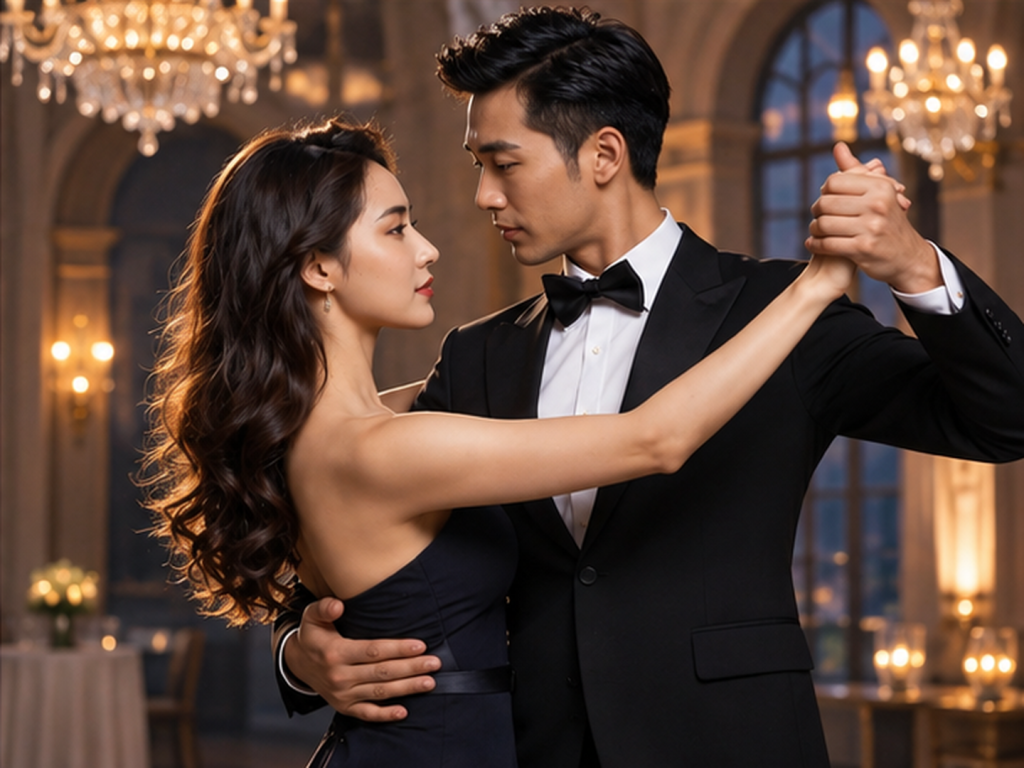
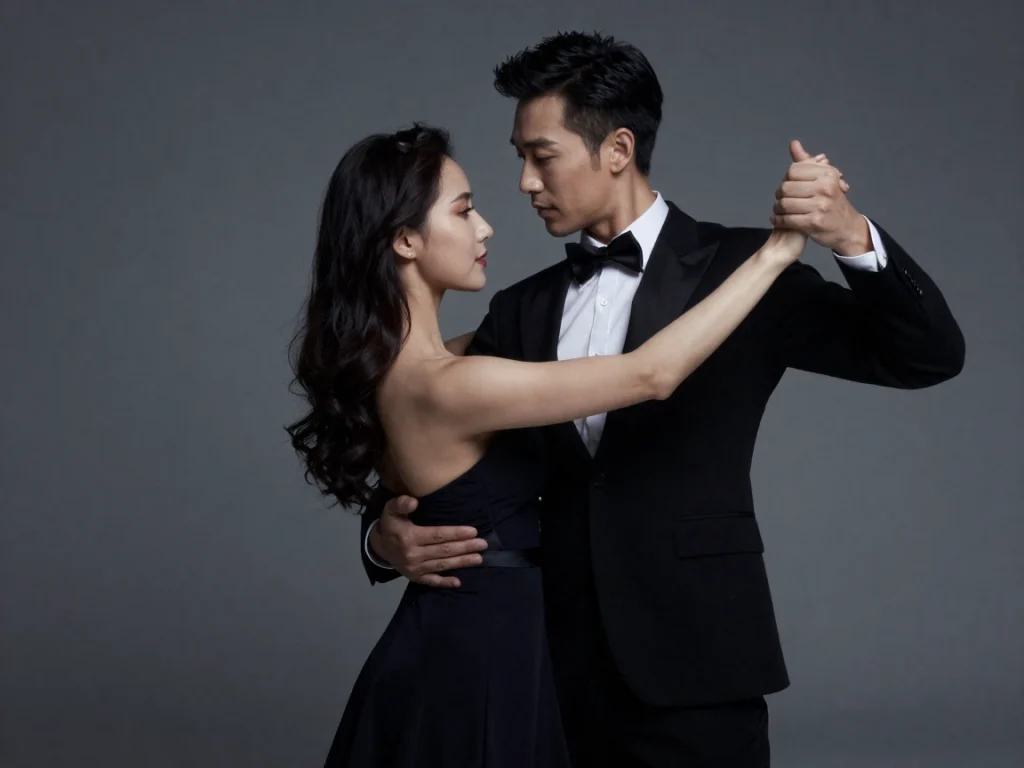
Watch hands and objects near the background boundary
A hand resting beside the body, a handbag or a chair may be partially interpreted as background. Check any object that touches the person but extends into open space.
In “How to Change a Background Without Changing the Person, Face or Outfit,” this section matters because subject preservation during background-only editing. Treat the original photo as the reference of record and compare the candidate against it rather than judging the generated scene by itself. Review intended use, visual accuracy, reproducibility and final review; a visually attractive background is still a weak edit when it changes the subject or breaks the physical logic of the photograph.
A practical test inside “How to Change a Background Without Changing the Person, Face or Outfit” for watch hands and objects near the background boundary is to keep the same source image and create two controlled candidates that differ in only one important choice. Compare them at normal viewing size first, then zoom into boundaries, shadows and geometry. This isolates whether the improvement comes from the scene description, reference image, lighting instruction or source-photo quality instead of turning the workflow into random trial and error.
Use similar camera framing
Keeping subject scale and crop stable makes before/after review easier and reduces the temptation for the model to rebuild the whole portrait.
In “How to Change a Background Without Changing the Person, Face or Outfit,” this section matters because subject preservation during background-only editing. Treat the original photo as the reference of record and compare the candidate against it rather than judging the generated scene by itself. Review subject preservation, camera geometry, light consistency and edge quality; a visually attractive background is still a weak edit when it changes the subject or breaks the physical logic of the photograph.
A practical test inside “How to Change a Background Without Changing the Person, Face or Outfit” for use similar camera framing is to keep the same source image and create two controlled candidates that differ in only one important choice. Compare them at normal viewing size first, then zoom into boundaries, shadows and geometry. This isolates whether the improvement comes from the scene description, reference image, lighting instruction or source-photo quality instead of turning the workflow into random trial and error.
Choose compatible backgrounds
A scene with similar camera height and plausible lighting asks less of the model than a visually contradictory environment.
In “How to Change a Background Without Changing the Person, Face or Outfit,” this section matters because subject preservation during background-only editing. Treat the original photo as the reference of record and compare the candidate against it rather than judging the generated scene by itself. Review face or product accuracy, perspective, contact shadows and background depth; a visually attractive background is still a weak edit when it changes the subject or breaks the physical logic of the photograph.
A practical test inside “How to Change a Background Without Changing the Person, Face or Outfit” for choose compatible backgrounds is to keep the same source image and create two controlled candidates that differ in only one important choice. Compare them at normal viewing size first, then zoom into boundaries, shadows and geometry. This isolates whether the improvement comes from the scene description, reference image, lighting instruction or source-photo quality instead of turning the workflow into random trial and error.

Regenerate from the original when subject drift starts
Do not keep editing a result that already changed the face or outfit. Return to the clean source and fix the background instruction there.
In “How to Change a Background Without Changing the Person, Face or Outfit,” this section matters because subject preservation during background-only editing. Treat the original photo as the reference of record and compare the candidate against it rather than judging the generated scene by itself. Review source-photo clarity, scene plausibility, color temperature and reflections; a visually attractive background is still a weak edit when it changes the subject or breaks the physical logic of the photograph.
A practical test inside “How to Change a Background Without Changing the Person, Face or Outfit” for regenerate from the original when subject drift starts is to keep the same source image and create two controlled candidates that differ in only one important choice. Compare them at normal viewing size first, then zoom into boundaries, shadows and geometry. This isolates whether the improvement comes from the scene description, reference image, lighting instruction or source-photo quality instead of turning the workflow into random trial and error.
Use a reference image carefully
A reference should define the environment, not become a source for a new person or wardrobe. Check that its influence stays outside the subject.
In “How to Change a Background Without Changing the Person, Face or Outfit,” this section matters because subject preservation during background-only editing. Treat the original photo as the reference of record and compare the candidate against it rather than judging the generated scene by itself. Review normal-size coherence, close-zoom defects, crop stability and unrelated changes; a visually attractive background is still a weak edit when it changes the subject or breaks the physical logic of the photograph.
A practical test inside “How to Change a Background Without Changing the Person, Face or Outfit” for use a reference image carefully is to keep the same source image and create two controlled candidates that differ in only one important choice. Compare them at normal viewing size first, then zoom into boundaries, shadows and geometry. This isolates whether the improvement comes from the scene description, reference image, lighting instruction or source-photo quality instead of turning the workflow into random trial and error.
Build a preservation checklist
Before export, compare face, hair, ears, neck, hands, clothing, accessories, body outline, pose and any object being held.
In “How to Change a Background Without Changing the Person, Face or Outfit,” this section matters because subject preservation during background-only editing. Treat the original photo as the reference of record and compare the candidate against it rather than judging the generated scene by itself. Review intended use, visual accuracy, reproducibility and final review; a visually attractive background is still a weak edit when it changes the subject or breaks the physical logic of the photograph.
A practical test inside “How to Change a Background Without Changing the Person, Face or Outfit” for build a preservation checklist is to keep the same source image and create two controlled candidates that differ in only one important choice. Compare them at normal viewing size first, then zoom into boundaries, shadows and geometry. This isolates whether the improvement comes from the scene description, reference image, lighting instruction or source-photo quality instead of turning the workflow into random trial and error.
Related AvaClik guides
Use the best-photos guide for source selection, the reference-image guide when matching a visual scene, and troubleshooting when preservation fails.
In “How to Change a Background Without Changing the Person, Face or Outfit,” this section matters because subject preservation during background-only editing. Treat the original photo as the reference of record and compare the candidate against it rather than judging the generated scene by itself. Review subject preservation, camera geometry, light consistency and edge quality; a visually attractive background is still a weak edit when it changes the subject or breaks the physical logic of the photograph.
A practical test inside “How to Change a Background Without Changing the Person, Face or Outfit” for related avaclik guides is to keep the same source image and create two controlled candidates that differ in only one important choice. Compare them at normal viewing size first, then zoom into boundaries, shadows and geometry. This isolates whether the improvement comes from the scene description, reference image, lighting instruction or source-photo quality instead of turning the workflow into random trial and error.
Frequently asked questions
These answers explain why small lighting changes can be acceptable, which subject details are easiest to lose and when to start over from the original.
In “How to Change a Background Without Changing the Person, Face or Outfit,” this section matters because subject preservation during background-only editing. Treat the original photo as the reference of record and compare the candidate against it rather than judging the generated scene by itself. Review face or product accuracy, perspective, contact shadows and background depth; a visually attractive background is still a weak edit when it changes the subject or breaks the physical logic of the photograph.
A practical test inside “How to Change a Background Without Changing the Person, Face or Outfit” for frequently asked questions is to keep the same source image and create two controlled candidates that differ in only one important choice. Compare them at normal viewing size first, then zoom into boundaries, shadows and geometry. This isolates whether the improvement comes from the scene description, reference image, lighting instruction or source-photo quality instead of turning the workflow into random trial and error.
Final takeaway
A background-only edit succeeds when the new environment looks intentional but the person still reads as the same untouched subject. Judge preservation first and scenery second.
In “How to Change a Background Without Changing the Person, Face or Outfit,” this section matters because subject preservation during background-only editing. Treat the original photo as the reference of record and compare the candidate against it rather than judging the generated scene by itself. Review source-photo clarity, scene plausibility, color temperature and reflections; a visually attractive background is still a weak edit when it changes the subject or breaks the physical logic of the photograph.
A practical test inside “How to Change a Background Without Changing the Person, Face or Outfit” for final takeaway is to keep the same source image and create two controlled candidates that differ in only one important choice. Compare them at normal viewing size first, then zoom into boundaries, shadows and geometry. This isolates whether the improvement comes from the scene description, reference image, lighting instruction or source-photo quality instead of turning the workflow into random trial and error.
More AvaClik background guides
- Best Photos for AI Background Changing: Framing, Light & Subject Edges
- 30 AI Studio Background Prompts for Portraits and Photos
- How to Change Product Photo Backgrounds With AI for Ecommerce
You can also compare this workflow with Background Removal vs Background Replacement when deciding whether you need transparency or a fully generated scene.


Try this in AvaClik
Try the workflow in AvaClik
Upload a photo you have permission to edit, make a change, check the result and refine it.
Try AvaClik AI Background Changer ↗