50 AI Background Changer Prompts for Realistic Photo Edits
Copy 50 practical AI background changer prompts for studio, travel, home, office, city, nightlife, nature, luxury, product and portrait scenes.
On this page
Open the AvaClik tool connected to this guide and try it on your photo.
Copy 50 practical AI background changer prompts for studio, travel, home, office, city, nightlife, nature, luxury, product and portrait scenes. This draft is designed for adult 18+ users working with images they are authorized to edit. AI background replacement can create fictional locations or contexts, so do not present a generated scene as documentary proof that a person visited a place, attended an event or endorsed a brand when that did not happen.
Quick answer
A strong background prompt names the new scene, preserves the subject and asks the new environment to match camera perspective, light direction, depth and contact shadows. Keep the main request focused on the background.
In “50 AI Background Changer Prompts for Realistic Photo Edits,” this section matters because a reusable prompt library organized by scene type and realism constraints. Treat the original photo as the reference of record and compare the candidate against it rather than judging the generated scene by itself. Review subject preservation, camera geometry, light consistency and edge quality; a visually attractive background is still a weak edit when it changes the subject or breaks the physical logic of the photograph.
A practical test inside “50 AI Background Changer Prompts for Realistic Photo Edits” for quick answer is to keep the same source image and create two controlled candidates that differ in only one important choice. Compare them at normal viewing size first, then zoom into boundaries, shadows and geometry. This isolates whether the improvement comes from the scene description, reference image, lighting instruction or source-photo quality instead of turning the workflow into random trial and error.
A reliable prompt formula
Use: replace only the background with [scene], preserve [subject details], match [light and perspective], add [depth or surface], and keep [crop or framing] unchanged.
In “50 AI Background Changer Prompts for Realistic Photo Edits,” this section matters because a reusable prompt library organized by scene type and realism constraints. Treat the original photo as the reference of record and compare the candidate against it rather than judging the generated scene by itself. Review face or product accuracy, perspective, contact shadows and background depth; a visually attractive background is still a weak edit when it changes the subject or breaks the physical logic of the photograph.
A practical test inside “50 AI Background Changer Prompts for Realistic Photo Edits” for a reliable prompt formula is to keep the same source image and create two controlled candidates that differ in only one important choice. Compare them at normal viewing size first, then zoom into boundaries, shadows and geometry. This isolates whether the improvement comes from the scene description, reference image, lighting instruction or source-photo quality instead of turning the workflow into random trial and error.
Studio background prompts
Clean studio scenes work best when the prompt specifies backdrop color, floor transition, softness of light and whether a subtle contact shadow should remain.
In “50 AI Background Changer Prompts for Realistic Photo Edits,” this section matters because a reusable prompt library organized by scene type and realism constraints. Treat the original photo as the reference of record and compare the candidate against it rather than judging the generated scene by itself. Review source-photo clarity, scene plausibility, color temperature and reflections; a visually attractive background is still a weak edit when it changes the subject or breaks the physical logic of the photograph.
A practical test inside “50 AI Background Changer Prompts for Realistic Photo Edits” for studio background prompts is to keep the same source image and create two controlled candidates that differ in only one important choice. Compare them at normal viewing size first, then zoom into boundaries, shadows and geometry. This isolates whether the improvement comes from the scene description, reference image, lighting instruction or source-photo quality instead of turning the workflow into random trial and error.


Replace the background with a luxury hotel interior, warm lamps, textured fabrics, muted beige palette and shallow background depth. Keep the subject unchanged.
Use this as a starting structure, then adapt scene, light and preservation details to your own source photo.
Place the subject in a stylish cafe with warm wood, softly blurred tables, window light and realistic ambient depth. Preserve the original person and crop.
Use this as a starting structure, then adapt scene, light and preservation details to your own source photo.
Replace the background with a lush garden path, layered greenery, soft overcast daylight and gentle background bokeh. Keep the subject unchanged.
Use this as a starting structure, then adapt scene, light and preservation details to your own source photo.
Office and professional prompts
For professional portraits, describe window direction, interior materials, background blur and how formal or modern the environment should feel.
In “50 AI Background Changer Prompts for Realistic Photo Edits,” this section matters because a reusable prompt library organized by scene type and realism constraints. Treat the original photo as the reference of record and compare the candidate against it rather than judging the generated scene by itself. Review normal-size coherence, close-zoom defects, crop stability and unrelated changes; a visually attractive background is still a weak edit when it changes the subject or breaks the physical logic of the photograph.
A practical test inside “50 AI Background Changer Prompts for Realistic Photo Edits” for office and professional prompts is to keep the same source image and create two controlled candidates that differ in only one important choice. Compare them at normal viewing size first, then zoom into boundaries, shadows and geometry. This isolates whether the improvement comes from the scene description, reference image, lighting instruction or source-photo quality instead of turning the workflow into random trial and error.
Use a refined rose garden with flowers in the midground, soft late-afternoon light and natural depth. Preserve face, hair, pose and outfit.
Use this as a starting structure, then adapt scene, light and preservation details to your own source photo.
Replace only the background with a quiet forest trail, soft filtered daylight, layered trees and realistic ground contact. Keep the person unchanged.
Use this as a starting structure, then adapt scene, light and preservation details to your own source photo.
Place the subject at a mountain overlook with distant peaks, atmospheric haze, eye-level horizon and soft golden-hour light. Preserve the subject.
Use this as a starting structure, then adapt scene, light and preservation details to your own source photo.
Home and lifestyle prompts
Lifestyle scenes benefit from a specific room type, daylight direction, furniture distance and restrained props so the subject stays dominant.
In “50 AI Background Changer Prompts for Realistic Photo Edits,” this section matters because a reusable prompt library organized by scene type and realism constraints. Treat the original photo as the reference of record and compare the candidate against it rather than judging the generated scene by itself. Review intended use, visual accuracy, reproducibility and final review; a visually attractive background is still a weak edit when it changes the subject or breaks the physical logic of the photograph.
A practical test inside “50 AI Background Changer Prompts for Realistic Photo Edits” for home and lifestyle prompts is to keep the same source image and create two controlled candidates that differ in only one important choice. Compare them at normal viewing size first, then zoom into boundaries, shadows and geometry. This isolates whether the improvement comes from the scene description, reference image, lighting instruction or source-photo quality instead of turning the workflow into random trial and error.
Replace the background with a calm lake shore, distant hills, soft daylight, natural reflections and realistic depth. Keep the subject and framing unchanged.
Use this as a starting structure, then adapt scene, light and preservation details to your own source photo.
Use a bright beach with sand, distant waves, clear horizon and warm late-afternoon sun matching the subject. Preserve face, hair, body and clothes.
Use this as a starting structure, then adapt scene, light and preservation details to your own source photo.
Place the subject on a Mediterranean coastal terrace with sea in the distance, bougainvillea, warm sun and realistic perspective. Keep the person unchanged.
Use this as a starting structure, then adapt scene, light and preservation details to your own source photo.
Nature and garden prompts
Outdoor scenes need a horizon, believable ground contact, time of day and atmospheric depth rather than only a list of trees or flowers.
In “50 AI Background Changer Prompts for Realistic Photo Edits,” this section matters because a reusable prompt library organized by scene type and realism constraints. Treat the original photo as the reference of record and compare the candidate against it rather than judging the generated scene by itself. Review subject preservation, camera geometry, light consistency and edge quality; a visually attractive background is still a weak edit when it changes the subject or breaks the physical logic of the photograph.
A practical test inside “50 AI Background Changer Prompts for Realistic Photo Edits” for nature and garden prompts is to keep the same source image and create two controlled candidates that differ in only one important choice. Compare them at normal viewing size first, then zoom into boundaries, shadows and geometry. This isolates whether the improvement comes from the scene description, reference image, lighting instruction or source-photo quality instead of turning the workflow into random trial and error.
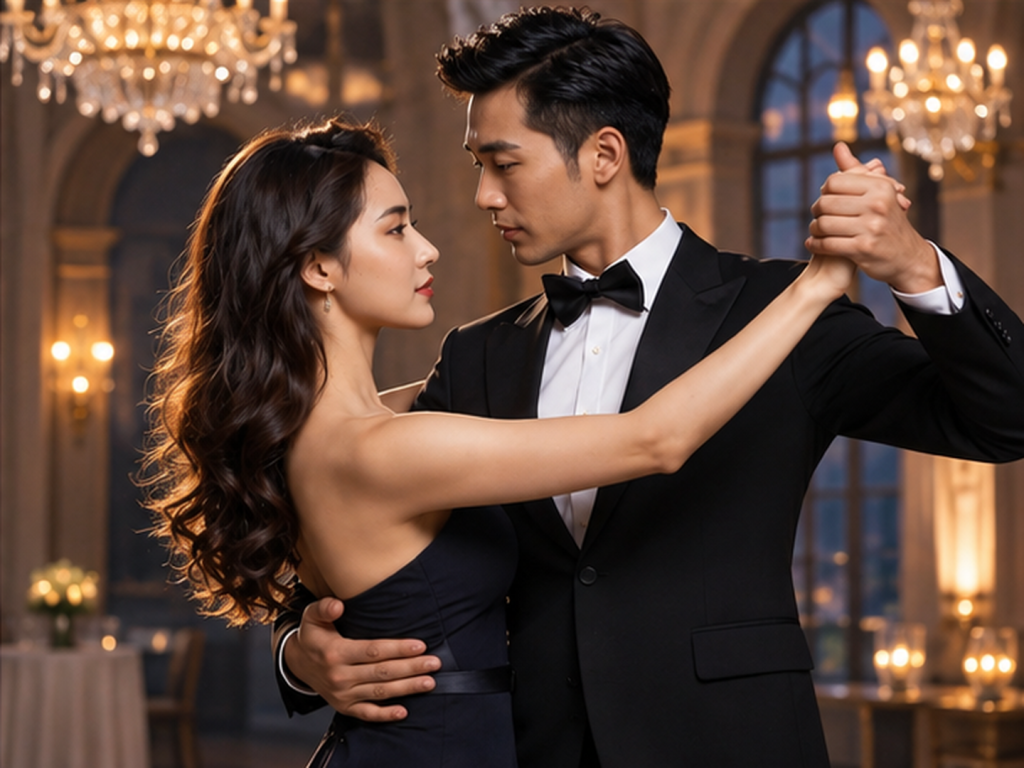
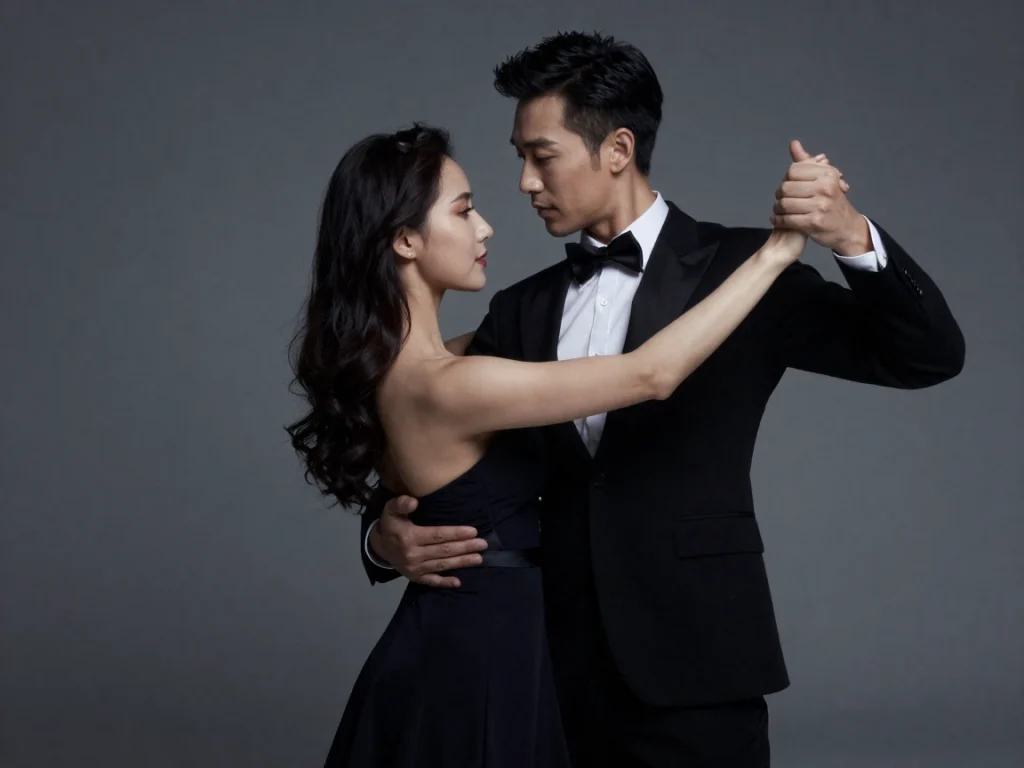
Replace the background with an elegant European street, cream stone buildings, soft late-afternoon light and shallow background depth. Preserve the subject.
Use this as a starting structure, then adapt scene, light and preservation details to your own source photo.
Use a modern downtown street with glass buildings, soft daylight, distant traffic and natural perspective. Keep identity, pose and outfit unchanged.
Use this as a starting structure, then adapt scene, light and preservation details to your own source photo.
Place the subject on a rooftop terrace with a distant skyline, realistic railing scale, blue-hour light and subtle city bokeh. Preserve the subject.
Use this as a starting structure, then adapt scene, light and preservation details to your own source photo.
Beach and travel prompts
Travel backgrounds look more credible when the prompt states viewpoint, weather, crowd level, depth of field and warm or cool light.
In “50 AI Background Changer Prompts for Realistic Photo Edits,” this section matters because a reusable prompt library organized by scene type and realism constraints. Treat the original photo as the reference of record and compare the candidate against it rather than judging the generated scene by itself. Review face or product accuracy, perspective, contact shadows and background depth; a visually attractive background is still a weak edit when it changes the subject or breaks the physical logic of the photograph.
A practical test inside “50 AI Background Changer Prompts for Realistic Photo Edits” for beach and travel prompts is to keep the same source image and create two controlled candidates that differ in only one important choice. Compare them at normal viewing size first, then zoom into boundaries, shadows and geometry. This isolates whether the improvement comes from the scene description, reference image, lighting instruction or source-photo quality instead of turning the workflow into random trial and error.
Replace the background with a city street at night, distant lights, soft bokeh, wet pavement reflections and coherent cool ambient light. Keep the subject unchanged.
Use this as a starting structure, then adapt scene, light and preservation details to your own source photo.
Use a cinematic neon street with magenta and blue practical lights, wet pavement, shallow depth and subtle colored rim light on the subject. Preserve identity and outfit.
Use this as a starting structure, then adapt scene, light and preservation details to your own source photo.
Replace the background with a premium hotel lobby, warm stone, brass details, soft indirect light and elegant depth. Keep the person unchanged.
Use this as a starting structure, then adapt scene, light and preservation details to your own source photo.
City and street prompts
Urban scenes should define day or night, wet or dry pavement, traffic blur, building distance and whether signs should remain unreadable.
In “50 AI Background Changer Prompts for Realistic Photo Edits,” this section matters because a reusable prompt library organized by scene type and realism constraints. Treat the original photo as the reference of record and compare the candidate against it rather than judging the generated scene by itself. Review source-photo clarity, scene plausibility, color temperature and reflections; a visually attractive background is still a weak edit when it changes the subject or breaks the physical logic of the photograph.
A practical test inside “50 AI Background Changer Prompts for Realistic Photo Edits” for city and street prompts is to keep the same source image and create two controlled candidates that differ in only one important choice. Compare them at normal viewing size first, then zoom into boundaries, shadows and geometry. This isolates whether the improvement comes from the scene description, reference image, lighting instruction or source-photo quality instead of turning the workflow into random trial and error.
Place the subject in a minimal contemporary art gallery with white walls, polished floor, soft ceiling light and restrained background detail. Preserve the subject.
Use this as a starting structure, then adapt scene, light and preservation details to your own source photo.
Replace the background with a soft blush-to-mauve studio gradient, clean floor transition and diffused beauty light. Keep face, hair and pose unchanged.
Use this as a starting structure, then adapt scene, light and preservation details to your own source photo.
Use a deep charcoal studio with subtle warm rim light, low-key atmosphere and soft floor shadow. Preserve the person and clothing.
Use this as a starting structure, then adapt scene, light and preservation details to your own source photo.
Night and neon prompts
Neon scenes require environmental color spill on the subject, reflections and a dark enough base exposure to support glowing lights.
In “50 AI Background Changer Prompts for Realistic Photo Edits,” this section matters because a reusable prompt library organized by scene type and realism constraints. Treat the original photo as the reference of record and compare the candidate against it rather than judging the generated scene by itself. Review normal-size coherence, close-zoom defects, crop stability and unrelated changes; a visually attractive background is still a weak edit when it changes the subject or breaks the physical logic of the photograph.
A practical test inside “50 AI Background Changer Prompts for Realistic Photo Edits” for night and neon prompts is to keep the same source image and create two controlled candidates that differ in only one important choice. Compare them at normal viewing size first, then zoom into boundaries, shadows and geometry. This isolates whether the improvement comes from the scene description, reference image, lighting instruction or source-photo quality instead of turning the workflow into random trial and error.
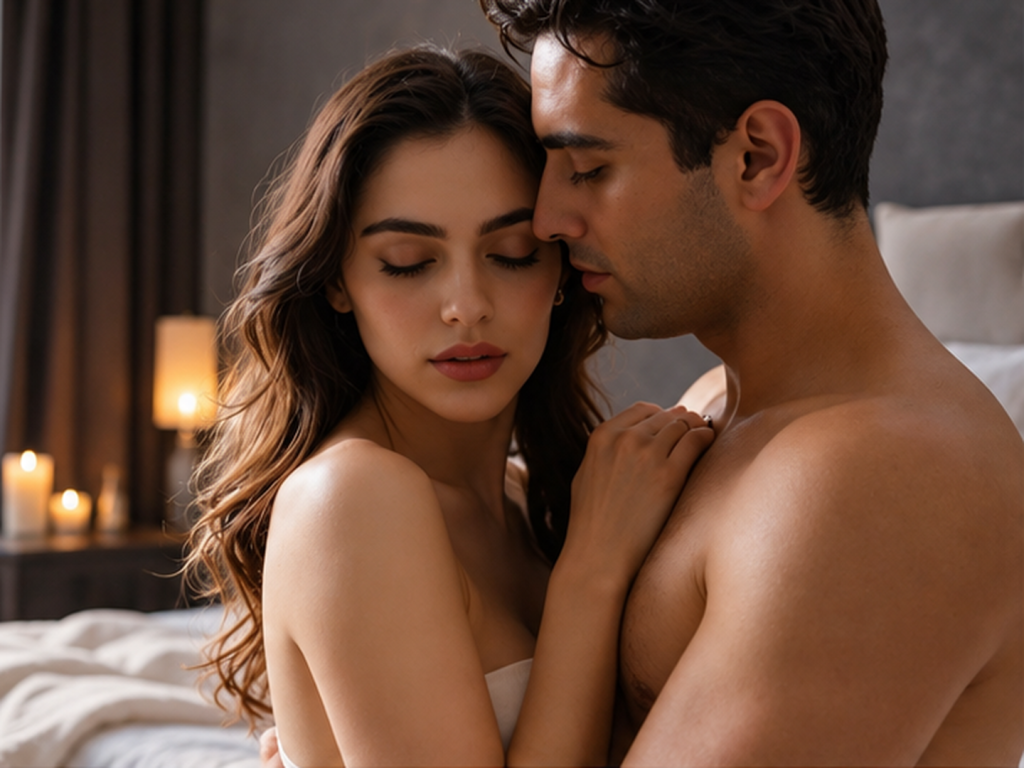
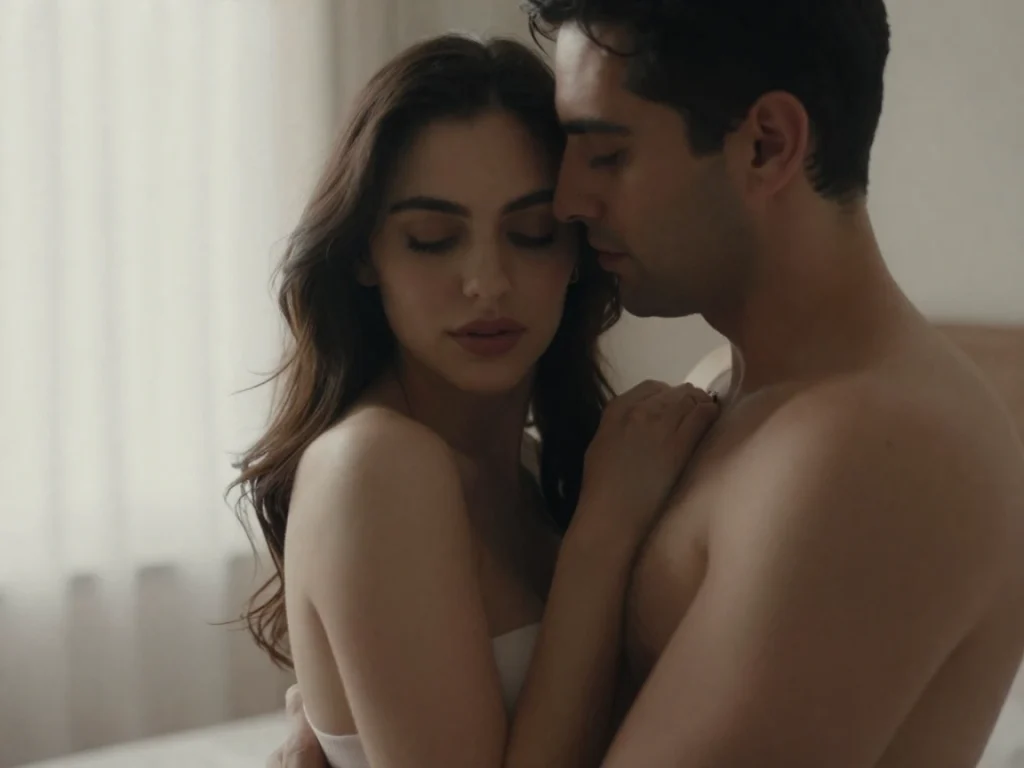
Replace only the background with a clean white studio, even soft lighting and a subtle realistic contact shadow. Preserve all subject details.
Use this as a starting structure, then adapt scene, light and preservation details to your own source photo.
Use a matte black studio backdrop with controlled edge light and gentle separation around hair and shoulders. Keep the subject unchanged.
Use this as a starting structure, then adapt scene, light and preservation details to your own source photo.
Replace the background with a quiet modern library, tall warm wood shelves, soft window light and natural shallow depth. Preserve the subject.
Use this as a starting structure, then adapt scene, light and preservation details to your own source photo.
Luxury and editorial prompts
Luxury interiors are more convincing when you describe surfaces such as stone, wood, velvet or metal and keep the visual palette controlled.
In “50 AI Background Changer Prompts for Realistic Photo Edits,” this section matters because a reusable prompt library organized by scene type and realism constraints. Treat the original photo as the reference of record and compare the candidate against it rather than judging the generated scene by itself. Review intended use, visual accuracy, reproducibility and final review; a visually attractive background is still a weak edit when it changes the subject or breaks the physical logic of the photograph.
A practical test inside “50 AI Background Changer Prompts for Realistic Photo Edits” for luxury and editorial prompts is to keep the same source image and create two controlled candidates that differ in only one important choice. Compare them at normal viewing size first, then zoom into boundaries, shadows and geometry. This isolates whether the improvement comes from the scene description, reference image, lighting instruction or source-photo quality instead of turning the workflow into random trial and error.
Place the subject in an elegant restaurant with warm pendant lights, dark wood, soft bokeh and realistic ambient warmth. Keep identity and outfit unchanged.
Use this as a starting structure, then adapt scene, light and preservation details to your own source photo.
Replace the background with a bright country-house interior, natural stone, linen textures and soft window daylight. Preserve the person.
Use this as a starting structure, then adapt scene, light and preservation details to your own source photo.
Use a calm spa-style interior with pale stone, soft indirect light and minimal decor. Keep the subject unchanged.
Use this as a starting structure, then adapt scene, light and preservation details to your own source photo.
Minimal and gradient prompts
Simple backgrounds are useful for portraits, profiles and catalog images. Specify exact color family, gradient direction and whether a floor or shadow is visible.
In “50 AI Background Changer Prompts for Realistic Photo Edits,” this section matters because a reusable prompt library organized by scene type and realism constraints. Treat the original photo as the reference of record and compare the candidate against it rather than judging the generated scene by itself. Review subject preservation, camera geometry, light consistency and edge quality; a visually attractive background is still a weak edit when it changes the subject or breaks the physical logic of the photograph.
A practical test inside “50 AI Background Changer Prompts for Realistic Photo Edits” for minimal and gradient prompts is to keep the same source image and create two controlled candidates that differ in only one important choice. Compare them at normal viewing size first, then zoom into boundaries, shadows and geometry. This isolates whether the improvement comes from the scene description, reference image, lighting instruction or source-photo quality instead of turning the workflow into random trial and error.
Replace the background with a winter city street, soft snow, cool overcast light and warm distant shop lights. Preserve the subject.
Use this as a starting structure, then adapt scene, light and preservation details to your own source photo.
Place the subject in an autumn park with orange leaves, soft afternoon light and natural path depth. Keep the person unchanged.
Use this as a starting structure, then adapt scene, light and preservation details to your own source photo.
Use a spring street lined with flowering trees, soft daylight and shallow depth. Preserve face, hair, pose and outfit.
Use this as a starting structure, then adapt scene, light and preservation details to your own source photo.
Product background prompts
Product prompts should name the support surface, contact shadow, reflection behavior and whether packaging text or product shape must remain unchanged.
In “50 AI Background Changer Prompts for Realistic Photo Edits,” this section matters because a reusable prompt library organized by scene type and realism constraints. Treat the original photo as the reference of record and compare the candidate against it rather than judging the generated scene by itself. Review face or product accuracy, perspective, contact shadows and background depth; a visually attractive background is still a weak edit when it changes the subject or breaks the physical logic of the photograph.
A practical test inside “50 AI Background Changer Prompts for Realistic Photo Edits” for product background prompts is to keep the same source image and create two controlled candidates that differ in only one important choice. Compare them at normal viewing size first, then zoom into boundaries, shadows and geometry. This isolates whether the improvement comes from the scene description, reference image, lighting instruction or source-photo quality instead of turning the workflow into random trial and error.
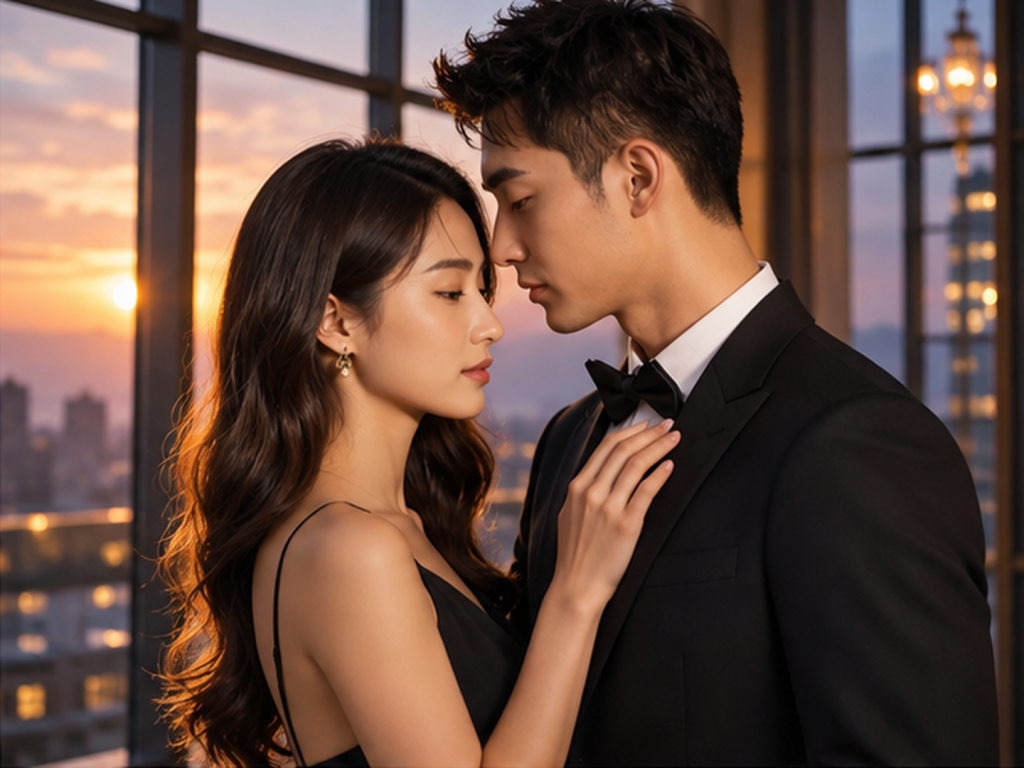
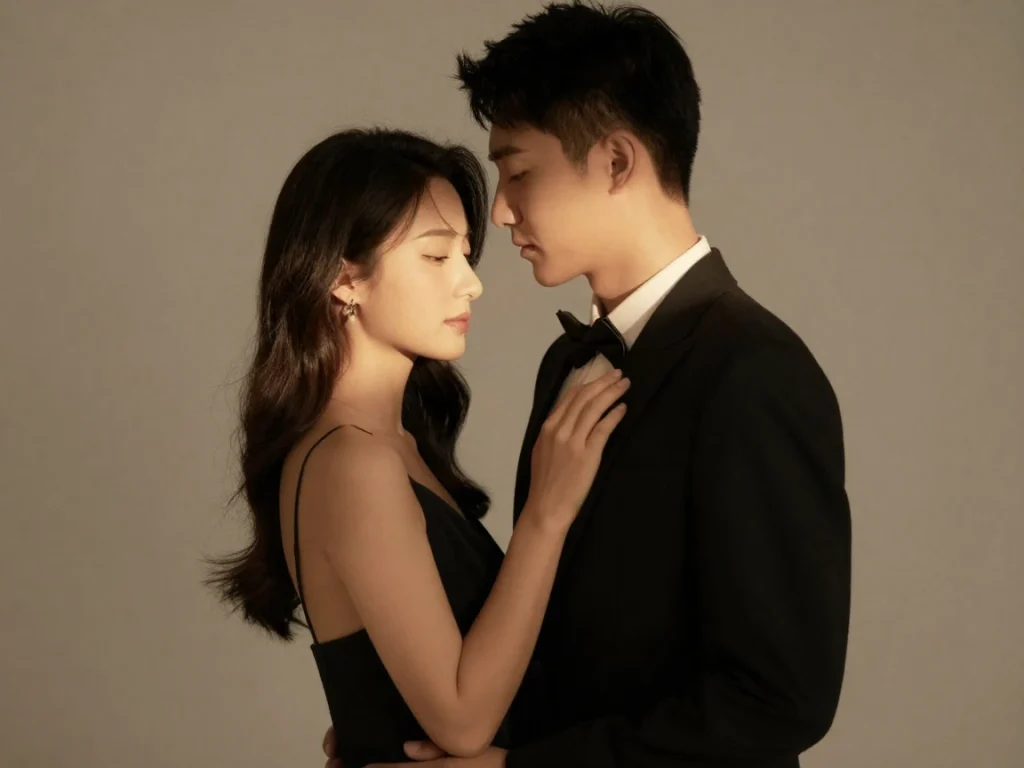
Replace the background with a modern summer resort terrace, pool in the distance, warm sunlight and realistic perspective. Keep the subject unchanged.
Use this as a starting structure, then adapt scene, light and preservation details to your own source photo.
Place the subject in a clean desert landscape with distant dunes, warm low-angle light and subtle atmospheric haze. Preserve the subject.
Use this as a starting structure, then adapt scene, light and preservation details to your own source photo.
Use a rainy downtown street with umbrellas in soft background blur, cool daylight and wet reflections. Keep the person unchanged.
Use this as a starting structure, then adapt scene, light and preservation details to your own source photo.
Portrait-background prompts
Portrait scenes should preserve face, hair, pose and clothing while matching the background to the existing light on skin and hair.
In “50 AI Background Changer Prompts for Realistic Photo Edits,” this section matters because a reusable prompt library organized by scene type and realism constraints. Treat the original photo as the reference of record and compare the candidate against it rather than judging the generated scene by itself. Review source-photo clarity, scene plausibility, color temperature and reflections; a visually attractive background is still a weak edit when it changes the subject or breaks the physical logic of the photograph.
A practical test inside “50 AI Background Changer Prompts for Realistic Photo Edits” for portrait-background prompts is to keep the same source image and create two controlled candidates that differ in only one important choice. Compare them at normal viewing size first, then zoom into boundaries, shadows and geometry. This isolates whether the improvement comes from the scene description, reference image, lighting instruction or source-photo quality instead of turning the workflow into random trial and error.
Replace the background with an upscale balcony at blue hour, city lights in the distance and soft cool ambient light. Preserve the subject.
Use this as a starting structure, then adapt scene, light and preservation details to your own source photo.
Use a dark elegant interior with warm candlelight, soft practical lamps and realistic warm edge light. Keep face and outfit unchanged.
Use this as a starting structure, then adapt scene, light and preservation details to your own source photo.
Replace the background with an industrial loft, large windows, brick walls and soft natural daylight. Preserve the subject.
Use this as a starting structure, then adapt scene, light and preservation details to your own source photo.
How to customize the examples
Replace scene, time, color and purpose while keeping preservation instructions stable. Avoid adding five unrelated edits to the same prompt.
In “50 AI Background Changer Prompts for Realistic Photo Edits,” this section matters because a reusable prompt library organized by scene type and realism constraints. Treat the original photo as the reference of record and compare the candidate against it rather than judging the generated scene by itself. Review normal-size coherence, close-zoom defects, crop stability and unrelated changes; a visually attractive background is still a weak edit when it changes the subject or breaks the physical logic of the photograph.
A practical test inside “50 AI Background Changer Prompts for Realistic Photo Edits” for how to customize the examples is to keep the same source image and create two controlled candidates that differ in only one important choice. Compare them at normal viewing size first, then zoom into boundaries, shadows and geometry. This isolates whether the improvement comes from the scene description, reference image, lighting instruction or source-photo quality instead of turning the workflow into random trial and error.
When a reference image is better than text
If you care about a very specific room, color palette or composition, use a reference image instead of describing dozens of visual details.
In “50 AI Background Changer Prompts for Realistic Photo Edits,” this section matters because a reusable prompt library organized by scene type and realism constraints. Treat the original photo as the reference of record and compare the candidate against it rather than judging the generated scene by itself. Review intended use, visual accuracy, reproducibility and final review; a visually attractive background is still a weak edit when it changes the subject or breaks the physical logic of the photograph.
A practical test inside “50 AI Background Changer Prompts for Realistic Photo Edits” for when a reference image is better than text is to keep the same source image and create two controlled candidates that differ in only one important choice. Compare them at normal viewing size first, then zoom into boundaries, shadows and geometry. This isolates whether the improvement comes from the scene description, reference image, lighting instruction or source-photo quality instead of turning the workflow into random trial and error.
Place the product on dark stone with a deep charcoal backdrop, soft side light and accurate reflection/contact shadow. Preserve label and shape.
Use this as a starting structure, then adapt scene, light and preservation details to your own source photo.
Place the skincare product on a pale stone bathroom counter with soft daylight, subtle steam atmosphere and realistic contact shadow. Keep packaging unchanged.
Use this as a starting structure, then adapt scene, light and preservation details to your own source photo.
Place the product on a light oak kitchen counter with soft morning window light and shallow background depth. Preserve product color and text.
Use this as a starting structure, then adapt scene, light and preservation details to your own source photo.
Common prompt mistakes
Weak prompts often omit what to preserve, request an impossible viewpoint, ignore light direction or ask for too many unrelated styling changes at once.
In “50 AI Background Changer Prompts for Realistic Photo Edits,” this section matters because a reusable prompt library organized by scene type and realism constraints. Treat the original photo as the reference of record and compare the candidate against it rather than judging the generated scene by itself. Review subject preservation, camera geometry, light consistency and edge quality; a visually attractive background is still a weak edit when it changes the subject or breaks the physical logic of the photograph.
A practical test inside “50 AI Background Changer Prompts for Realistic Photo Edits” for common prompt mistakes is to keep the same source image and create two controlled candidates that differ in only one important choice. Compare them at normal viewing size first, then zoom into boundaries, shadows and geometry. This isolates whether the improvement comes from the scene description, reference image, lighting instruction or source-photo quality instead of turning the workflow into random trial and error.
Related AvaClik guides
Use the complete guide for workflow, the realism guide for light and perspective, and the city or nature guides when you want more specialized examples.
In “50 AI Background Changer Prompts for Realistic Photo Edits,” this section matters because a reusable prompt library organized by scene type and realism constraints. Treat the original photo as the reference of record and compare the candidate against it rather than judging the generated scene by itself. Review face or product accuracy, perspective, contact shadows and background depth; a visually attractive background is still a weak edit when it changes the subject or breaks the physical logic of the photograph.
A practical test inside “50 AI Background Changer Prompts for Realistic Photo Edits” for related avaclik guides is to keep the same source image and create two controlled candidates that differ in only one important choice. Compare them at normal viewing size first, then zoom into boundaries, shadows and geometry. This isolates whether the improvement comes from the scene description, reference image, lighting instruction or source-photo quality instead of turning the workflow into random trial and error.
Frequently asked questions
These answers cover prompt length, negative constraints, scene specificity and when to regenerate rather than keep extending a weak instruction.
In “50 AI Background Changer Prompts for Realistic Photo Edits,” this section matters because a reusable prompt library organized by scene type and realism constraints. Treat the original photo as the reference of record and compare the candidate against it rather than judging the generated scene by itself. Review source-photo clarity, scene plausibility, color temperature and reflections; a visually attractive background is still a weak edit when it changes the subject or breaks the physical logic of the photograph.
A practical test inside “50 AI Background Changer Prompts for Realistic Photo Edits” for frequently asked questions is to keep the same source image and create two controlled candidates that differ in only one important choice. Compare them at normal viewing size first, then zoom into boundaries, shadows and geometry. This isolates whether the improvement comes from the scene description, reference image, lighting instruction or source-photo quality instead of turning the workflow into random trial and error.
Final takeaway
Treat these prompts as structures rather than magic phrases. The best prompt is specific enough to guide the new scene while narrow enough to preserve the original subject.
In “50 AI Background Changer Prompts for Realistic Photo Edits,” this section matters because a reusable prompt library organized by scene type and realism constraints. Treat the original photo as the reference of record and compare the candidate against it rather than judging the generated scene by itself. Review normal-size coherence, close-zoom defects, crop stability and unrelated changes; a visually attractive background is still a weak edit when it changes the subject or breaks the physical logic of the photograph.
A practical test inside “50 AI Background Changer Prompts for Realistic Photo Edits” for final takeaway is to keep the same source image and create two controlled candidates that differ in only one important choice. Compare them at normal viewing size first, then zoom into boundaries, shadows and geometry. This isolates whether the improvement comes from the scene description, reference image, lighting instruction or source-photo quality instead of turning the workflow into random trial and error.
50 copy-and-paste background prompts
Replace only the background with a seamless medium-gray studio backdrop, soft front-left key light, subtle floor transition and natural contact shadow. Keep the person, face, hair, pose, outfit and crop unchanged.
Keep the subject authorized and review identity, edges, perspective and lighting after generation.
Replace the background with a warm cream seamless studio, soft diffused light, gentle shadow behind the subject and minimal visual texture. Preserve the subject exactly.
Keep the subject authorized and review identity, edges, perspective and lighting after generation.
Replace only the background with a bright contemporary office with large windows, soft daylight, shallow depth of field and neutral professional atmosphere. Preserve the person and clothing.
Keep the subject authorized and review identity, edges, perspective and lighting after generation.
Place the subject in an elegant executive office with dark wood, soft window light and restrained background blur. Keep face, pose, outfit and framing unchanged.
Keep the subject authorized and review identity, edges, perspective and lighting after generation.
Replace the background with a warm modern living room, oak furniture, soft window light from the left and natural depth. Keep the subject unchanged.
Keep the subject authorized and review identity, edges, perspective and lighting after generation.
Use a bright minimal apartment with white walls, light wood, soft morning daylight and uncluttered decor. Preserve identity, hair, pose and clothes.
Keep the subject authorized and review identity, edges, perspective and lighting after generation.
Replace the background with a luxury hotel interior, warm lamps, textured fabrics, muted beige palette and shallow background depth. Keep the subject unchanged.
Keep the subject authorized and review identity, edges, perspective and lighting after generation.
Place the subject in a stylish cafe with warm wood, softly blurred tables, window light and realistic ambient depth. Preserve the original person and crop.
Keep the subject authorized and review identity, edges, perspective and lighting after generation.
Replace the background with a lush garden path, layered greenery, soft overcast daylight and gentle background bokeh. Keep the subject unchanged.
Keep the subject authorized and review identity, edges, perspective and lighting after generation.
Use a refined rose garden with flowers in the midground, soft late-afternoon light and natural depth. Preserve face, hair, pose and outfit.
Keep the subject authorized and review identity, edges, perspective and lighting after generation.
Replace only the background with a quiet forest trail, soft filtered daylight, layered trees and realistic ground contact. Keep the person unchanged.
Keep the subject authorized and review identity, edges, perspective and lighting after generation.
Place the subject at a mountain overlook with distant peaks, atmospheric haze, eye-level horizon and soft golden-hour light. Preserve the subject.
Keep the subject authorized and review identity, edges, perspective and lighting after generation.
Replace the background with a calm lake shore, distant hills, soft daylight, natural reflections and realistic depth. Keep the subject and framing unchanged.
Keep the subject authorized and review identity, edges, perspective and lighting after generation.
Use a bright beach with sand, distant waves, clear horizon and warm late-afternoon sun matching the subject. Preserve face, hair, body and clothes.
Keep the subject authorized and review identity, edges, perspective and lighting after generation.
Place the subject on a Mediterranean coastal terrace with sea in the distance, bougainvillea, warm sun and realistic perspective. Keep the person unchanged.
Keep the subject authorized and review identity, edges, perspective and lighting after generation.
Replace the background with an elegant European street, cream stone buildings, soft late-afternoon light and shallow background depth. Preserve the subject.
Keep the subject authorized and review identity, edges, perspective and lighting after generation.
Use a modern downtown street with glass buildings, soft daylight, distant traffic and natural perspective. Keep identity, pose and outfit unchanged.
Keep the subject authorized and review identity, edges, perspective and lighting after generation.
Place the subject on a rooftop terrace with a distant skyline, realistic railing scale, blue-hour light and subtle city bokeh. Preserve the subject.
Keep the subject authorized and review identity, edges, perspective and lighting after generation.
Replace the background with a city street at night, distant lights, soft bokeh, wet pavement reflections and coherent cool ambient light. Keep the subject unchanged.
Keep the subject authorized and review identity, edges, perspective and lighting after generation.
Use a cinematic neon street with magenta and blue practical lights, wet pavement, shallow depth and subtle colored rim light on the subject. Preserve identity and outfit.
Keep the subject authorized and review identity, edges, perspective and lighting after generation.
Replace the background with a premium hotel lobby, warm stone, brass details, soft indirect light and elegant depth. Keep the person unchanged.
Keep the subject authorized and review identity, edges, perspective and lighting after generation.
Place the subject in a minimal contemporary art gallery with white walls, polished floor, soft ceiling light and restrained background detail. Preserve the subject.
Keep the subject authorized and review identity, edges, perspective and lighting after generation.
Replace the background with a soft blush-to-mauve studio gradient, clean floor transition and diffused beauty light. Keep face, hair and pose unchanged.
Keep the subject authorized and review identity, edges, perspective and lighting after generation.
Use a deep charcoal studio with subtle warm rim light, low-key atmosphere and soft floor shadow. Preserve the person and clothing.
Keep the subject authorized and review identity, edges, perspective and lighting after generation.
Replace only the background with a clean white studio, even soft lighting and a subtle realistic contact shadow. Preserve all subject details.
Keep the subject authorized and review identity, edges, perspective and lighting after generation.
Use a matte black studio backdrop with controlled edge light and gentle separation around hair and shoulders. Keep the subject unchanged.
Keep the subject authorized and review identity, edges, perspective and lighting after generation.
Replace the background with a quiet modern library, tall warm wood shelves, soft window light and natural shallow depth. Preserve the subject.
Keep the subject authorized and review identity, edges, perspective and lighting after generation.
Place the subject in an elegant restaurant with warm pendant lights, dark wood, soft bokeh and realistic ambient warmth. Keep identity and outfit unchanged.
Keep the subject authorized and review identity, edges, perspective and lighting after generation.
Replace the background with a bright country-house interior, natural stone, linen textures and soft window daylight. Preserve the person.
Keep the subject authorized and review identity, edges, perspective and lighting after generation.
Use a calm spa-style interior with pale stone, soft indirect light and minimal decor. Keep the subject unchanged.
Keep the subject authorized and review identity, edges, perspective and lighting after generation.
Replace the background with a winter city street, soft snow, cool overcast light and warm distant shop lights. Preserve the subject.
Keep the subject authorized and review identity, edges, perspective and lighting after generation.
Place the subject in an autumn park with orange leaves, soft afternoon light and natural path depth. Keep the person unchanged.
Keep the subject authorized and review identity, edges, perspective and lighting after generation.
Use a spring street lined with flowering trees, soft daylight and shallow depth. Preserve face, hair, pose and outfit.
Keep the subject authorized and review identity, edges, perspective and lighting after generation.
Replace the background with a modern summer resort terrace, pool in the distance, warm sunlight and realistic perspective. Keep the subject unchanged.
Keep the subject authorized and review identity, edges, perspective and lighting after generation.
Place the subject in a clean desert landscape with distant dunes, warm low-angle light and subtle atmospheric haze. Preserve the subject.
Keep the subject authorized and review identity, edges, perspective and lighting after generation.
Use a rainy downtown street with umbrellas in soft background blur, cool daylight and wet reflections. Keep the person unchanged.
Keep the subject authorized and review identity, edges, perspective and lighting after generation.
Replace the background with an upscale balcony at blue hour, city lights in the distance and soft cool ambient light. Preserve the subject.
Keep the subject authorized and review identity, edges, perspective and lighting after generation.
Use a dark elegant interior with warm candlelight, soft practical lamps and realistic warm edge light. Keep face and outfit unchanged.
Keep the subject authorized and review identity, edges, perspective and lighting after generation.
Replace the background with an industrial loft, large windows, brick walls and soft natural daylight. Preserve the subject.
Keep the subject authorized and review identity, edges, perspective and lighting after generation.
Use a minimal editorial fashion set with geometric panels, controlled color palette and soft directional studio light. Preserve pose and clothing.
Keep the subject authorized and review identity, edges, perspective and lighting after generation.
Replace the background with a clean beauty campaign set, soft pastel backdrop, diffused frontal light and minimal props. Keep identity and hair unchanged.
Keep the subject authorized and review identity, edges, perspective and lighting after generation.
Replace the background with a white marble tabletop and soft warm-gray wall, gentle window light and realistic contact shadow. Keep the product unchanged.
Keep the subject authorized and review identity, edges, perspective and lighting after generation.
Place the product on dark stone with a deep charcoal backdrop, soft side light and accurate reflection/contact shadow. Preserve label and shape.
Keep the subject authorized and review identity, edges, perspective and lighting after generation.
Place the skincare product on a pale stone bathroom counter with soft daylight, subtle steam atmosphere and realistic contact shadow. Keep packaging unchanged.
Keep the subject authorized and review identity, edges, perspective and lighting after generation.
Place the product on a light oak kitchen counter with soft morning window light and shallow background depth. Preserve product color and text.
Keep the subject authorized and review identity, edges, perspective and lighting after generation.
Replace the background with a clean pastel studio set, matching pedestal and soft diffused light. Keep product geometry and label unchanged.
Keep the subject authorized and review identity, edges, perspective and lighting after generation.
Replace the background with a softly blurred neutral office, soft window light and understated professional mood. Keep face, hair and outfit unchanged.
Keep the subject authorized and review identity, edges, perspective and lighting after generation.
Use an abstract editorial backdrop with deep violet gradients, controlled rim light and subtle texture. Preserve identity, pose and wardrobe.
Keep the subject authorized and review identity, edges, perspective and lighting after generation.
Replace only the background with a smooth warm-beige wall, soft side light and subtle shadow. Keep the subject unchanged.
Keep the subject authorized and review identity, edges, perspective and lighting after generation.
Replace only the background with a deep navy wall, soft diffused light and natural subject separation. Preserve all subject details.
Keep the subject authorized and review identity, edges, perspective and lighting after generation.
More AvaClik background guides
- How to Use a Reference Image to Change a Photo Background With AI
- Best Photos for AI Background Changing: Framing, Light & Subject Edges
- 30 AI Nature and Travel Background Prompts for Photo Editing
You can also compare this workflow with Background Removal vs Background Replacement when deciding whether you need transparency or a fully generated scene.
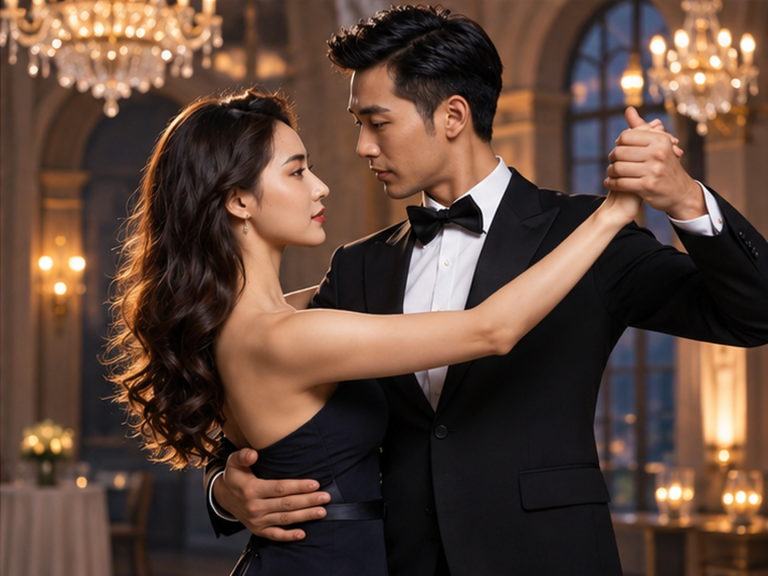
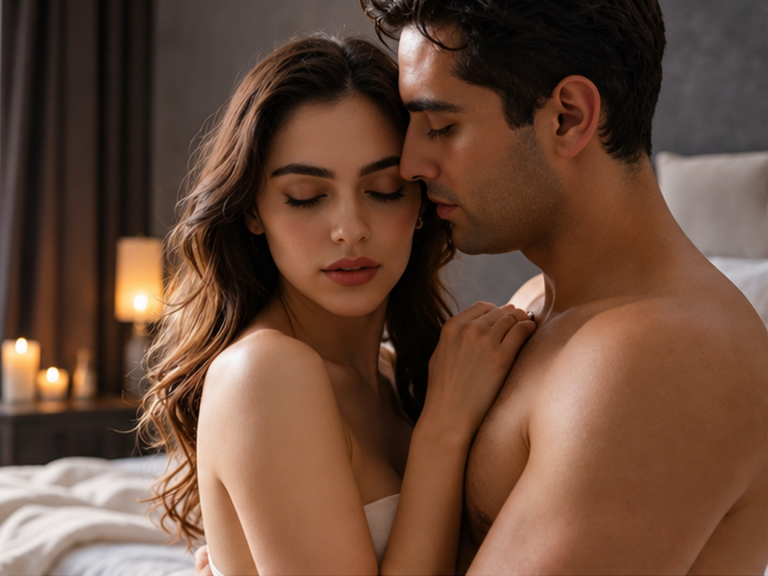
Try this in AvaClik
Try the workflow in AvaClik
Upload a photo you have permission to edit, make a change, check the result and refine it.
Try AvaClik AI Background Changer ↗